Make Your Home Smarter, One Step at a Time

By the TechNest Decor Editorial Team | Last updated: September 2026
Table of Contents
Picture this: you just moved into a new apartment, your lease says “no drilling,” and your landlord would faint at the mention of running wires through the walls. In this SimpliSafe Wireless Indoor Security Camera Review, we’ll look at whether a camera like this can tell you if someone’s poking around your living room while you’re at work or, more realistically, whether your dog has been eating the couch cushions again
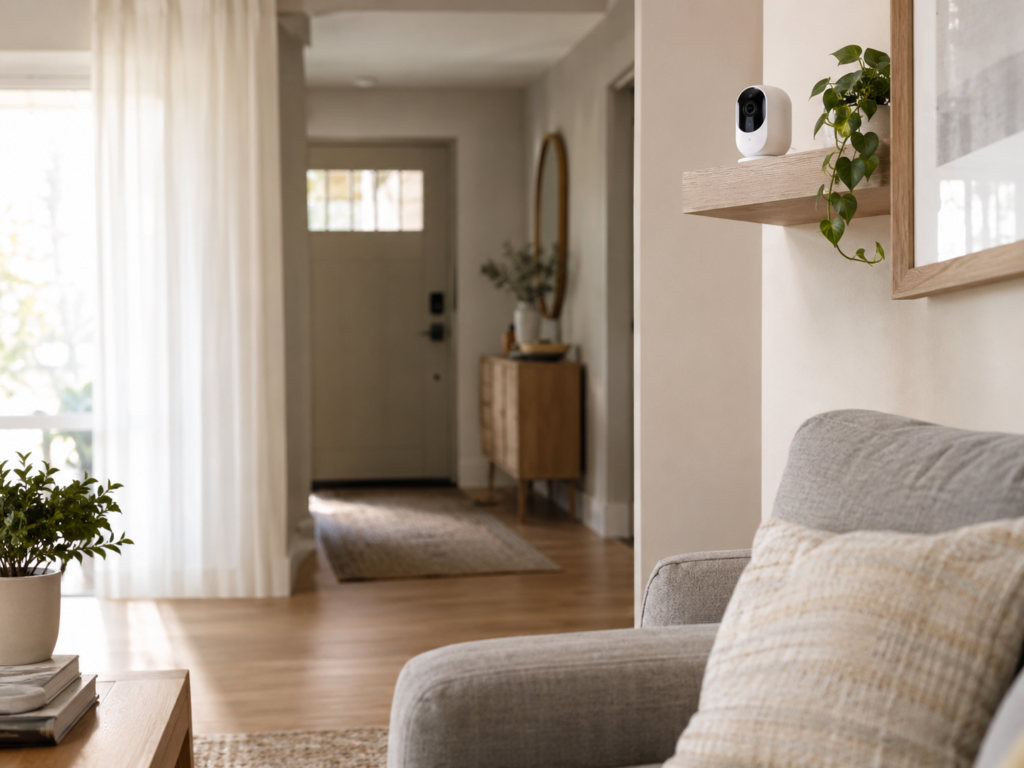
That’s the situation SimpliSafe’s Smart Alarm Wireless Indoor Security Camera is built for. It’s a 1536p, battery-powered camera that plugs directly into SimpliSafe’s alarm ecosystem and that last part is the whole story. Its biggest limitation isn’t image quality or app design; it’s that it doesn’t function as a standalone camera at all. Whether that’s a dealbreaker or exactly what you’re looking for depends entirely on whether you’re already sold on SimpliSafe as a full home security system, which is what the rest of this review is here to help you figure out.
Settings saved.
Key Takeaways
- 1536p HD video, 125° field of view, 10x digital zoom, and night vision a genuine step up from the older 1080p SimpliCam
- Requires a SimpliSafe Base Station and Keypad (Gen 3 system) to operate it is not a standalone camera
- Vision AI motion detection is built to distinguish pets under 50 lbs from people, per SimpliSafe’s own product listing
- Live streaming, notifications, and remote arm/disarm work without a subscription; 24/7 Live Guard Protection (a live agent viewing your feed) requires the Core/Fast Protect plan or higher
- Alexa and Google Home support is limited to arming and status checks you cannot disarm the system by voice
- List price is $149.99, though retailers frequently discount it to the $100–$130 range
How We Researched This Camera
TechNestDecor did not physically test or install this camera for this article. This review is built from SimpliSafe’s official product and support documentation, current retail listings (Amazon, Walmart, Littlewoods), and independent published reviews and comparisons. Where a claim comes from a specific source rather than the manufacturer, we’ve said so directly. Prices and plan details were checked in September 2026 and can change without notice.
SimpliSafe Wireless Indoor Security Camera Review: Specs and What’s in the Box
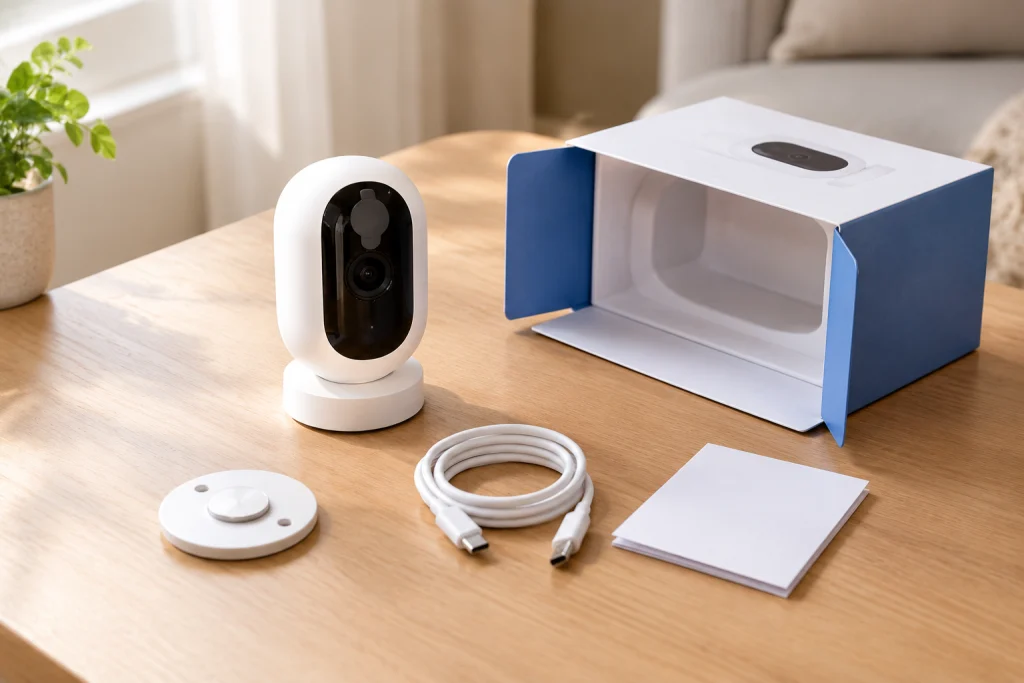
According to SimpliSafe’s own support documentation, the Smart Alarm Wireless Indoor Security Camera captures 1536p HD video noticeably sharper than the 1080p resolution on SimpliSafe’s older, cheaper SimpliCam. It also includes a 125-degree diagonal field of view, 10x digital zoom, night vision, two-way audio, an 80 dB built-in siren, and a physical privacy shutter that opens and closes audibly rather than just toggling in software. Power comes from a built-in rechargeable battery rated for up to three months per charge, based on placement and usage.
The list price is $149.99, but that number rarely holds for long. As of this writing, Walmart lists it at $102.99 (down from $129.99), and other retailers have shown prices in the $110–$140 range depending on ongoing promotions. Treat any single number here as a snapshot, not a guarantee SimpliSafe and its retail partners run frequent sales.
The detail that changes how you should shop for this camera: it requires a SimpliSafe Gen 3 system specifically a Base Station and Keypad to function. It is not designed to work as an isolated device the way a Ring or Wyze camera does. If you don’t already own a SimpliSafe system, that’s an additional cost on top of the camera itself (more on that in the cost breakdown below).
Setup Experience
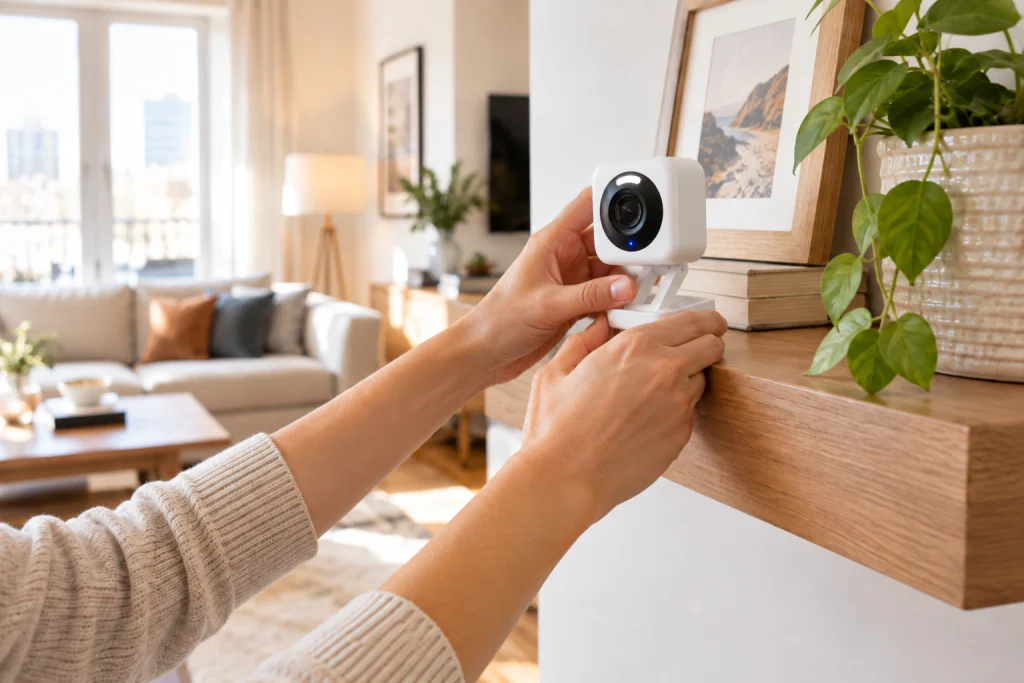
This section is based on SimpliSafe’s published setup instructions rather than a first-hand installation, so treat the timing estimates as documented rather than independently timed. The process breaks down into a few distinct stages:
- App setup: download the SimpliSafe app and create or log into an account.
- Camera pairing: power on the camera, add it as a device in the app, and connect it to a 2.4 GHz Wi-Fi network.
- Physical placement: the camera ships with a built-in stand and can also be wall-mounted no drilling required if you use the stand.
- Wider system setup: if you’re setting up SimpliSafe for the first time, the Base Station and Keypad need to be registered and paired separately, which is a longer process than adding the camera alone.
SimpliSafe markets this as DIY-friendly, and the peel-and-stick, no-tools approach used across its sensor lineup supports that claim for the camera itself. Setting up the camera in isolation (assuming you already have a working Base Station) is a short process; setting up the full system from zero is a separate, longer task don’t conflate the two when budgeting your time.
Video Quality and Detection Performance
1536p is a taller, more detailed frame than the 1080p most competing indoor cameras still use in practical terms, that means more clarity when you digitally zoom in or crop footage after the fact, which matters if you’re ever trying to make out a face or a license plate rather than just confirming that something moved. SimpliSafe pairs this with a 125-degree field of view, described in its own materials as suited to “small and large rooms,” though we don’t have independent side-by-side testing to confirm how it performs against wider-angle competitors in the exact same space.
On detection: SimpliSafe’s product documentation states that its Vision AI motion detection is built to differentiate between pets under 50 lbs and actual intruders, specifically to cut down on false alarms a common complaint with older motion-based cameras. We don’t have independently verified false-alert-rate data to quote a specific percentage, so if minimizing false alerts for a particularly large or excitable pet is a priority, it’s worth checking recent buyer reviews for your specific situation before purchasing.
The camera’s standout feature isn’t really about video quality at all it’s 24/7 Live Guard Protection, a service where a live monitoring agent can view your camera feed in real time during a triggered alarm, speak to whoever’s in your home over two-way audio, and dispatch police if needed. This is only available with SimpliSafe’s Core (formerly Fast Protect) plan or higher, and there’s a status light on the camera that turns amber when an agent is actively viewing the feed, so you have a visible indicator of when you’re actually being monitored.
SimpliSafe App and Smart Home Integration
The app covers live streaming, push notifications, and remote arm/disarm without requiring a subscription that baseline functionality isn’t locked behind a paywall, which isn’t true of every camera brand.
Voice assistant support is more limited than people expect. SimpliSafe integrates with both Amazon Alexa and Google Home/Google Assistant, but the relationship only goes one direction: per SimpliSafe’s own support documentation, you can arm your system and check its status by voice, but you cannot disarm it through Alexa or Google Assistant under any circumstance. That’s a deliberate security decision SimpliSafe doesn’t want a system disarmed just because someone in earshot says the words out loud.
Voice integration also has requirements attached: it needs a Gen 3 SimpliSafe system and a qualifying monitoring subscription (Core, Pro, Pro Plus, or Self-Monitoring with Camera Recordings). If you’re on an older system or skipping monitoring entirely, voice control may not be available to you at all. If you’re hoping for the kind of cross-device automation Ring’s ecosystem allows camera motion triggering smart lights, for instance that’s not a native SimpliSafe feature; some users have bridged SimpliSafe into third-party platforms like Home Assistant for that, but it requires extra setup outside SimpliSafe’s own app.
Monitoring Plans and the Real Cost of Ownership
The camera’s sticker price is only part of what you’ll actually spend. Here’s how the full cost breaks down if you’re starting from scratch:
| Cost Element | What You Pay | What It Provides |
|---|---|---|
| Camera | $149.99 list (frequently discounted to ~$103–$130) | The Smart Alarm Wireless Indoor Camera hardware itself |
| Required SimpliSafe hardware (if you don’t already own a system) | ~$172.99 for a 5-piece starter kit (Base Station, Keypad, Entry Sensor, Motion Sensor, Key Fob) | The Base Station and Keypad the camera needs to function, plus basic entry/motion sensors |
| No subscription | $0/month | Live view, push notifications, remote arm/disarm from the app |
| Core / Fast Protect plan | ~$24.99–$29.99/month, no contract | 24/7 professional monitoring, cellular backup, and Live Guard Protection (live agent view + two-way audio during an alarm) |
In other words: if you don’t already own a SimpliSafe base system, the realistic starting cost is closer to $270–$320 before you’ve paid a cent in monitoring and the standout features people buy this camera for (Live Guard Protection specifically) sit behind that additional monthly fee. If you already have a SimpliSafe Gen 3 system running, the camera is a much simpler, cheaper add-on.
Pros and Cons
| Pros | Cons |
|---|---|
| 1536p resolution — sharper than most competing indoor cameras still on 1080p Live view and notifications work without any subscription Vision AI motion detection built to reduce pet-triggered false alarms Physical, audible privacy shutter rather than a software-only toggle Live Guard Protection offers real-time agent intervention, not just after-the-fact footage review | Cannot function without a SimpliSafe Base Station and Keypad No local storage — recorded footage depends on a monitoring subscription Voice control through Alexa/Google Home is arm/status-only, not full automation The strongest feature (Live Guard Protection) requires a mid-tier plan or higher Requires a Gen 3 system and 2.4 GHz Wi-Fi specifically — not universally backward compatible |
SimpliSafe Indoor Camera vs. Ring and Wyze in 2026
| Camera | Resolution | Price (approx.) | Storage | Smart Home |
|---|---|---|---|---|
| SimpliSafe Smart Alarm Indoor Camera | 1536p HD | $103–$150 | Cloud only, tied to a monitoring plan | Alexa / Google Home (arm + status only) |
| Ring Indoor Cam (newest model) | 1080p HD, color night vision | ~$49.99 | Optional cloud via Ring Protect subscription | Alexa |
| Wyze Cam v4 | 2.5K QHD (2560×1440) | ~$39.99 | Local microSD (up to 512GB, sold separately) — no subscription required for local recording | Alexa |
The three cameras solve different problems, so “best” depends on what you’re optimizing for. SimpliSafe’s advantage isn’t the camera in isolation it’s Live Guard Protection, the real-time agent response that neither Ring nor Wyze offers in the same form. Ring’s newest indoor model adds Advanced Pre-Roll (extra video captured just before a motion event) and a manual privacy cover, and it’s plug-in powered rather than battery-based, so placement depends on outlet access. Wyze Cam v4 is the value and resolution play here: 2.5K video, color night vision, and notably local recording to a microSD card with no subscription required, though the card itself is sold separately and the camera is wired rather than battery-powered.
If local storage without a monthly fee matters most to you, Wyze is the more direct fit. If you want a camera that plugs into a monitored alarm system with live agent response, SimpliSafe is doing something the other two simply don’t offer.
Top Editor’s Choice
Best Starter Security Bundle

SimpliSafe 5 Piece Wireless Home Security System

This is exactly the Base Station and Keypad the SimpliSafe camera in this review requires to function at all — the natural first purchase if you’re starting from zero rather than adding a camera to an existing system.
- Wireless installation, no wiring or drilling required
- Includes Base Station, Keypad, Entry Sensor, Motion Sensor, and Key Fob
- Optional 24/7 professional monitoring, no long-term contract
- Works with Amazon Alexa and Google Assistant
- 95 dB siren, cellular connection, and up to 24-hour battery backup
Best for: Apartments and small-to-medium homes that need a simple wireless alarm system without wired installation
Our verdict: The realistic starting point if you don’t already own SimpliSafe hardware — just know this 5-piece bundle alone doesn’t include camera coverage, and professional monitoring is a separate paid add-on.
Best Budget, No-Subscription Camera

WYZE Cam v4 (Latest Model), 2.5K AI Security Camera

The direct answer if local storage without a monthly fee matters more to you than a monitored alarm ecosystem — exactly the trade-off this review flags against the SimpliSafe camera.
- 2.5K QHD video with a 120° field of view
- Color night vision via Starlight Sensor and 72-lumen spotlight
- IP65 weatherproof design for indoor/outdoor use
- On-device AI detection for people, packages, pets, and vehicles
- Local recording via microSD (up to 512GB), no subscription required
Best for: Anyone prioritizing local, subscription-free storage over a monitored security ecosystem
Our verdict: The resolution and value play among these picks — just note it’s wired rather than battery-powered, 2.4GHz Wi-Fi only, and the microSD card is sold separately.
Best Simple Standalone Camera

Ring Indoor Cam (Newest Model)

The standalone alternative this review points to directly — no base station, no monitoring plan required to just plug it in and watch a live feed.
- 1080p HD video with Live View and Color Night Vision
- Advanced Pre-Roll captures extra video before a motion event
- Manual privacy cover for camera and microphone
- Customizable motion detection and motion zones
- Two-way talk and Alexa compatibility
Best for: Renters and apartment dwellers who want one standalone indoor camera and nothing else
Our verdict: The easiest single-camera setup of the three compared in this review — 1080p is a step behind the SimpliSafe camera’s 1536p, and it needs plug-in power, so placement depends on outlet access.
Best Local Storage Card

SanDisk 128GB Ultra microSD UHS-I Card
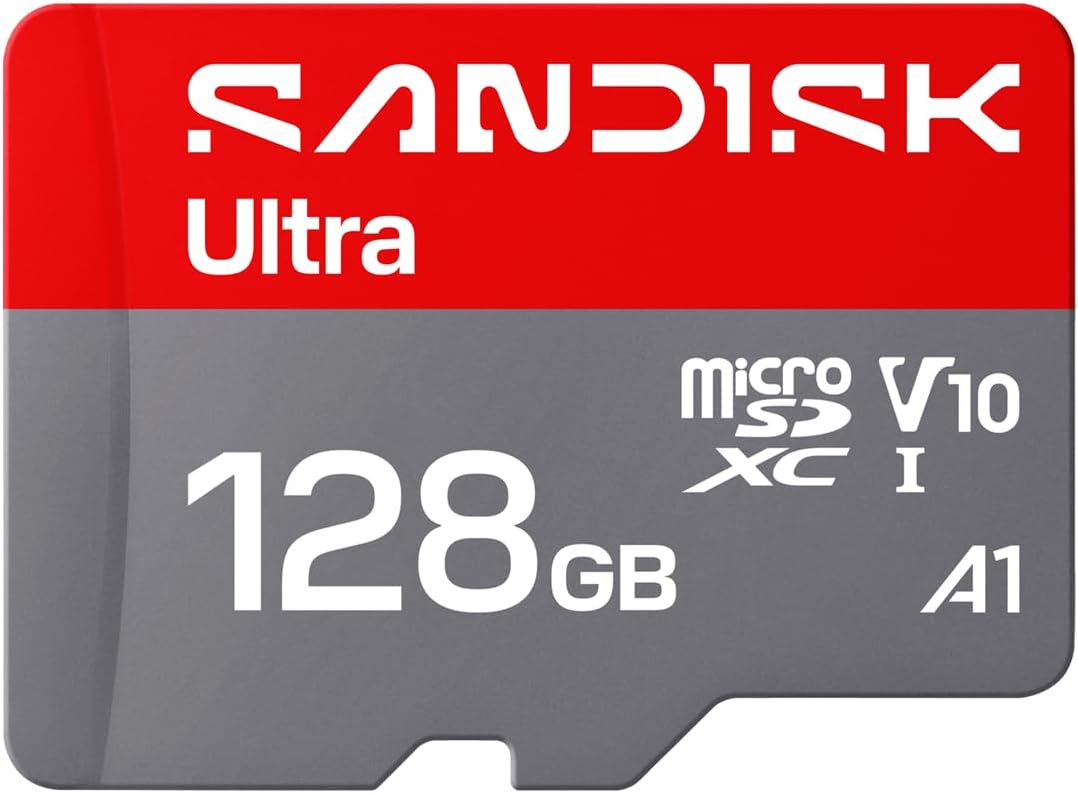
The exact accessory the Wyze pick above needs, since its local recording relies on a microSD card sold separately — this is a straightforward, well-reviewed option to pair with it.
- 128GB storage capacity
- Up to 195MB/s read speed with a compatible SanDisk reader
- UHS-I interface, U1/Class 10, V10 video speed class
- Supports Full HD video, photos, and app storage
- Compatible with cameras, phones, tablets, and laptops
Best for: Expanding local storage on the Wyze camera or any other microSD-compatible security camera
Our verdict: A safe, high-volume pick for local camera storage — just know the advertised 195MB/s speed needs the separately-sold SanDisk QuickFlow reader to actually hit that number.
Best Smart Display Add-On

Echo Show 5 (3rd Gen) with Adjustable Stand

Since the SimpliSafe camera’s Alexa integration is limited to arming and status checks, a dedicated Echo device like this gives you a screen to actually glance at your system’s status at home.
- 5.5″ display with built-in Alexa voice assistant
- 2 MP camera for video calls and quick home checks
- Adjustable stand with USB-C charging port
- Music/video streaming and smart-home controls
- Photo slideshow display
Best for: Bedroom, kitchen, or desk placement as a smart-home control point alongside a security system
Our verdict: A nice-to-have companion device rather than a security essential — the 5.5″ screen and 2 MP camera are modest, so treat this as a convenience add-on, not a monitoring solution on its own.
Best Door/Window Sensor

SimpliSafe Entry Sensor — Window and Door Protection

The most basic building block of any SimpliSafe setup — and the highest-rated product in this whole comparison. Peel-and-stick installation means you can expand coverage to every door and window without any tools.
- Monitors doors, windows, and cabinets
- Instant chime alerts with customizable/secret alerts
- Peel-and-stick installation with included mounting hardware
- Pre-installed, long-lasting battery
- Compatible with SimpliSafe Gen 3 systems
Best for: Expanding entry-point coverage on an existing SimpliSafe Gen 3 system
Our verdict: At 4.8/5 from nearly 4,500 ratings, this is close to a no-risk add-on — but remember it only works within the SimpliSafe ecosystem, so it’s not a fit if you’re not already committed to that system.
Who Should Buy This Camera (and Who Shouldn’t)
Good fit: existing SimpliSafe users, people building a complete home security system rather than adding a single camera, and anyone who specifically wants professional monitoring with real-time agent intervention during an alarm event.
Poor fit: renters or apartment dwellers who want one standalone camera and nothing else, anyone prioritizing local storage over cloud/subscription-based recording, and people who want deep smart-home automation (lights, routines, third-party triggers) rather than a security-first feature set.
FAQ
Does the SimpliSafe camera work without the alarm system?
No. Per SimpliSafe’s own documentation, it requires a Gen 3 Base Station and Keypad to operate — it’s not designed to function as a standalone camera.
Is there a monthly fee required?
Not for basic use. Live view, notifications, and remote arm/disarm work without a subscription. Live Guard Protection and full professional monitoring require the Core (formerly Fast Protect) plan or higher, generally $24.99–$29.99/month with no contract.
Does it work with Alexa or Google Home?
Yes, but only to arm your system and check its status — you cannot disarm it by voice, and it requires a Gen 3 system plus a qualifying monitoring plan.
Does it support local storage, like a microSD card?
No. Recording and playback depend on a SimpliSafe monitoring plan rather than on-device storage. If local, subscription-free storage is a priority, Wyze’s microSD-based cameras are built around that model instead.
Bottom line: Is this a good standalone indoor camera? Not really — it isn’t designed to be one, since it can’t function without a SimpliSafe Base Station and Keypad. Is it a good camera within a SimpliSafe system? The 1536p resolution, Vision AI pet-aware detection, and Live Guard Protection make a genuine case for it, provided you’re willing to pay for the monitoring plan that unlocks the best of those features. The biggest drawback stays consistent throughout this review: everything valuable here is gated behind either owning the broader SimpliSafe ecosystem or paying for its mid-tier monitoring plan. Compared to standalone alternatives like Wyze or Ring, it trades flexibility and lower cost for tighter security-system integration.
If you’re starting from zero, SimpliSafe’s starter security bundle is the natural first purchase before adding this camera on top. Building a full DIY system instead? Our guide to installing a home security system yourself covers the bigger picture, and our Smart Security category and Ring Doorbell installation guide are worth a look if you’re still comparing brands entirely.
Have you used this camera, or are you deciding between it and a standalone option like Ring or Wyze? Share your experience in the comments it genuinely helps other readers weighing the same decision.
Prices checked: September 2026. Pricing and plan availability change frequently and may differ by the time you’re reading this.
Disclosure: This article contains affiliate links. TechNestDecor may earn a commission on qualifying purchases made through these links, at no additional cost to you. Product selection and editorial analysis are independent of any affiliate relationship.