Make Your Home Smarter, One Step at a Time

Modern home security cameras with AI detection can distinguish people, vehicles, animals, and packages automatically.
Table of Contents
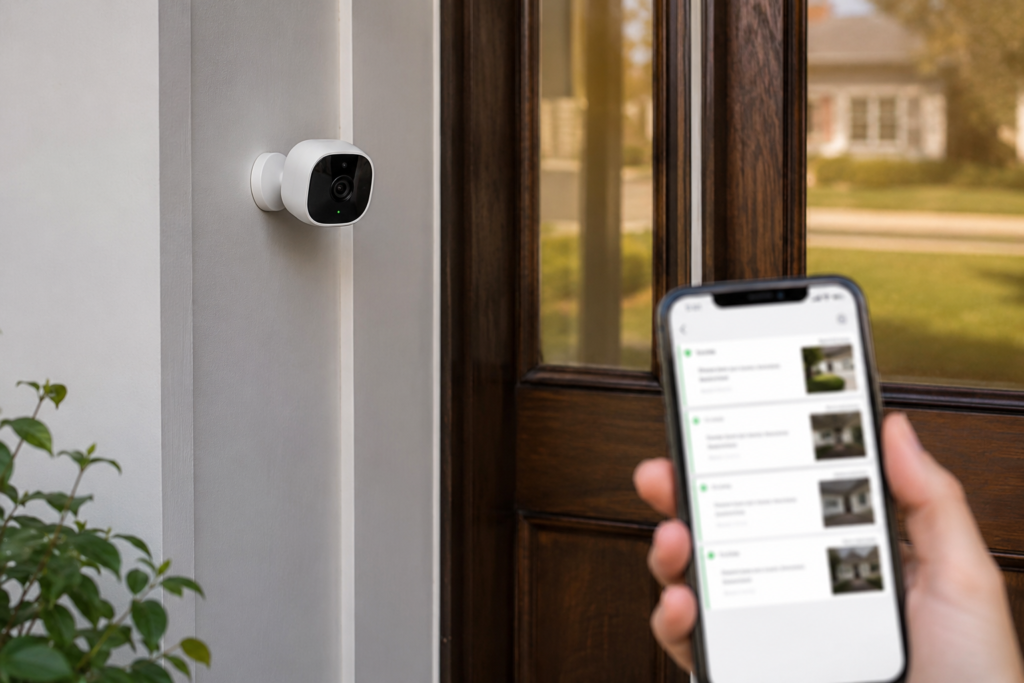
Here’s a scenario I keep hearing about: someone installs a new security camera, sets up motion alerts, and within 48 hours is completely ignoring every notification because their phone has buzzed 200 times — for squirrels, passing cars, swaying branches, and their own shadow at 6am.
That’s the traditional security camera experience in a nutshell. And it’s exactly the problem that home security cameras with AI detection were built to solve.
Settings saved.
But here’s where things get murky: the term “AI” gets slapped on cameras the way “smart” got slapped on everything in 2015. Not all home security cameras with AI detection are equal, not all cameras with AI are worth buying, and some features marketed as AI breakthroughs are barely more sophisticated than what cameras did five years ago.
This guide cuts through all of that. By the end, you’ll know exactly what to look for, what to ignore, and which questions to ask before you buy. Let’s get into it.
What AI Detection Actually Means in Home Security Cameras (And What It Doesn’t)
When a camera brand says their product uses “AI detection,” they almost always mean on-device or cloud-based machine learning that classifies motion events. The best home security cameras with AI detection don’t just alert you when a pixel changes — they analyze the motion and answer: is this a person, an animal, a vehicle, or just a tree branch?
That’s a genuinely useful feature. The difference between getting an alert that says “Motion detected” and one that says “Person detected at your front door” is enormous — especially at 2am when you’re deciding whether to actually get out of bed.
Person detection vs. facial recognition — a critical distinction
This is where a huge amount of buyer confusion lives, so let’s be really clear about it.
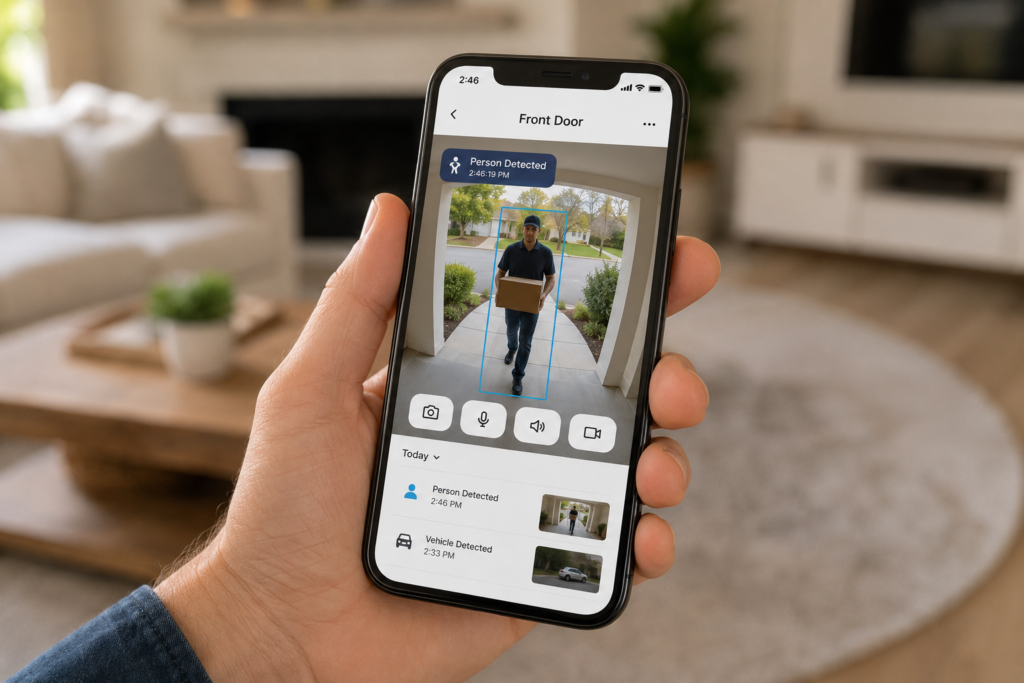
Person detection means the camera can identify that a human being is in frame. It doesn’t know who. It just knows it’s not a raccoon.
Facial recognition means the camera can compare a face against a database of known faces and tell you “this is your neighbor Dave” or “this is an unrecognized person.” This requires significantly more processing power, usually a monthly subscription, and comes with serious privacy implications.
Most cameras sold today offer person detection. Far fewer offer true facial recognition — and some that claim to offer it are really just offering face detection (i.e., it notices a face exists, but can’t identify who it belongs to).
Quick Definition
Person detection = there’s a human here. Facial recognition = I know who this human is. Most cameras do the first. Very few do the second well.
Package detection, vehicle detection, and beyond
The best AI cameras go further than just “person vs. not-person.” Look for cameras that can detect packages left at your door, distinguish between a car driving by and one parked in your driveway, and identify animals separately from people. These granular detection modes let you customize your alert settings in ways that actually make sense for your specific situation.
AI Facial Recognition — Should You Actually Bother?
Here’s a question worth sitting with: Why are people getting rid of Ring doorbells? And why are people disabling Face ID on their phones? These two trends show up a lot in search data, and they’re pointing at the same underlying anxiety — people are getting uncomfortable with AI that knows their face.
That’s not irrational. In 2026, several cities and states have introduced or expanded restrictions on facial recognition technology, especially when it comes to sharing data with law enforcement. Ring’s relationship with police departments — which allowed departments to request footage directly — made headlines and prompted a wave of people to reconsider having a connected camera on their door at all.
Privacy Note
Before buying any camera with cloud-based facial recognition, read the manufacturer’s privacy policy. Specifically look for: who owns your data, whether it’s shared with third parties, and whether law enforcement can request access without your direct consent.
So where does that leave you as a buyer who actually wants facial recognition for the legitimate reason of knowing when family members arrive home vs. when strangers do?
The honest answer is: look for cameras that process facial recognition locally — on the device or on a local hub — rather than sending your family members’ faces to a company’s servers. It’s a smaller category, it’s often more expensive, but it’s where the privacy-conscious part of the market is moving fast.
If that feels like overkill for your use case, excellent person detection with a solid alert system will handle 90% of what most homeowners actually need.
Which Home Security Cameras With AI Detection Have the Best Performance?
This is the question everyone wants answered, and I’ll give you the framework to evaluate it yourself — because when it comes to home security cameras with AI detection, “best” depends entirely on your setup, your privacy preferences, and your budget.
How to Choose Home Security Cameras With AI Detection: 4 Key Factors
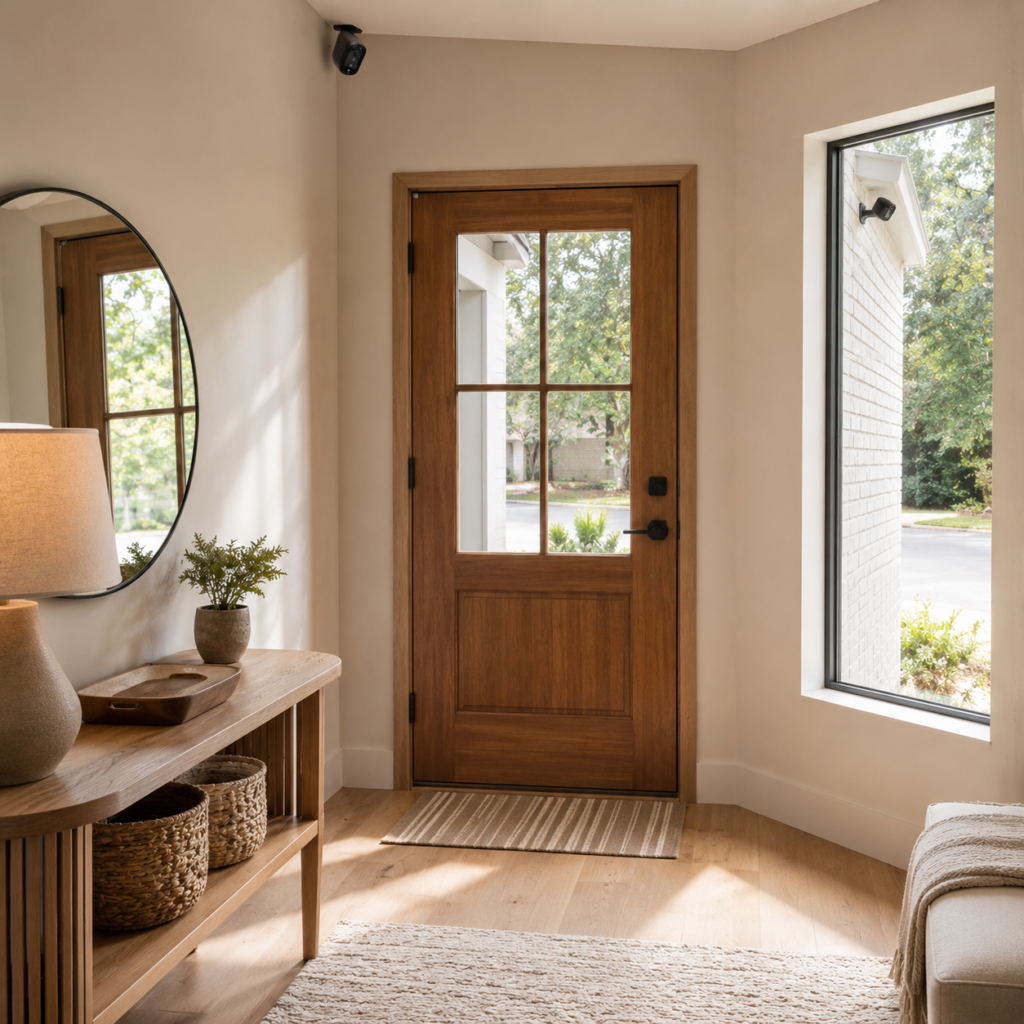
The most trusted AI detection isn’t necessarily the most expensive — it’s the most accurate. A camera that catches 95% of real events with 5% false positives will always beat a camera that catches 99% of events but sends you 30 ghost alerts a day. False alarm fatigue is real, and it’s what makes people stop checking their cameras entirely.
When evaluating AI quality, look at these four factors:
Detection accuracy rates. Independent lab tests and long-term user reviews are your best friends here. Look for real-world accuracy numbers, not marketing claims.
Processing location. Edge AI (processed on the camera itself) is faster and more private. Cloud AI can be more powerful but introduces latency and privacy trade-offs.
Alert customization. The best AI cameras let you set activity zones, define what triggers alerts, and schedule when different detection modes are active. This is what separates a camera you’ll actually use from one you’ll switch to “do not disturb” after a week.
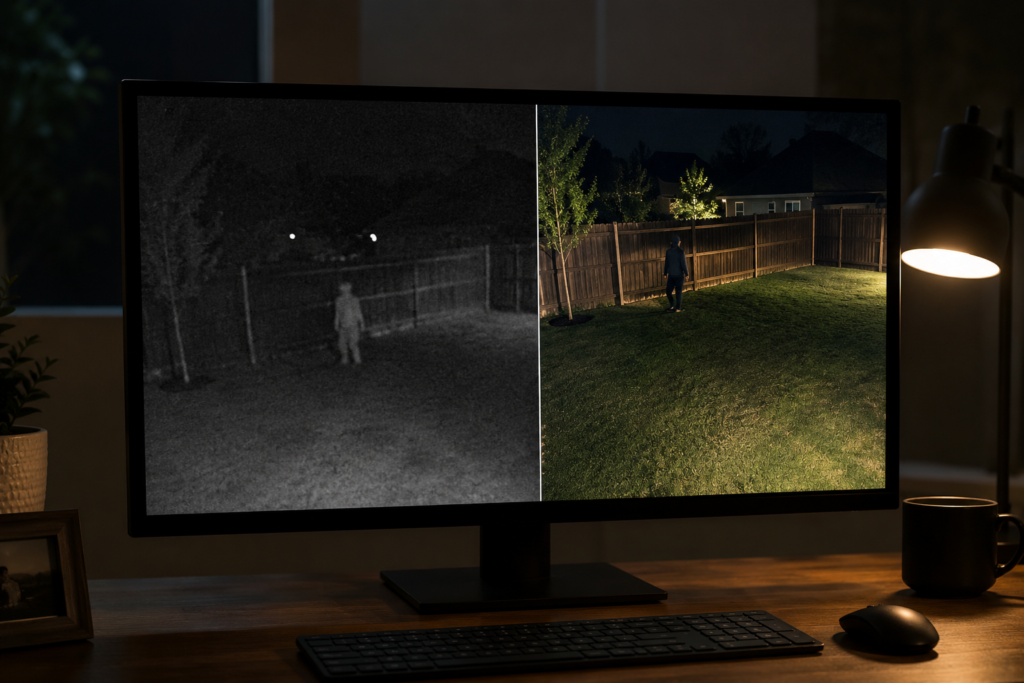
Night vision quality. AI detection is only as good as the footage it’s analyzing. Cheap cameras with poor infrared or color night vision will deliver worse AI results regardless of how sophisticated the software is.
The best AI camera is the one you don’t have to babysit — it learns your environment, sends you alerts that matter, and goes quiet when nothing’s actually happening.
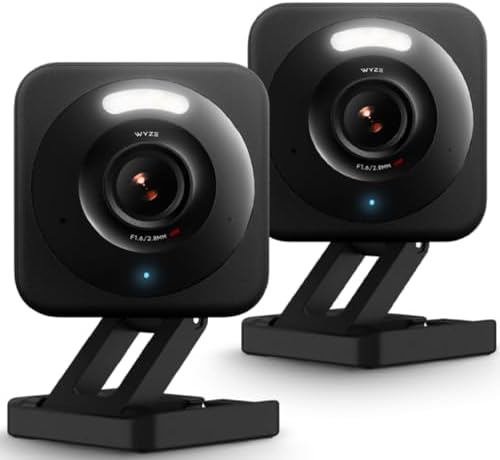
- SMART 2.5K QHD RESOLUTION — CAPTURE EVERY DETAIL — Record in crystal-clear 2560×1440 video with a 120° wide field of vie…
- ENHANCED COLOR NIGHT VISION — SEE CLEARLY IN TOTAL DARKNESS — Industry-leading Starlight Sensor paired with a 72-lumen s…
- IP65 WEATHERPROOF — BUILT FOR EVERY SEASON — Rated IP65 for dust-tight, water-jet-resistant protection against rain, sno…
$66.58
What the police recommend
This comes up in search results constantly, and it’s worth addressing directly. Law enforcement recommendations for home security cameras tend to be consistent across departments: they prioritize resolution, reliable night vision, wide field of view, and local storage backup.
The reason for that last one is important — cloud-only cameras can go offline, accounts can get hacked, and subscription lapses can wipe footage history. Police investigating a break-in want footage that wasn’t deleted because someone forgot to renew their cloud plan. Local storage (SD card or NVR) as a backup to cloud is the recommendation you’ll hear most.
AI detection rarely appears in official police recommendations not because it isn’t valuable, but because departments focus on what makes footage actually usable as evidence — and resolution plus night vision beat fancy AI labels in that context.
Which Cameras Have Built-in AI (And Which Don’t)?
The short answer is: most modern home security cameras with AI detection from established brands now include at least basic person detection. But “built-in AI” varies wildly.
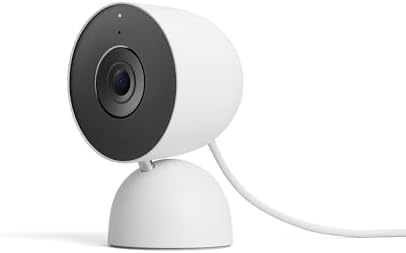
- Meet the smarter, sharper wired Google Nest Cam Indoor; with 2K HDR video and Gemini, it knows what to look out for and …
- With an Advanced subscription to Google Home Premium, know more about what’s happening with notifications like “Kids are…
- Google Nest Cam Indoor keeps your data safe with encrypted video, two-step verification, and enhanced security through y…
$94.99
Here’s a practical breakdown of what different tiers of AI actually look like:
| AI Tier | What It Does | Subscription Required? | Local Processing? |
|---|---|---|---|
| Basic Motion Detection | Detects any pixel change | No | Yes |
| Person Detection | Differentiates humans from other motion | Sometimes | Varies |
| Object Classification | Person + vehicle + animal + package | Often yes | Varies |
| Activity Zones + AI | Smart detection only within defined areas | Often yes | Varies |
| Face Detection | Notices a face is present | Sometimes | Varies |
| Facial Recognition | Identifies who the face belongs to | Yes, almost always | Rarely |
Are there security cameras that don’t use AI at all? Yes — basic, budget cameras still exist, and they’re not useless. If you need continuous 24/7 recording for a specific location and aren’t concerned about alert quality, a simple camera with local storage can still do the job. But if smart alerts are why you’re buying, you want AI.
How to identify if a camera actually has AI
Don’t just take the product listing’s word for it. Look for these specific features in the spec sheet:
Person detection, vehicle detection, or animal detection listed as separate alert categories — not just “smart motion alerts.” Activity zones that you can draw manually on your camera’s view. The ability to turn specific alert types on or off individually. And in reviews, look for whether people mention false alarm rates going down — that’s the real-world proof of AI doing its job.
How Much Do Home Security Cameras With AI Detection Actually Cost?
Let’s talk money, because this is where a lot of people get surprised after buying home security cameras with AI detection — usually after the return window has already closed.

The hardware cost is just the beginning. Many cameras lock their best AI features behind a monthly subscription. Here’s what realistic total cost of ownership looks like:
| Cost Component | Typical Range | Notes |
|---|---|---|
| Camera hardware (single) | $30 – $250+ | Wide range; indoor vs outdoor, resolution, brand |
| Basic AI (person detection) | Often free | Many brands now include this without a sub |
| Full AI + cloud storage | $3 – $20/month per cam | Or $10 – $50/month for multi-camera plans |
| Facial recognition | $10 – $20/month | Usually the highest tier plan |
| Local storage (SD card) | $10 – $30 one-time | Best value, no recurring cost |
| NVR / hub system | $100 – $400 one-time | Better for multi-camera setups |
The real cost calculation to do before buying: take the hardware price, add 24 months of whatever subscription tier you’d realistically need, and compare that total across competing systems. A camera that’s $40 cheaper upfront but costs $5 more per month ends up being $80 more expensive over two years.

- [Ultra HD] Read/Write up to 100/60 MB/s. 4K Ultra HD video displaying/recording
- [Compatibility] Storage for Laptop, Tablet, PC, Smartphones, Camera, e-Reader. Files, Videos, Music
- [Environment] Waterproof, shockproof, temperature-proof and X-Ray proof
$64.99
Money-Saving Tip
Several brands now offer solid person detection for free with no subscription — you just don’t get cloud storage history. Pair one of these with a local SD card and you’ve got a genuinely capable AI camera setup for a one-time cost.
The Honest Disadvantages of AI Cameras (Nobody Puts in the Ad)
Let’s be real here, because home security cameras with AI detection — like every category of technology — have genuine downsides that no brand puts in their ad.

AI still makes mistakes. Even the best cameras misclassify events. A large dog might trigger person detection. A delivery person in a heavy coat might not trigger it. Expect occasional errors — it’s a probability game, not a certainty.
Privacy is a legitimate concern, not paranoia. When you install a camera with cloud AI, you’re sending video of your home, your family, and potentially your face to a company’s servers. How long they store it, who can access it, and what they do with it varies enormously. The Ring law enforcement data-sharing controversy isn’t an isolated incident — it’s a glimpse at an industry still figuring out where the lines are.
Subscription costs add up fast. As covered above, the true cost of some AI camera systems is 2–3x what the hardware sticker suggests once you add subscriptions. Some people discover this after the return window has closed.
AI can create a false sense of security. A camera that sends you perfect AI alerts is only useful if you’re actually watching them. A camera is a detection tool, not a prevention tool. It tells you something happened — it doesn’t stop it from happening.
Connectivity dependency. Cloud-AI cameras need a solid Wi-Fi connection to work properly. Spotty internet equals spotty security. This matters more than most product listings acknowledge.

- Protection for Busy Families: A 2K HDR security camera with Smart Detections to reduce false alerts & Auto Zoom & Tracki…
- Custom Alerts That are Important to You: Set unique detections like garage door opening, dog on couch, or school bus arr…
- Quick Emergency Response Even When Away: Connect directly to your camera’s local emergency team, not your current locati…
$440.85
What Police Actually Recommend for Home Security
When law enforcement talks about home security cameras — in community outreach, in crime prevention programs, in interviews after high-profile incidents — the recommendations are remarkably consistent and surprisingly low-tech.

Visibility matters more than AI. A visible camera is a deterrent. A hidden AI-powered camera is better evidence after the fact but does less to prevent the incident. Most police departments recommend making cameras visible rather than concealed.
Resolution and night vision are non-negotiable. If the footage can’t identify a face or a license plate in the dark, it’s not going to help investigators much. 2K or 4K resolution with color night vision (not just black-and-white infrared) is what detectives actually want to work with.
Local backup is critical. This comes up again and again. Cloud-only systems have too many failure points for law enforcement purposes — account lapses, company shutdowns, connectivity gaps. Local storage as a redundant backup is consistently recommended.
Cover entry points and escape routes. The police recommendation is simple: front door, back door, garage, and any side gates. These are the points that matter for both evidence and deterrence.
Law Enforcement Tip
Many local police departments offer free home security assessments — they’ll walk your property and tell you exactly where cameras would be most effective. It’s worth calling and asking.
One Camera Is Never Enough — Here’s What a Real Setup Looks Like
A doorbell camera is a great starting point — but it’s never the whole story. Real home protection means thinking in layers, not devices.
I’ve broken down exactly what that looks like: from top-rated home security systems that work alongside your AI camera, to solar-powered options with local storage that need zero subscriptions and zero Wi-Fi. Worth a look before you make any final decisions.
Ring vs Blink — What’s the Real Difference?
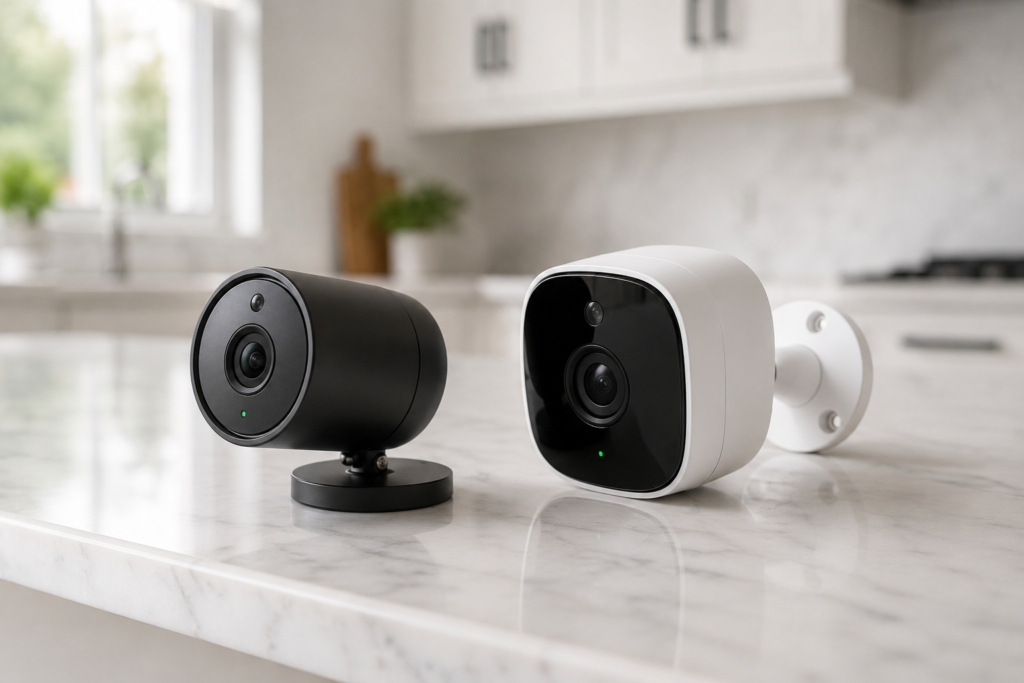
This comparison comes up constantly, partly because both brands are owned by Amazon and people wonder if they’re just the same product with different logos. They’re not — and the differences matter.
Ring is the more feature-rich, more expensive option. Better AI detection, richer alert customization, the professional monitoring option, and deeper smart home integration. The trade-off is higher subscription costs and the privacy concerns that have driven some users away. If you want the most capable doorbell camera experience and aren’t troubled by the data questions, Ring is hard to beat on features.
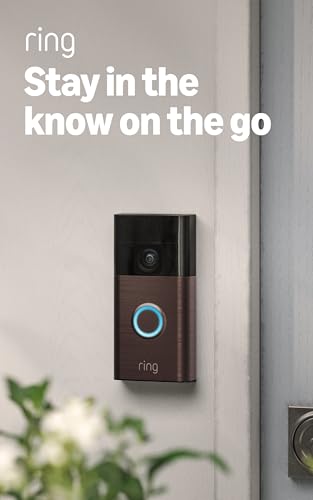
- See more at your home or business — Get 66% more vertical coverage with the latest version of Ring’s best-selling Video …
- Built-In Battery — Battery Doorbell includes a built-in battery, which charges with a convenient USB-C charging port. To…
- Install in a snap — Charge it up, click into place, and stay connected right from your phone.
$67.99
Blink is the budget-conscious option in the Amazon family. Lower hardware costs, much cheaper (and optional) cloud subscription, and respectable battery life. The AI detection is more basic — person detection is there, but it’s less accurate than Ring and the alert customization is thinner. Blink is excellent if you want solid coverage at lower cost and don’t need the AI sophistication.
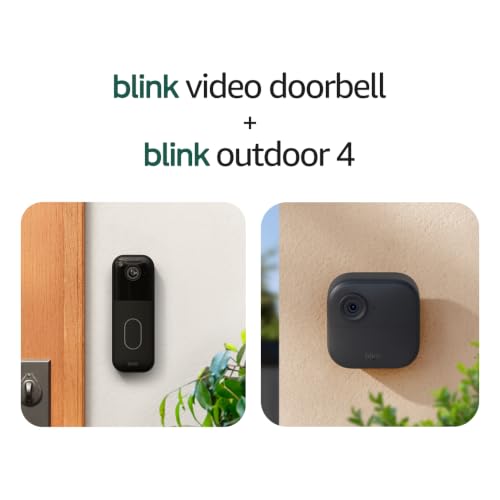
- Video Doorbell is our second-generation smart security doorbell with up to two years of battery life, an expanded field …
- Last longer with two-year battery life — Experience up to two years of smart security coverage on both devices with incl…
- See and speak from the Blink app — Experience head-to-toe HD viewing from Video Doorbell and 1080p HD live view from Out…
$133.98
The bottom line: if budget is your primary constraint, Blink delivers more value per dollar. If you want the best AI experience and are willing to pay for it, Ring wins on capability. Neither is the objectively best answer — it depends on what you’re actually optimizing for.
FAQ: All Your Remaining Questions, Answered
Which camera has the best built-in AI?
There’s no single universal answer — it depends on whether you prioritize local processing, specific detection types, or value. Look for cameras with third-party tested accuracy rates, granular object classification, and customizable activity zones. Read recent long-term reviews, not just launch-day impressions.
Which AI is best for security overall?
The most trusted AI detection systems are those that minimize false positives while maintaining high true-positive rates. Edge AI (processed on-device) tends to be faster and more private. The best choice is the system whose false alarm rate you can actually live with — because alert fatigue is real.
Are there security cameras that don’t use AI?
Yes. Basic motion-detection cameras still exist and have legitimate use cases — particularly for continuous recording without alert management. For outdoor use where you don’t want to deal with subscriptions or false alerts, they’re still viable if paired with local storage.
What is the highest-rated home security camera?
Ratings shift frequently as new models launch, so always check recent reviews from independent testers. Focus on ratings that include long-term reliability data — not just out-of-box impressions — and real-world false alarm rates.
Why are people getting rid of Ring doorbells?
Primarily due to privacy concerns around Ring’s past data-sharing agreements with law enforcement, combined with increasing subscription costs for features that were previously free. Some users also cite more capable alternatives at similar or lower price points.
How do I identify whether a camera actually has real AI?
Look for specific detection categories (person, vehicle, animal, package) listed separately — not just “smart motion alerts.” Check whether activity zones are manually drawable. And look in user reviews for comments on false alarm frequency after setup — that’s the most honest real-world test.
Which AI is best — number 1?
This is genuinely context-dependent. For most homeowners, a camera with solid on-device person detection, customizable activity zones, and reasonable subscription cost will outperform a “top-rated” camera that requires a premium plan to unlock its best features. Define what “best” means for your specific situation before you shop.
The Bottom Line
Here’s what I want you to walk away with: home security cameras with AI detection are real, they’re useful, and they genuinely solve the notification fatigue that makes traditional cameras so frustrating. But it’s also a category where marketing has outrun reality in some spots, privacy considerations are legitimate and worth your attention, and the true cost is higher than the hardware price tag suggests.
The best camera for you is the one you’ll actually use. That means alert quality you trust, a subscription cost you’re comfortable with, privacy practices you’ve actually read and accepted, and night vision good enough to capture useful footage when it matters.
Take the time to compare total ownership costs, read real long-term reviews, and if you’re serious about privacy, look into which cameras offer local AI processing. That’s where the smartest buying decisions happen — not in the marketing copy, but in the details.