Make Your Home Smarter, One Step at a Time

Table of Contents
Finding the right alarm system for house is one of those tasks that sounds simple — until you actually try to do it.
You open one browser tab. Then somehow there are 14 of them. ADT wants a 3-year contract. Ring wants your Amazon account. SimpliSafe looks great until you start doing the math on three years of monthly fees. An hour later you’re more confused than when you started — and you still don’t know if you even need a full system or just a couple of cameras in the corners.
We’ve been there. That’s exactly why we put this guide together. No jargon, no pressure, and no cheerleading for whichever brand pays the highest commission. Just honest answers to the questions real homeowners are actually Googling in 2026 — how much it costs, which brands deliver, whether ADT is worth it (spoiler: sometimes not), and how to get solid protection without signing your life away to a monthly fee.
Settings saved.
Straight talk only. Let’s get into it
🔑 Key Takeaways
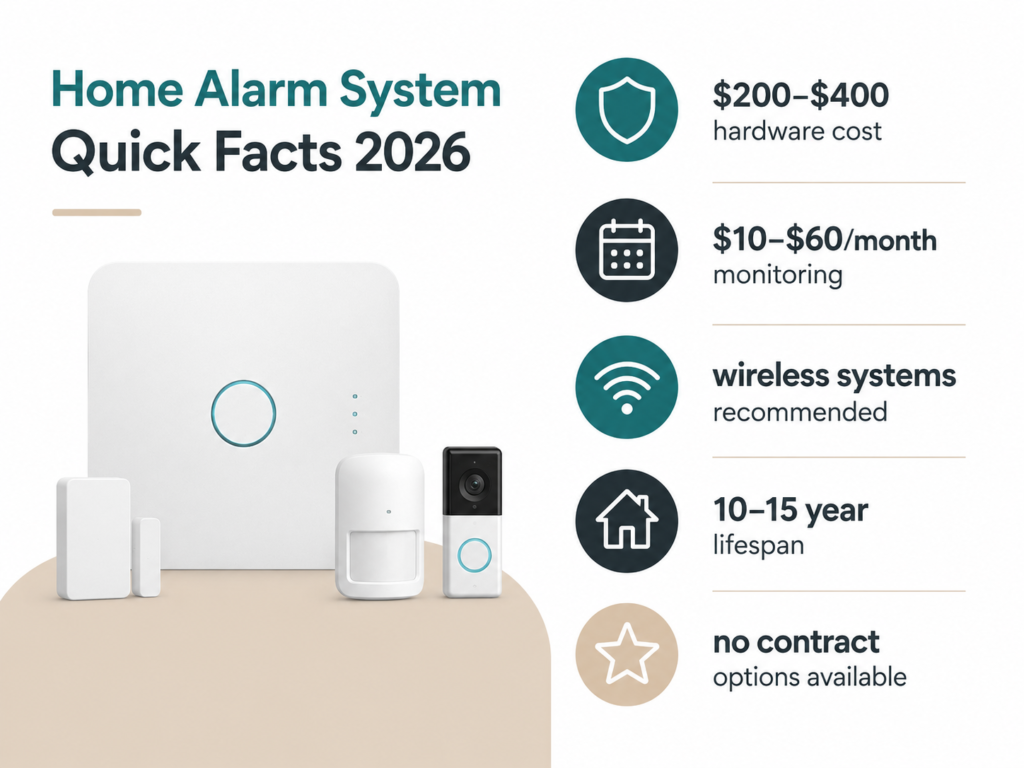
- A good alarm system for a house starts around $200–$400 in hardware, with professional monitoring running $10–$60/month.
- ADT is reliable but expensive. SimpliSafe, Ring, and Abode offer real alternatives at lower prices.
- You don’t always need a professional installer. Many modern systems are genuinely DIY-friendly.
- Wireless systems are now the smart choice for most homes — more flexible, and burglars can’t easily cut a wire to disable them.
- No-monthly-fee options exist and work well for budget-conscious homeowners.
Why an Alarm System for House Does More Than Cameras Ever Could
Security cameras are a great start. But here’s what most people don’t realize: a camera records what happened. A proper alarm system for house protection stops what’s happening — or at least makes it very loud and very fast to respond to.
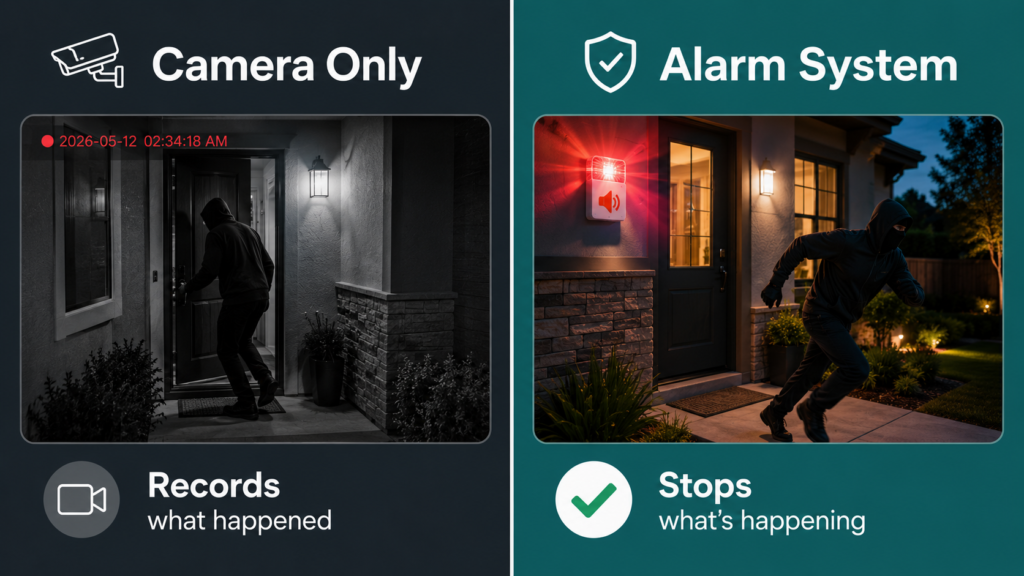
Studies suggest that visible alarm systems deter up to 60% of would-be burglars before they even try. That’s the real value — not catching the person after the fact, but making your home a target they’d rather skip.
A complete alarm system for house setups typically includes door and window sensors, a motion detector, a central hub (the “brain” of the system), and some kind of alert — whether that’s a siren, a call to monitoring agents, or a push notification to your phone.
Cameras can absolutely complement this. But on their own, they’re more of a documentation tool than a deterrent. Pair both, and you’ve got something genuinely solid.
If you’re already researching cameras, check out our honest buyer’s guide to home security cameras with AI detection — it covers exactly what those “smart detection” features actually do in practice.
How Much Does an Alarm System for House Actually Cost
Let’s break this down honestly, because the numbers vary a lot depending on what you’re comparing.
Upfront Hardware Cost
A basic starter kit — hub, 3–5 sensors, one motion detector — will typically run you $150–$350. Mid-range setups with additional cameras, glass break sensors, and a keypad land around $400–$700. Full professional-grade systems installed by a company like ADT can climb past $1,000–$2,000 including installation.
Monthly Monitoring Fees
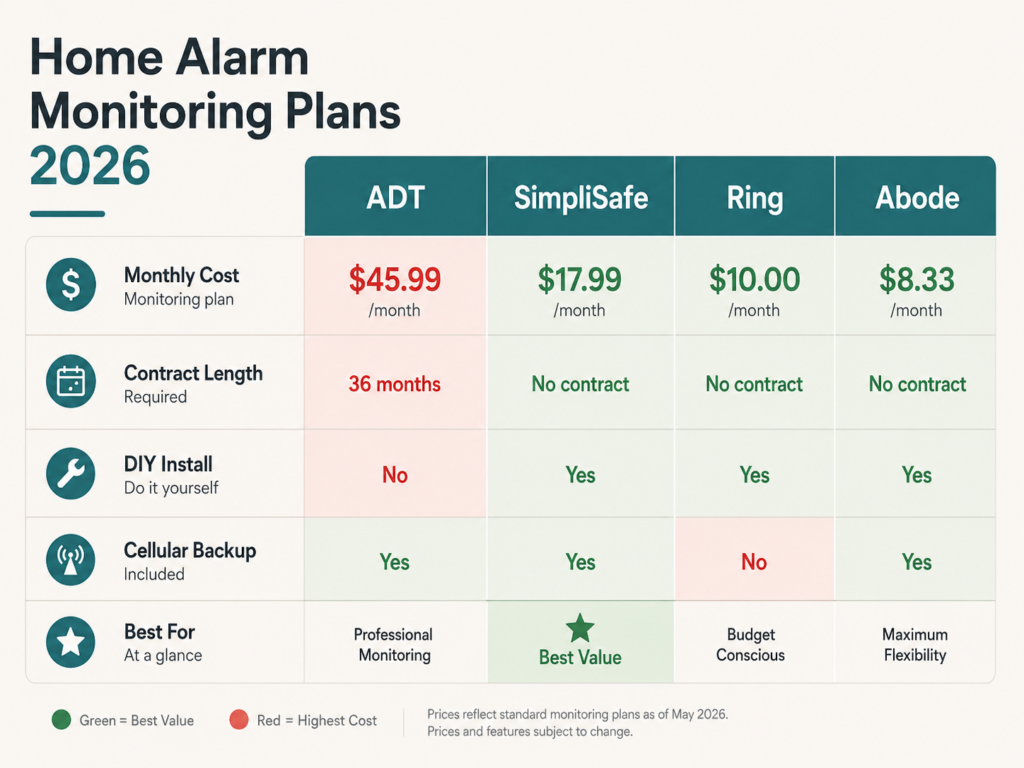
This is where things get interesting — and where a lot of homeowners get caught off guard.
| Brand | Monthly Fee | Contract? | DIY Install? |
|---|---|---|---|
| ADT | $28–$60+ | Yes (36 months) | No — professional only |
| SimpliSafe | $0, $18, or $28 | No | Yes |
| Ring Alarm | $10–$20 | No | Yes |
| Abode | $0, $8, or $20 | No | Yes |
| Cove | $15–$25 | No | Yes |
Notice a pattern? The DIY brands tend to have no contracts and lower monthly costs. The professionally installed brands (like ADT) lock you in longer but offer more hands-on support. Neither is wrong — it just depends on what matters more to you.
Can an Electrician Install a Burglar Alarm?
Yes — a licensed electrician can install a hardwired alarm system for house setups, and it’s often a good option for older homes where wiring is already being updated. For modern wireless systems, though, you genuinely don’t need one. Companies like SimpliSafe and Ring have made DIY setup straightforward enough that most people are done in an afternoon.
Fire alarm installation is slightly different — some local regulations require a licensed electrician for hardwired smoke detectors. Check your local codes if you’re combining a security and fire alarm setup.
The Big Brand Showdown: ADT vs Ring vs SimpliSafe
This is the question we see most. And honestly, there’s no single winner — but there are clear fits depending on who you are.
Is ADT Worth the Cost?
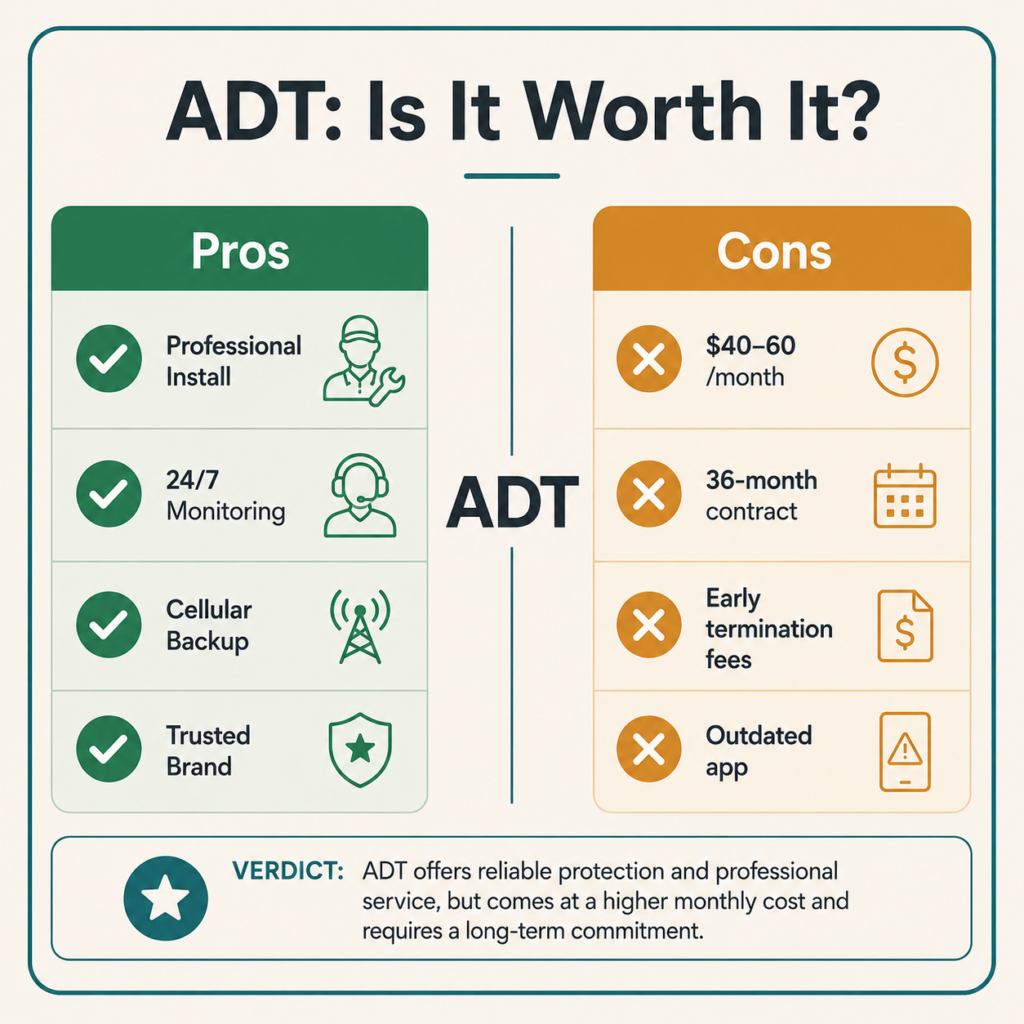
ADT is one of the oldest and most recognized names in home security. Their monitoring network is genuinely reliable, and their professional installation takes all the setup off your plate.
But — and this is a real “but” — ADT is expensive. Monthly fees routinely run $40–$60, you’ll sign a 36-month contract, and canceling early comes with penalties. For many homeowners, that’s $1,500–$2,000+ over three years just in monitoring fees, before you even count the hardware.
ADT Pros
- Professional installation — zero effort on your end
- 24/7 monitoring centers with fast response
- Works without Wi-Fi (cellular backup)
- Long brand history and reputation
ADT Cons
- Expensive — one of the priciest options available
- 3-year contracts with early termination fees
- App and smart home integration lag behind newer brands
- Equipment costs can be high even with professional install
Our take: ADT makes the most sense if you strongly prefer professional installation, aren’t comfortable with any tech setup, and value name recognition. If you’re reasonably comfortable with a smartphone and a screwdriver, you can get equivalent protection for a fraction of the cost.
Is Ring or SimpliSafe Better?
These two are the most popular DIY options, and they’re genuinely different products for different needs.
Ring Alarm is a natural fit if you already have Ring cameras or a Ring Video Doorbell (we compared the Ring vs Nest doorbell recently — worth a read if you’re deciding on a doorbell first). The ecosystem works well together, monitoring starts at just $10/month, and there’s no contract. The downside: Ring is owned by Amazon, so if data privacy is a concern for you, that’s worth factoring in.
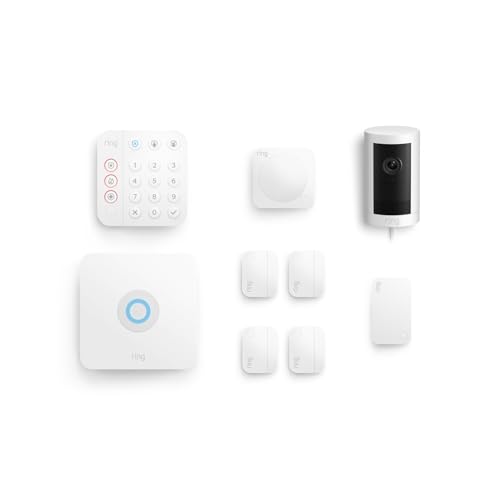
- This bundle contains Ring Alarm 8-Piece Kit and Ring Outdoor Cam Plus, Plug-In (White).
- A great fit for 1-2 bedroom homes, this Alarm Kit includes one Base Station, one Keypad, four Contact Sensors, one Motio…
- Includes an intuitive Keypad that can arm and disarm your Alarm and Contact Sensors that detect when doors or windows op…
SimpliSafe is our top recommendation for most homeowners. Here’s why: the hardware is solid, the monitoring is optional (you can use it without any monthly fee and still get a local siren), and the app is genuinely easy to use. They’ve also improved their smart home integrations significantly in the last two years. The Fast Protect monitoring plan ($28/month) includes video verification, which reduces false alarm dispatches — a real practical benefit.
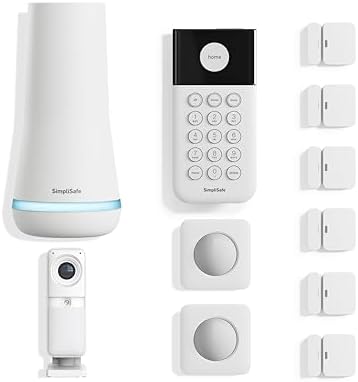
- Simple to set up. Seriously secure. Get ready to protect right out of the box. Just plug in the Base Station, place your…
- Advanced professional monitoring for fast police response with no hidden fees or long term contracts. With optional Core…
- Complete control of your system with the SimpliSafe App – Arm, disarm and protect anytime, anywhere
Bottom line: If you’re in the Ring ecosystem already, stick with Ring Alarm. If you’re starting fresh, SimpliSafe offers the best balance of value, flexibility, and reliability for most homes.
What Security System Has No Monthly Fee?
Several — and they’re worth knowing about if a monthly subscription feels like unnecessary overhead.
- SimpliSafe — works without monitoring; you still get a local alarm siren and self-monitoring via the app
- Abode — has a completely free tier with self-monitoring and smart home automation
- Ring Alarm — without a Ring Protect plan, you can still get local alerts, though professional monitoring requires a subscription
- Eufy Security — camera-based system with local storage, no monthly fee required
For most homeowners who are home often and check their phone regularly, self-monitoring is a legitimate option. The trade-off: if you’re on vacation and your phone dies, no one is watching your home. Professional monitoring handles that gap.
Wired vs Wireless: Which Is Better for Your Home?
This one used to be an easy answer — wired was “professional grade” and wireless was “for renters.” That’s no longer true.
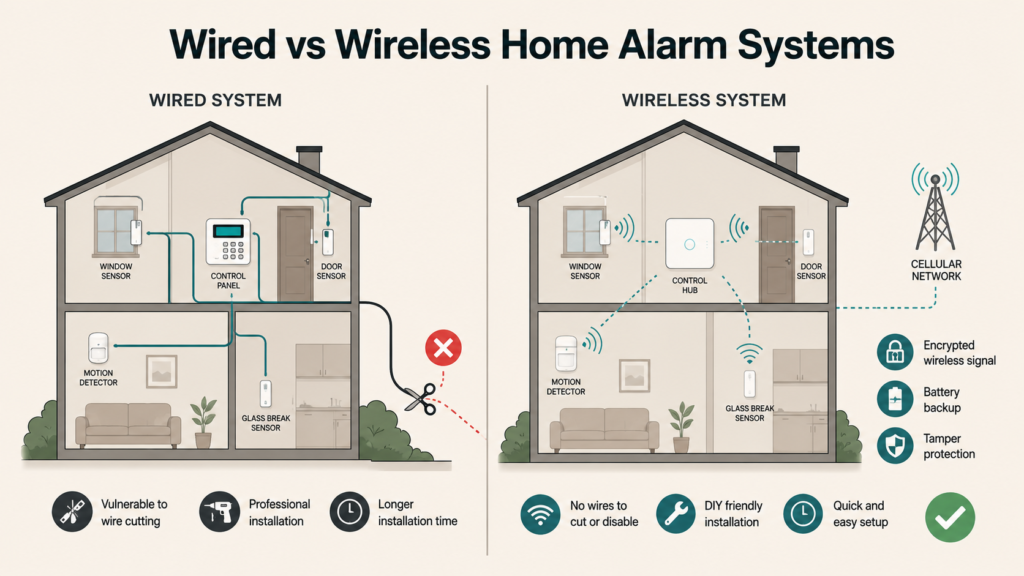
Modern wireless systems use encrypted radio signals that are genuinely hard to jam or disable. And unlike wired systems, they’re not vulnerable to someone cutting a cable outside your home. They also travel with you if you move — which matters if you’re renting.
Hardwired systems still have advantages in very large homes (more reliable signal over long distances) and commercial settings. But for the typical 2–4 bedroom home? A wireless system from SimpliSafe, Ring, or Abode will serve you just as well, with a lot less installation hassle.
Can burglars disable wireless alarms? It’s a legitimate question. High-quality systems now use cellular backup so they don’t rely on your home Wi-Fi — meaning even if someone cuts your internet, the system keeps communicating. Look for this feature when you’re comparing options.
What Do Police Actually Recommend for Home Security?
We checked, and the recommendations from most law enforcement agencies are surprisingly practical and consistent:
- Visible deterrents first — signs, stickers, and cameras that people can see from the street
- Strong doors and locks — most break-ins still happen through unlocked doors or weak frames, not defeated alarms
- Motion-activated lighting — inexpensive and highly effective
- An alarm system with professional monitoring — for faster police response when something triggers
- Smart door locks and video doorbells — let you see who’s at your door without opening it
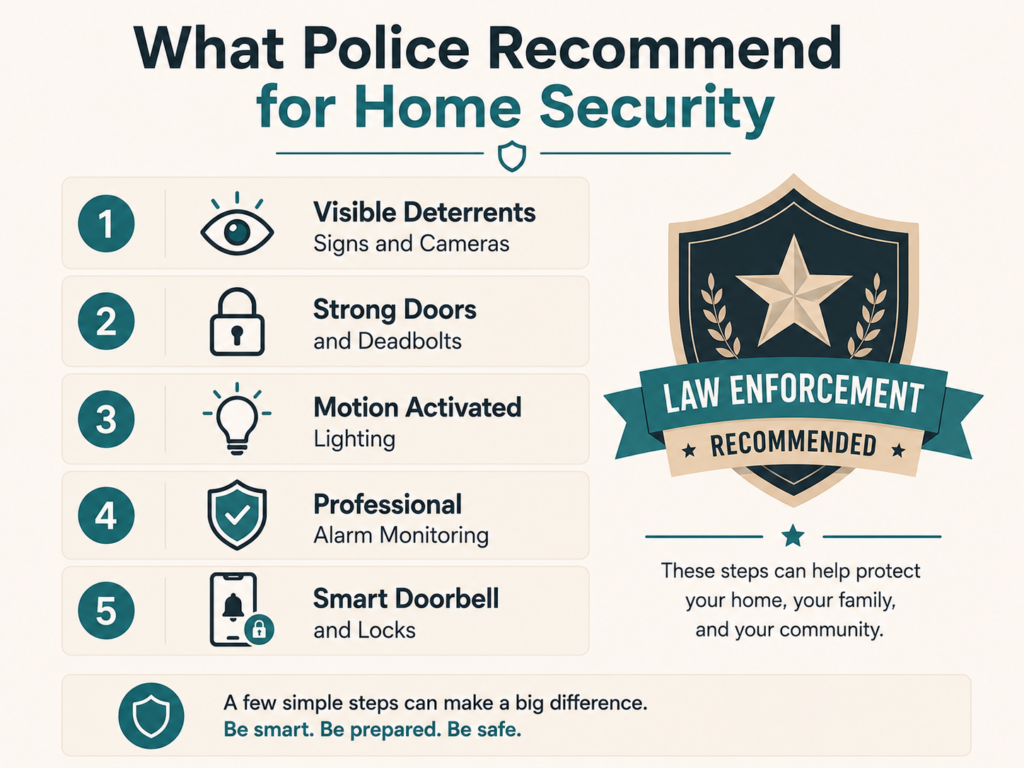
The pattern here: layers. No single product prevents all crime. But combining a good alarm system with cameras, smart locks, and good lighting creates enough friction that most opportunistic burglars will move on.
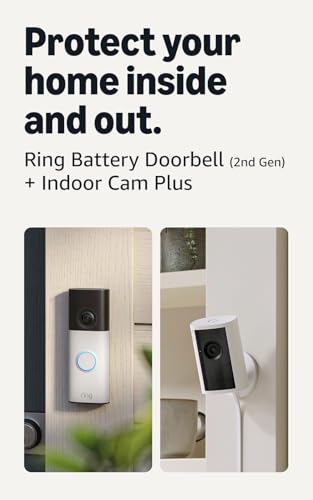
- Protect home inside and out — Bundle Battery Doorbell (2nd Gen), Speckled White and Indoor Cam Plus, White to know what’…
- Retinal 2K with up to 6x Enhanced Zoom — From wide views to tighter focus, clarity stays intact on both devices with eve…
- See true color, even in low light — Stay in color longer with Night Vision on Indoor Cam Pus, and automatically switch t…
$89.99
How to Choose the Best Alarm System for Your Home
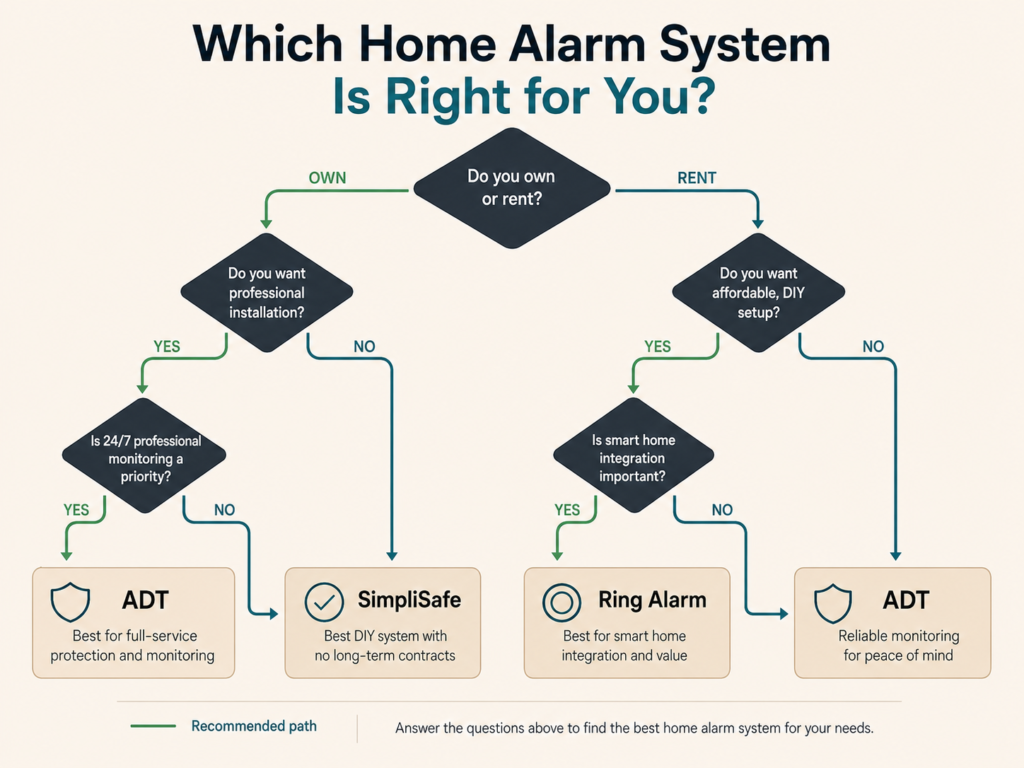
Before you buy anything, answer these four questions:
1. Do you own or rent? Renters need wireless, no-drill systems. SimpliSafe and Ring Alarm both fit this well. Owners have more flexibility.
2. How large is your home? A studio apartment needs 2–3 sensors. A 4-bedroom house might need 10–15, plus motion detectors for hallways. Make sure the system you choose scales without forcing you to buy a completely new hub.
3. Do you want professional monitoring? If you travel often, yes — it’s worth the $15–$30/month. If you’re home most of the time and check your phone constantly, self-monitoring may be enough.
4. Does it need to work with your existing smart home setup? If you already have an Alexa or Google Home setup, check compatibility before buying. Most modern systems support both — but it’s worth confirming.
For a broader look at how alarm systems fit into a complete home security setup, our guide to top-rated home security systems breaks down full setups across different budgets.
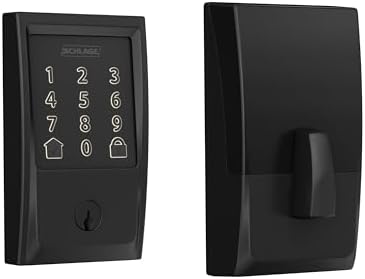
- ANYWHERE ACCESS: With built-in WiFi compatibility, you can easily and securely connect your Schlage Encode Deadbolt to y…
- PEACE OF MIND: Lock and unlock from anywhere, manage up to 100 access codes for keyless entry, view lock history, receiv…
- VOICE CONTROL: Works with Alexa and Google Home for optional, hands-free convenience when paired with the Schlage Home a…
$229.00
One thing worth keeping in mind: the “best” alarm system isn’t always the one with the most features. According to a recent Consumer Reports homeowner survey, reliability, transparent pricing, and responsive customer support tend to matter more than a long list of extra features.
Does a Home Alarm System Lower Insurance Costs?
Often, yes — and it’s one of the practical benefits that doesn’t get enough attention.
Most home insurance providers offer discounts of 5–20% for homes with a monitored alarm system for house protection. Some require professional monitoring (not just a self-monitored DIY setup) to qualify. Call your insurer before you buy — they may have preferred system partners, and confirming upfront ensures you actually get the discount.
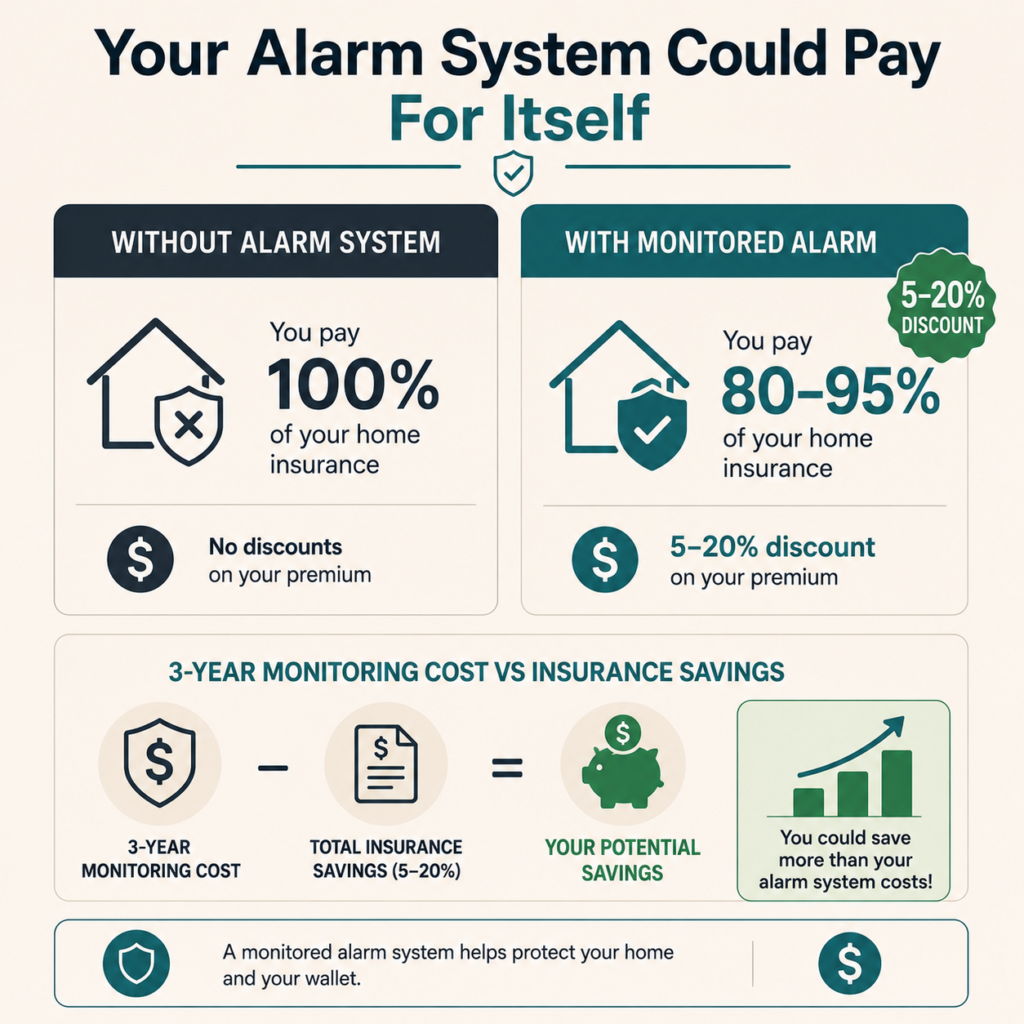
Over a few years, insurance savings can meaningfully offset the cost of monthly monitoring. Worth a 10-minute phone call.
What’s the Life Expectancy of a Home Alarm System?
A well-maintained alarm system for house use will typically last 10–15 years — the core hub and wiring, at least. Sensors and batteries need more regular attention: sensor batteries usually last 3–5 years, and you’ll want to test sensors annually to catch any that have drifted out of calibration.
The bigger factor these days is software support. A 10-year-old hub might still trigger an alarm, but it may no longer receive app updates, security patches, or compatibility with newer devices. Plan to refresh your core system every 7–10 years if you want modern features and support
Frequently Asked Questions About Alarm Systems for Houses
What is an alarm system for a house and how does it work?
A home alarm system is a network of sensors, detectors, and a central hub that monitors your home for unusual activity — like a door opening unexpectedly or motion detected in a room that should be empty. When a sensor is triggered, the hub sounds an alarm, sends a notification to your phone, or alerts a professional monitoring center (depending on your plan). Most modern systems are wireless, meaning the sensors connect to the hub via radio signal rather than physical wires. Some systems also include smoke detectors and carbon monoxide sensors, turning them into a full home safety setup rather than just a burglar deterrent.
Do I need a professional to install an alarm system, or can I do it myself?
For most modern wireless systems — like SimpliSafe, Ring Alarm, or Abode — you can install everything yourself in 1–3 hours with no special tools. Sensors typically stick to door and window frames with adhesive tape, and the hub just needs a power outlet and an internet connection. Hardwired systems are different: those require running cables through walls and are best left to a licensed electrician or professional security installer. If you’re not comfortable with any DIY setup at all, brands like ADT include professional installation in their pricing — though that convenience comes at a higher overall cost.
How much does a basic home alarm system cost per month?
Monthly costs range from $0 (self-monitored, no subscription) to $60+ for premium professional monitoring. The most popular mid-range plans fall between $10–$30 per month. Ring Alarm’s monitoring starts at $10/month, SimpliSafe’s standard plan is $18/month, and ADT typically starts around $28–$40/month depending on your package. Keep in mind that the monthly fee is separate from the upfront cost of the hardware itself. The good news: most DIY brands have no long-term contracts, so you can cancel if your needs change.
Can a burglar disable a wireless alarm system by jamming the signal?
Signal jamming is a real (if uncommon) threat, and it’s worth understanding. Basic wireless systems that only use Wi-Fi are theoretically vulnerable to Wi-Fi disruption. However, quality systems from brands like SimpliSafe and Ring use cellular backup — meaning they communicate with monitoring centers over a 4G LTE cellular network, independent of your home Wi-Fi. Even if someone cuts your internet connection or blocks the Wi-Fi signal, a cellular-backed system keeps transmitting. For maximum protection, look specifically for systems advertising cellular backup and signal frequency hopping (a technology that makes jamming much harder). SimpliSafe is particularly noted for its anti-jamming architecture.
What’s the difference between self-monitoring and professional monitoring, and which is better for a large home?
Self-monitoring means alerts go directly to your phone — you decide whether to call the police. Professional monitoring means a 24/7 staffed center receives the alert and dispatches emergency services on your behalf, usually within 30–60 seconds, even if you’re asleep, traveling, or your phone is off. For large homes with multiple entry points, professional monitoring is the stronger choice: more sensors mean more potential triggers, and having a backup that doesn’t depend on you checking your phone adds a meaningful layer of reliability. For large homes specifically, also consider systems that support commercial-grade range extenders or mesh sensors — standard kits may not reach every corner of a 3,000+ sq ft home reliably.
How do I integrate a home alarm system with my existing smart home devices?
Most modern alarm systems support Amazon Alexa, Google Home, or Apple HomeKit for basic voice control and automation triggers. For deeper integration — like automatically turning on lights when motion is detected, or locking smart locks when the alarm arms — you’ll want a system that supports platforms like Z-Wave, Zigbee, or the newer Matter standard (the universal smart home protocol that allows devices from different brands to work together). Abode offers the broadest third-party device compatibility of the mainstream brands. Ring Alarm integrates tightly with the Amazon/Ring ecosystem. SimpliSafe has improved its integrations but remains more closed compared to the others. If smart home automation is a priority alongside security, check compatibility with your existing devices before purchasing.
The Bottom Line: What We’d Actually Recommend
If you’re starting from zero, here’s the honest short version:
- Best for most homeowners: SimpliSafe — flexible monitoring, no contract, great hardware
- Best if you already use Ring products: Ring Alarm — tight ecosystem, affordable monitoring
- Best if you want zero DIY: ADT — professional everything, but budget accordingly
- Best no-monthly-fee option: Abode on the free plan, or SimpliSafe with self-monitoring
Whatever you choose, any alarm system is better than no alarm system. Start simple. A hub, four or five sensors, and a motion detector will cover the entry points of most homes. You can always add cameras, smart locks, and extra sensors later.
Your home’s security doesn’t need to be complicated — it just needs to be consistent.
Ready to Take the Next Step?
Now that you know the basics of choosing the right alarm system for house protection, explore how security cameras can work alongside your system — our Honest Buyer’s Guide to Home Security Cameras with AI Detection explains what those smart features actually do in plain English.
Or, if you want to compare complete security setups across different budgets, browse our round-up of top-rated home security systems — we’ve done the comparison work so you don’t have to.
Have a question about a specific system or your home setup? Drop it in the comments