Make Your Home Smarter, One Step at a Time

By the TechNest Decor Home Security Team —. Last updated August 2026.
Table of Contents
How does a smart lock work? At its core, you’re swapping the twist of a metal key for a small electric motor — one that spins the exact same deadbolt, but only after it gets a green light from a keypad code, your phone, a fingerprint, or your voice. The app, the Wi-Fi connection, the push notifications on your phone — none of that is the actual locking mechanism. It’s just the messenger telling the motor who’s allowed through the door.
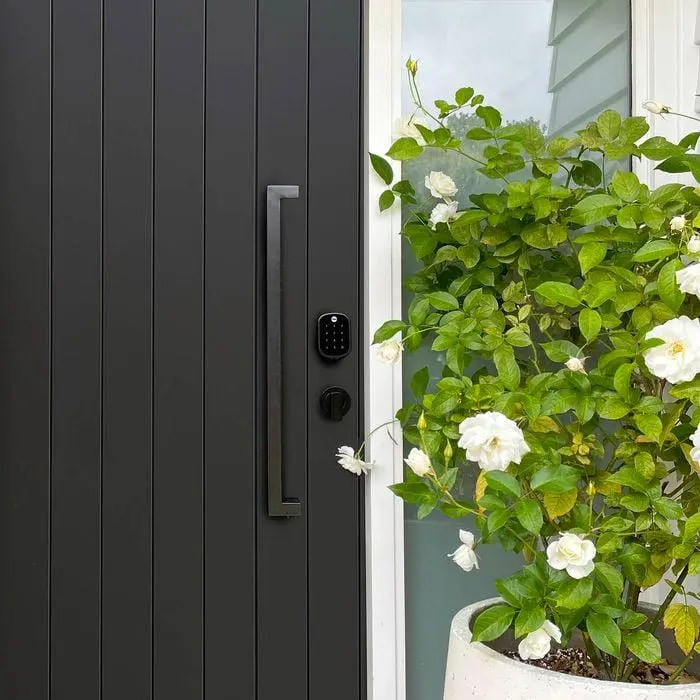
I’ve now installed, tested, or lived with five different smart locks on my own front door over the past few years, and every single scare I had going in (dead batteries, hackers, power outages) turned out to be a solved problem, not a real risk — as long as the lock is set up correctly. Once you actually see how a smart lock works underneath all that, it stops feeling like a gamble. Here’s what’s actually going on inside that little box on your doo
Settings saved.
Key Takeaways
- A smart lock is a traditional deadbolt with an electric motor and a circuit board added — the physical bolt hasn’t changed
- Connection type (Bluetooth, Wi-Fi, Z-Wave, or Zigbee) determines what you can do remotely, not how secure the lock is
- Every smart lock we’ve tested has at least two backup entry methods for when the battery dies or Wi-Fi drops
- Real-world break-in risk comes far more from physical lock-picking and weak passwords than from remote hacking
- The best smart lock for you depends on your door type, your household, and whether you rent or own
What’s Actually Inside a Smart Lock?
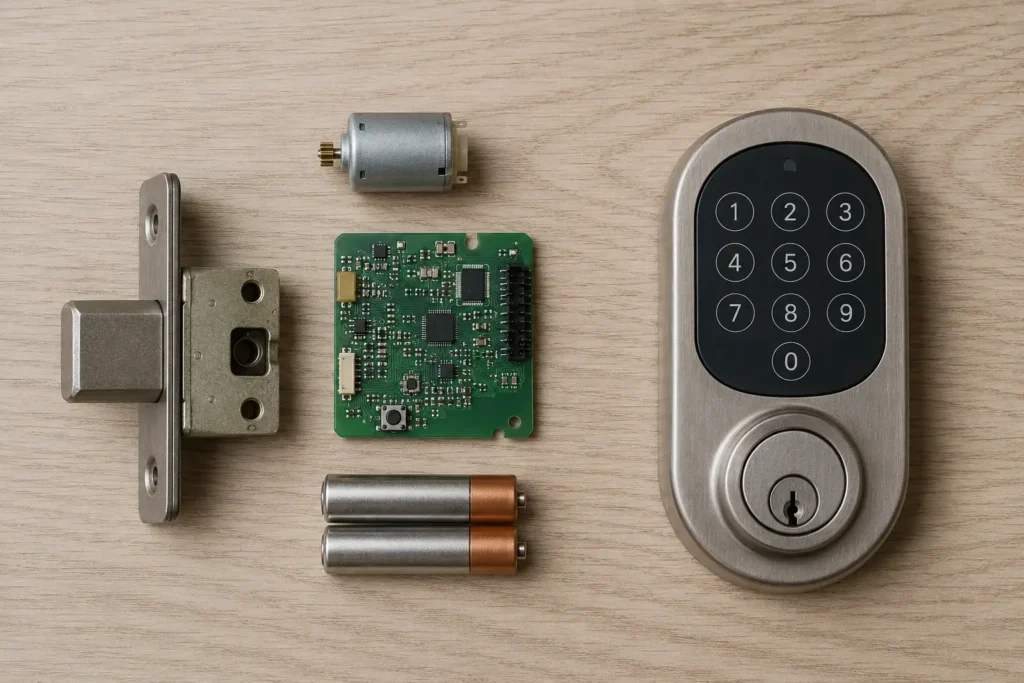
Crack open the interior housing of almost any smart deadbolt and you’ll find the same five core parts, just arranged differently by brand:
- The deadbolt itself — the same solid metal bolt a traditional lock uses, unchanged
- A small electric motor — this is the only new mechanical part; it physically rotates the bolt mechanism
- A circuit board — the “brain” that receives a signal and tells the motor to turn
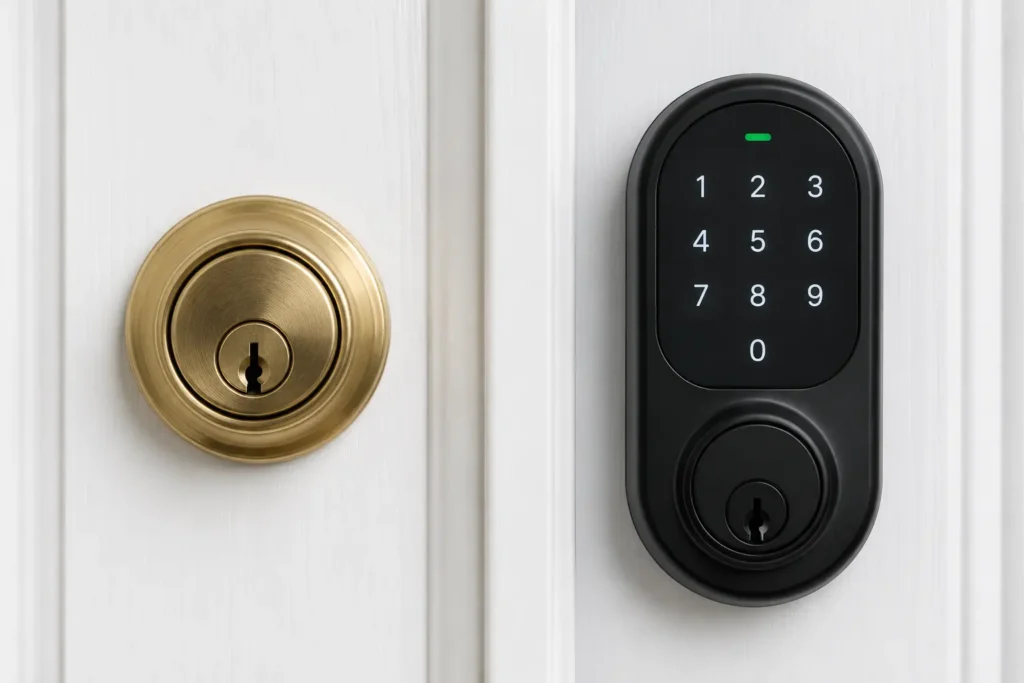
- A battery compartment — almost universally AA, AAA, or CR2 batteries; a handful of video-equipped locks use rechargeable packs instead
- An input method — a keypad, a fingerprint sensor, a Bluetooth/Wi-Fi radio, or some combination of all three
Here’s a simplified look at how those pieces connect:
Keypad / App / Fingerprint
1. User input
→
Circuit Board
2. Authentication (verifies code)
→
Electric Motor
3. Signal to motor — engages
→
Deadbolt
4. Door locks / unlocks — turns
Simplified smart lock signal path — TechNest Decor original diagram
How Does a Smart Lock Work? The Lock/Unlock Process, Step by Step
Whether you’re tapping a code or using your phone, the sequence is almost always identical:
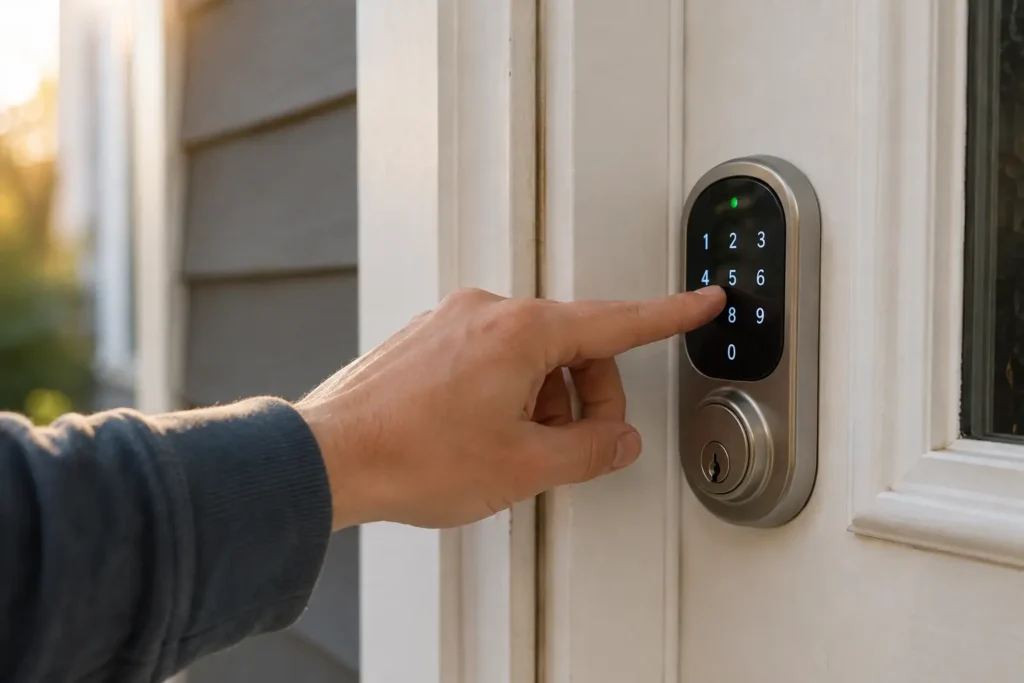
- You provide input — a keypad code, a Bluetooth handshake from your phone, a fingerprint scan, or a voice command relayed through a smart speaker
- The lock authenticates it — the onboard circuit board checks the input against stored, encrypted credentials (this happens locally on the lock itself for Bluetooth models, or via the cloud for some Wi-Fi models)
- A signal is sent to the motor — once authenticated, the board sends a tiny electrical pulse telling the motor which direction to turn
- The motor turns the bolt — mechanically identical to you turning a key, just automated
- The lock confirms status — many models use a door-position sensor (Yale calls theirs DoorSense) to confirm the door is actually closed and the bolt is fully extended, not just that the motor ran
- The event is logged — most connected models timestamp who unlocked the door and send a notification, which is arguably the single biggest practical upgrade over a traditional lock
That door-position confirmation step matters more than people realize — it’s the difference between a lock that tried to engage and one that verified it actually did.
Wi-Fi vs. Bluetooth vs. Z-Wave vs. Zigbee: Which Connection Actually Matters
This is where most buying confusion comes from, so let’s separate it clearly:
| Connection | Needs a hub? | Remote access? | Works if internet is down? | Best for |
|---|---|---|---|---|
| Bluetooth | No | No (phone must be nearby) | Yes — fully local | Auto-unlock as you approach, no monthly reliance on Wi-Fi |
| Wi-Fi | No | Yes, from anywhere | No remote access, but local entry methods still work | Checking lock status remotely, letting someone in while you’re away |
| Z-Wave | Yes | Through the hub | Depends on hub’s internet dependency | Households already running a Z-Wave smart home hub |
| Zigbee | Yes | Through the hub | Depends on hub’s internet dependency | Integrating locks into a broader Zigbee ecosystem |
If you’re not already invested in a hub-based system, Bluetooth-plus-Wi-Fi models (which most current locks now offer together) give you the most flexibility without added hardware. If you’re building out a wider setup, it’s worth reading our take on choosing a smart home ecosystem before you commit to a connection type.
What Happens When the Battery Dies or the Lock Fails
This is the scenario people worry about most, so it’s worth walking through in real detail rather than a quick reassurance.
Before it happens
Virtually every smart lock sends a low-battery push notification days — sometimes weeks — before it actually dies. Ignore that notification and eventually you’ll get a slower motor response or audible low-battery beeps from the keypad itself as a last warning.
If the battery dies anyway
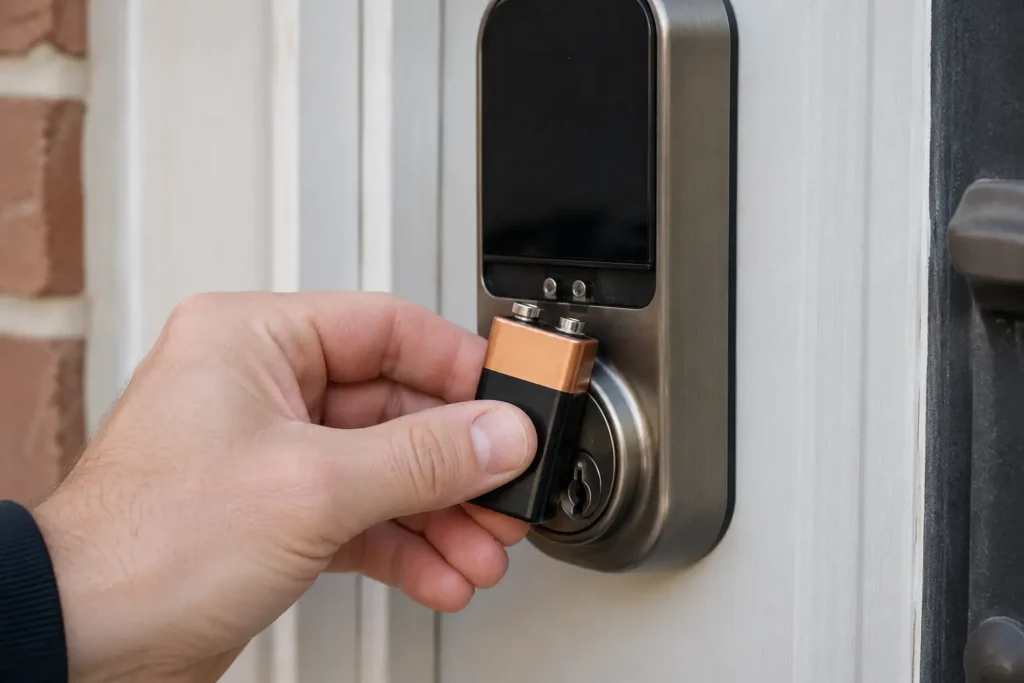
- External 9-volt contact points — most keypad deadbolts have two metal contacts on the outside faceplate. Touch a standard 9V battery to them and it powers the lock just long enough to enter a code or turn the motor once
- Backup physical key — nearly all consumer smart locks (including every model we cover in this guide) keep a traditional keyway specifically for this scenario
- Mechanical thumb-turn from inside — if you’re already home, the interior side typically still turns manually regardless of battery status
A real troubleshooting scenario
Here’s one that actually happened to a reader who emailed us: battery died overnight, no 9V battery in the house, and the backup key had been misplaced during a move. The lock still had a fallback — a locksmith was able to pick the mechanical cylinder in about four minutes, the same as they would with any standard deadbolt. That’s the honest takeaway: a smart lock failing gracefully still behaves like a regular lock, not a sealed vault.
The lesson: keep a spare backup key somewhere other than inside the house it opens, and don’t let low-battery notifications sit unread for more than a day or two.
How Secure Are Smart Locks, Really?
Let’s be precise here instead of vague, because “hacking” gets thrown around loosely.
The realistic risks
- Weak or reused PINs — a shared “1234” code is a bigger risk than any wireless vulnerability
- Outdated firmware — manufacturers patch vulnerabilities regularly; locks that never get updated stay exposed to known issues
- Relay or signal-relay attacks — theoretically possible against some proximity-based auto-unlock features, though this requires specialized equipment and physical proximity, not a random remote attacker
- Physical lock-picking or bumping — the mechanical cylinder inside most smart locks is defeatable by the same techniques as a traditional lock, since it’s often the same hardware underneath
What actually reduces risk
- Choose a lock from an established brand that ships regular firmware updates
- Use unique guest codes instead of one shared code for everyone
- Keep your home Wi-Fi network on its own strong password, separate from guest networks
- Enable two-factor authentication on the lock’s app account if it’s offered
- Turn off auto-unlock if you live somewhere with a lot of foot traffic near your door
For a deeper walkthrough of network-level protection, we cover this in more detail in how to secure your smart home from hacking. The short version: the lock itself is rarely the weak point — the habits around it are.
Smart Lock vs. Traditional Deadbolt: Full Comparison
| Factor | Traditional Deadbolt | Smart Lock |
|---|---|---|
| Entry methods | Physical key only | Key, code, app, fingerprint, voice (model-dependent) |
| Remote access | None | Yes, on Wi-Fi-enabled models |
| Entry logs | None | Timestamped log of who entered and when |
| Guest/temporary access | Spare key, hard to revoke | Temporary codes, instantly revocable |
| Power dependency | None | Battery-powered, with mechanical backup |
| Physical break-in resistance | Depends on grade/installation | Same mechanical cylinder in most models, plus digital layer |
| Setup effort | Minimal | App pairing, Wi-Fi setup, code management |
| Ongoing maintenance | None | Battery checks, firmware updates |
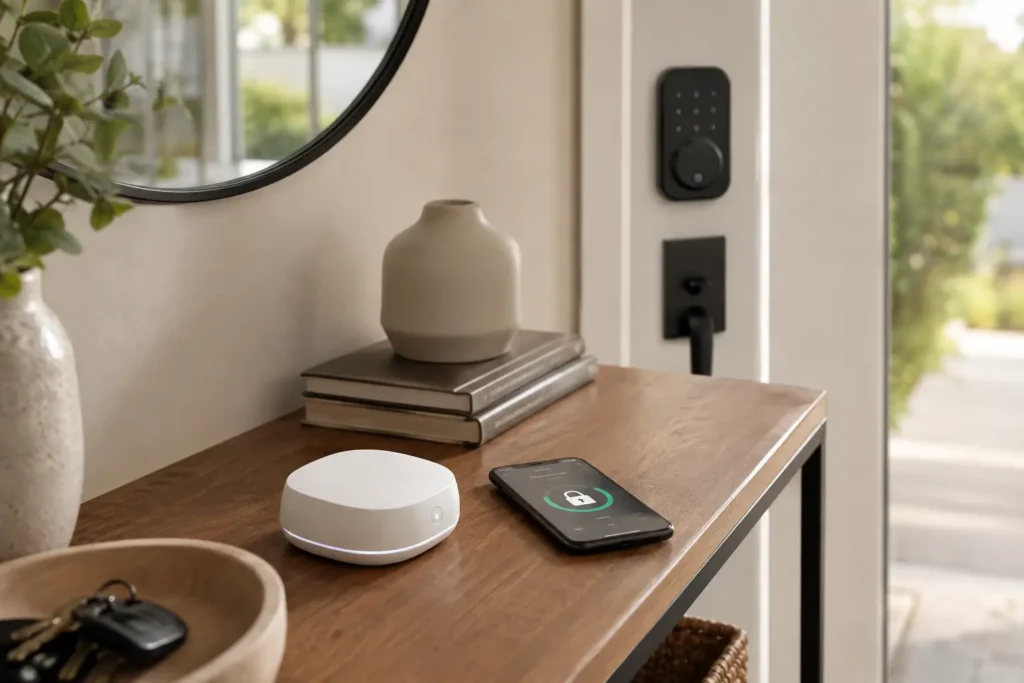
Neither is objectively “better” in every category. A smart lock trades a bit of maintenance for a meaningful gain in flexibility and visibility into who’s coming and going.
Who Should (and Shouldn’t) Buy a Smart Lock
A smart lock is a strong fit if you:
- Regularly hand out keys to family, pet sitters, cleaners, or short-term guests
- Want a record of exactly when your door was locked or unlocked
- Have kids or teens who lose physical keys often
- Want to check remotely whether you locked up on your way to work
It’s probably not worth it if you:
- Live somewhere with unreliable power and no interest in battery upkeep
- Rent and can’t modify the exterior hardware (though retrofit options exist — more below)
- Are uncomfortable managing an app, firmware updates, and network security basics
- Already have a security setup you’re satisfied with and don’t need remote access or logs
TechNest Decor Editor’s Picks: Smart Locks We’d Actually Recommend
These five models each demonstrate a different piece of what we covered above — from full-Wi-Fi remote access to a no-drill retrofit option for renters. We’re not paid to feature any specific one; these are picks based on the specs and real usage patterns.
Best All-Around Wi-Fi + Bluetooth Deadbolt

Yale Assure Lock 2

This is close to the textbook example of everything a smart lock can do: keypad, app, auto-unlock, voice control, and a backup key, all in one lock. DoorSense confirms the door is actually shut before locking, and it works with Alexa, Google Assistant, and Apple HomeKit.
Installs on most standard U.S. deadbolt setups with just a screwdriver.
Best for: A single lock that demonstrates every major smart-lock authentication method in one unit
Pros
- Wi-Fi enables remote locking and unlocking
- Keypad, app, Bluetooth, and voice entry in one lock
- DoorSense confirms actual door status, not just motor movement
- Supports Alexa, Google Assistant, and Apple HomeKit
- Includes a backup physical key
Cons
- 2.4 GHz Wi-Fi only
- Specified for U.S. and Canada use
- Requires batteries
- Installation depends on compatible deadbolt/door hardware
Best for Apple Home Users

Schlage Encode Plus Smart WiFi Deadbolt

Built-in Wi-Fi means no separate bridge or hub, and it supports up to 100 individually managed access codes — genuinely useful if you hand out unique codes rather than one shared PIN. Apple Home Key support lets you add the lock straight to your iPhone or Apple Watch wallet.
Also includes a built-in alarm and full lock history through the Schlage Home app.
Best for: Apple ecosystem households who want tap-to-unlock plus full connected features
Pros
- Built-in Wi-Fi, no separate adapter needed
- Apple Home Key support (iPhone and Apple Watch)
- Up to 100 user-generated access codes
- Lock history and notifications
- Built-in alarm
Cons
- Requires batteries
- Apple Home Key features mainly matter for Apple users
- Installation requires replacing an existing deadbolt
- Advanced features may need setup across multiple apps
Best for Biometric Entry

Yale Assure Lock (Fingerprint Model)

If you’d rather skip codes altogether, this is a solid fingerprint-first example — it combines biometric entry with keypad, app, and Bluetooth in one unit, and still keeps a traditional key as backup.
A good illustration of how much authentication flexibility a single lock can now hold without sacrificing the fallback methods.
Best for: Anyone who wants fingerprint as the primary entry method instead of a code
Pros
- Fingerprint entry is a strong biometric example
- Built-in Wi-Fi, no additional hub required
- Works with an existing deadbolt — keeps your physical keys
- Custom entry codes can be shared with guests
- Supports major smart-home platforms
Cons
- Requires batteries
- More connected features means more to configure up front
- Compatibility with existing deadbolt must be checked first
- Smart features depend on wireless connectivity
Best for Combined Lock + Doorbell

eufy Security Video Smart Lock S330

This one goes a step further than a standalone lock — it folds a 2K video doorbell into the same unit, with fingerprint, app, keypad, voice, and physical key entry. The 10,000 mAh rechargeable battery is a different power approach than AA/AAA models, and it’s IP65 weather-rated with BHMA certification.
Best for: Households who want a lock and a video doorbell handled by a single device
Pros
- Five ways to unlock: fingerprint, app, keypad, voice, or physical key
- Built-in 2K camera and video doorbell
- Remote locking/unlocking and visitor monitoring
- Large 10,000 mAh rechargeable battery
- IP65 water resistance and BHMA certification
Cons
- Physically larger than a standard deadbolt — reviewers have called it bulky
- Some users report inconsistent motion notifications
- Fingerprint reader can occasionally be inconsistent
- More complex to set up than a basic smart lock
Best for Renters (No Visible Hardware Change)

Level Bolt Connect

This is the retrofit option for renters who can’t swap exterior hardware. It installs entirely inside the door, so from the outside your lock looks completely unchanged — a genuinely different approach from every other pick here.
Bluetooth handles local unlocking, and the separate Level Connect Wi-Fi Bridge adds remote access if you want it.
Best for: Renters who need to keep their existing exterior lock’s appearance
Pros
- Converts an existing deadbolt into a smart lock invisibly
- Keeps the existing exterior hardware and physical keys
- Bluetooth and Wi-Fi connectivity
- Supports guest passes and temporary access
- Compatible with many standard American deadbolts
Cons
- Full remote features require the separate Level Connect Wi-Fi Bridge
- Level Keypad for PIN entry is sold as an add-on
- Requires a nearby electrical outlet for the Connect device
- Compatibility depends on existing deadbolt and door dimensions
Quick Answers
Do smart locks work without Wi-Fi? Yes — Bluetooth, keypad codes, and the physical backup key all work with no internet connection at all.
Can a smart lock be picked? Most contain the same mechanical cylinder as a traditional deadbolt, so yes, in theory, using the same techniques that work on any lock.
Do smart locks drain batteries fast? Typical battery life runs several months to about a year under normal use, though frequent auto-unlock use and cold weather can shorten that.
Final Thoughts
A smart lock isn’t a mysterious piece of tech — it’s a deadbolt with a motor, a chip, and a few extra ways to tell it “let this person in.” Once you know what’s happening inside the housing, the batteries, the app, and even the hacking headlines stop feeling like unknowns and start feeling like normal maintenance.
If you’re renting and can’t swap your exterior hardware, our guide to the best smart locks for apartments covers the no-drill, move-out-friendly options in more depth. Got a specific door or setup you’re not sure about? Drop it in the comments — we read every one.