Make Your Home Smarter, One Step at a Time

Table of Contents

Finding the best outdoor security cameras 2026 has to offer isn’t actually hard because the options are bad — it’s hard because nobody tells you which one fits your specific situation. I’ve lost count of how many times a reader has messaged me asking “which camera should I buy?” and then, three questions later, admitted they don’t have WiFi at the garage, don’t want another monthly bill, or are renting and can’t drill a single hole. That’s the real problem with most “best camera” lists — they answer a question nobody actually asked.
It’s worth the extra ten minutes to get this right: in a UNC Charlotte study surveying more than 400 convicted burglars, visible security measures consistently changed offenders’ decisions before they ever set foot on a property. The camera you actually install and use beats the “best” camera you never get around to buying.
So instead of ranking ten cameras against each other in a vacuum, this page works differently. It’s the starting point. Tell me what’s actually stopping you — no subscription, no WiFi, no wiring, or wanting alerts that don’t cry wolf every time a leaf blows by — and I’ll point you to the specific guide built for that situation. If you just want a solid answer right now, the Quick Picks below will get you there in under a minute
Settings saved.
Quick Picks:Best Outdoor Security Cameras 2026
| Category | Camera | Key Feature | Rating |
|---|---|---|---|
| Best Overall | Reolink Argus PT Ultra 4K PTZ | 4K, pan & tilt, no forced subscription | 4.5★ (2,000+ reviews) |
| Best Budget | Wyze Cam v4 | 2.5K, plug-in power | 4.6★ (6,000+ reviews) |
| Best Premium | eufy Security Floodlight Camera E340 | Dual-camera, 2,000-lumen floodlight | 4.5★ (2,700+ reviews) |
| Best for Renters | Arlo Essential Outdoor (3rd Gen) | Fully wireless, no drilling | 4.5★ (110+ reviews) |
Here’s the honest side-by-side. I’m not going to pretend one camera wins on every metric — they trade off differently depending on what you’re optimizing for.
How the Top Picks Compare
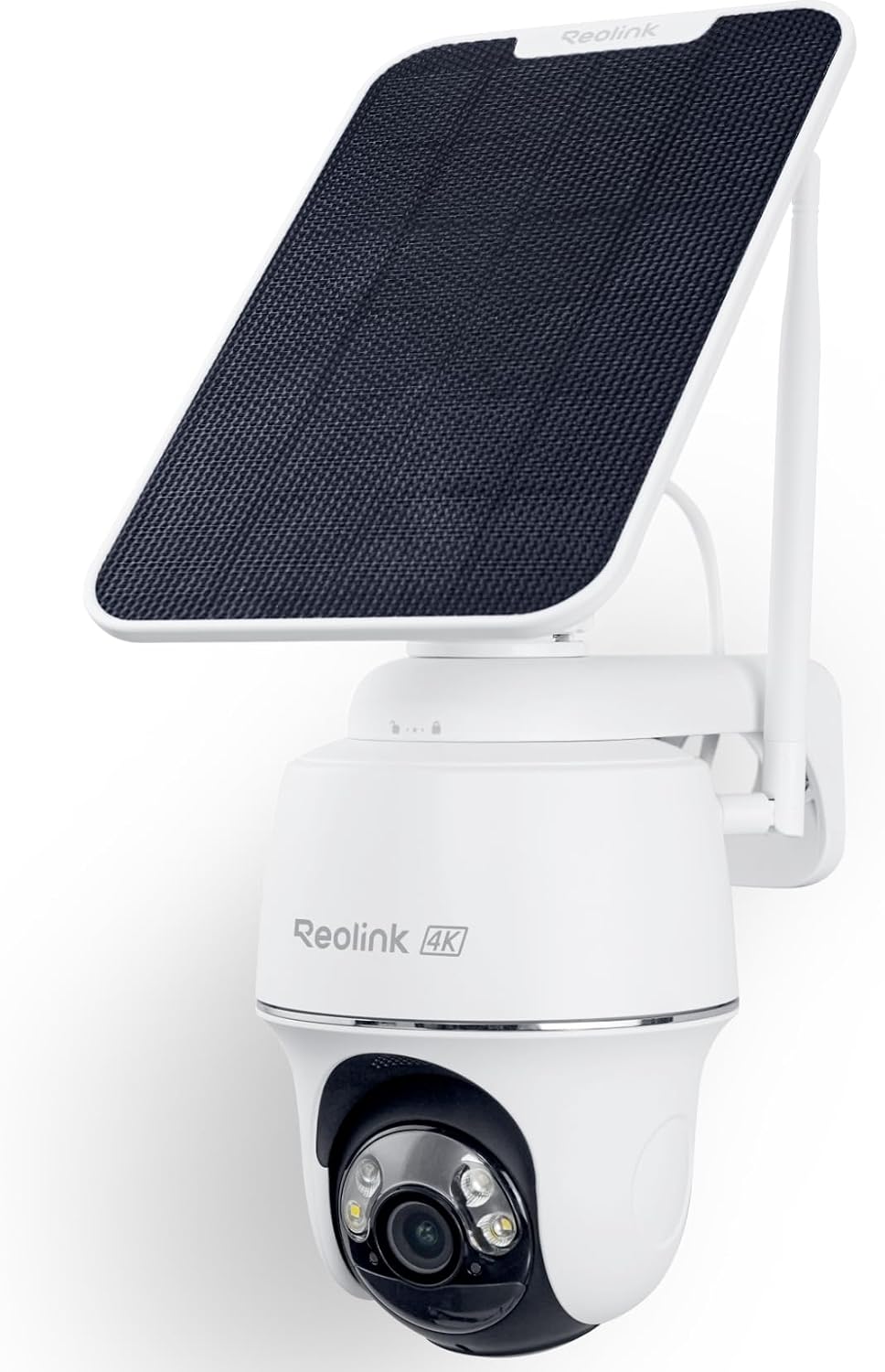
Reolink Argus PT Ultra 4K PTZ
Power SourceBattery (solar-compatible)
Wi-Fi RequiredYes (2.4GHz/5GHz)
SubscriptionNo — local microSD
AI DetectionYes — people, vehicles, pets
Price$159.99
Check Price on Amazon
Wyze Cam v4
Power SourceWired (power cable)
Wi-Fi RequiredYes
SubscriptionOptional (Cam Plus)
AI DetectionBasic included; advanced needs subscription
Price$35.98
Check Price on Amazon
eufy Floodlight E340
Power SourceHardwired
Wi-Fi RequiredYes
SubscriptionNo — local HomeBase
AI DetectionYes — person & vehicle tracking
Price$219.99
Check Price on Amazon
Arlo Essential (3rd Gen)
Power SourceBattery (rechargeable)
Wi-Fi RequiredYes
SubscriptionOptional (Arlo Secure)
AI DetectionYes — basic motion included
Price~$99.99
Check Price on AmazonFull Reviews: The Top Picks
I’m only going deep on the four cameras above. If you want the full field — including the whole-home AOSU kit, the Ring Spotlight Cam Plus, and the Google Nest Cam — those live in the dedicated guides linked further down, where they actually get the space they deserve.
Best Overall

Reolink Argus PT Ultra 4K PTZ Battery Security Camera
This is the camera for homeowners looking for a wire-free 4K outdoor security camera with pan-and-tilt coverage, auto-tracking, and solar charging support. With 355° pan and 140° tilt, it nearly eliminates blind spots, and its 4K (8MP) footage holds up when you need to zoom in on a face or license plate. Smart auto-tracking follows people, vehicles, and pets, while local microSD storage means you’re not locked into a subscription.
Pros
- Sharp 4K video with excellent daytime and nighttime detail
- Pan-and-tilt greatly reduces blind spots
- AI detection minimizes false alerts
- No monthly subscription required for local recording
- Supports both 2.4GHz and 5GHz Wi-Fi
- Solar panel compatibility provides virtually continuous power
Cons
- Solar panel sold separately
- PTZ movement is slower than wired cameras
- Continuous 24/7 recording is not supported on battery power
- Higher price than standard battery security cameras
Best Budget

Wyze Cam v4
Built for affordable indoor and outdoor home security, ideal for budget-conscious homeowners monitoring pets, entryways, garages, and backyards. It delivers 2.5K QHD video, color night vision, a motion-activated spotlight, and a built-in 99dB siren. Local microSD recording up to 512GB means you can go months without touching a subscription page, though the camera does require a power cable rather than running on battery.
Pros
- Excellent value for the price
- Sharp 2.5K video quality
- Color night vision performs well
- Supports local storage without subscription
- Easy setup and installation
- Compact weatherproof design
- Bright integrated spotlight
Cons
- Advanced AI detection requires Cam Plus subscription
- Requires power cable (not battery-powered)
- No HomeKit support
- Limited pan/tilt functionality
- Cloud features require monthly subscription
Best Premium

eufy Security Floodlight Camera E340
Designed for large driveways and front yards that need complete area coverage, this dual-camera system pairs a 3K wide-angle lens with a 2K telephoto lens on a 360° pan / 120° tilt mount. A 2,000-lumen adjustable floodlight and built-in siren add real deterrent power, and local storage with HomeBase means no monthly fee is required for basic recording. It does require hardwired installation and doesn’t support Apple HomeKit.
Pros
- Excellent dual-camera coverage with virtually no blind spots
- Sharp 3K video quality
- Bright, motion-activated floodlights
- AI auto-tracking works well
- Local storage available without subscription
- Reliable weather-resistant construction
- Easy app controls and smart notifications
Cons
- Higher price than standard floodlight cameras
- Large size may not suit every installation
- Advanced AI features work best with HomeBase
- Requires hardwired installation
- Apple HomeKit not supported
Best for Renters

Arlo Essential Outdoor Security Camera (3rd Gen)
Built for wire-free outdoor home security at front doors, driveways, garages, and backyards, this camera suits users wanting easy DIY installation with 2K video. It’s fully wireless with a rechargeable battery, 2K HDR video, an integrated spotlight, and color night vision. Many of the smarter features, like advanced AI alerts, sit behind an optional Arlo Secure subscription, and local storage needs an optional SmartHub.
Pros
- Sharp 2K video quality
- Quick wire-free installation
- Long battery life
- Reliable motion alerts
- Color night vision
- Weather-resistant construction
- Works with Alexa and Google Assistant
Cons
- Many advanced AI features require an Arlo Secure subscription
- Local storage requires an optional SmartHub
- Battery life varies with recording frequency
- Premium compared to budget security cameras
Find the Right Camera for Your Situation
The four cameras above cover most people well, but “most people” isn’t the same as you. If one of these describes your setup, skip straight to the guide built around it — each one goes much deeper than I can here.
Don’t Want a Monthly Subscription?
A shocking number of “budget” cameras quietly become $10-a-month cameras the moment you actually want to see your footage. If that’s a dealbreaker for you, there’s a whole category of cameras built around local storage and zero recurring fees — worth a dedicated look before you buy anything.
Read our full guide: Wireless Security Camera Outdoor No Subscription
No WiFi at Your Property?
Detached garages, sheds, back gates, rural properties — plenty of the spots that most need a camera are exactly where your router signal gives up. If your install location is a WiFi dead zone, standard cameras aren’t going to cut it, and it’s worth understanding your real options first.
Read our full guide: Security Cameras Without Wi-Fi
Want to Skip the Wiring Entirely?
Battery cameras solve the wiring problem but create a new one: remembering to charge them. Solar panels fix that, but not every solar setup is created equal — panel wattage, mounting angle, and camera power draw all matter more than most listings let on.
Read our full guide: Solar Powered Security Cameras
Want Smarter Alerts, Not Just Motion?
If you’ve ever gotten 30 notifications in an hour because of passing traffic or a windy tree, you already know why “motion detection” alone isn’t enough. AI-based detection that distinguishes people, vehicles, and animals is the single biggest quality-of-life upgrade you can make — here’s how to actually evaluate it.
Read our full guide: Home Security Cameras With AI Detection
How to Choose an Outdoor Security Camera
Power Source
This is the decision that quietly determines everything else about your install. Plug-in cameras like the Wyze Cam v4 need an outlet nearby but never need charging. Battery cameras like the Reolink or Arlo go anywhere but need periodic recharging (or a solar panel to offset it). Hardwired units like the eufy E340 need an electrician or existing wiring but deliver the most consistent power for things like bright floodlights. Pick based on where the camera needs to live, not on which sounds most convenient in the abstract.
Subscription vs. Local Storage
Read the fine print before you buy, not after. Several cameras on this page ship with genuinely useful local storage and zero required fees — others quietly gate their best features (extended history, advanced AI, cloud backup) behind a monthly plan. Neither approach is wrong, but know which one you’re signing up for.
Whichever route you go, treat setup as a security step, not just a convenience one. The FTC’s guidance on securing home security cameras is worth five minutes — a camera watching your driveway shouldn’t become the easiest way into your home networ.
Weatherproofing / IP Rating
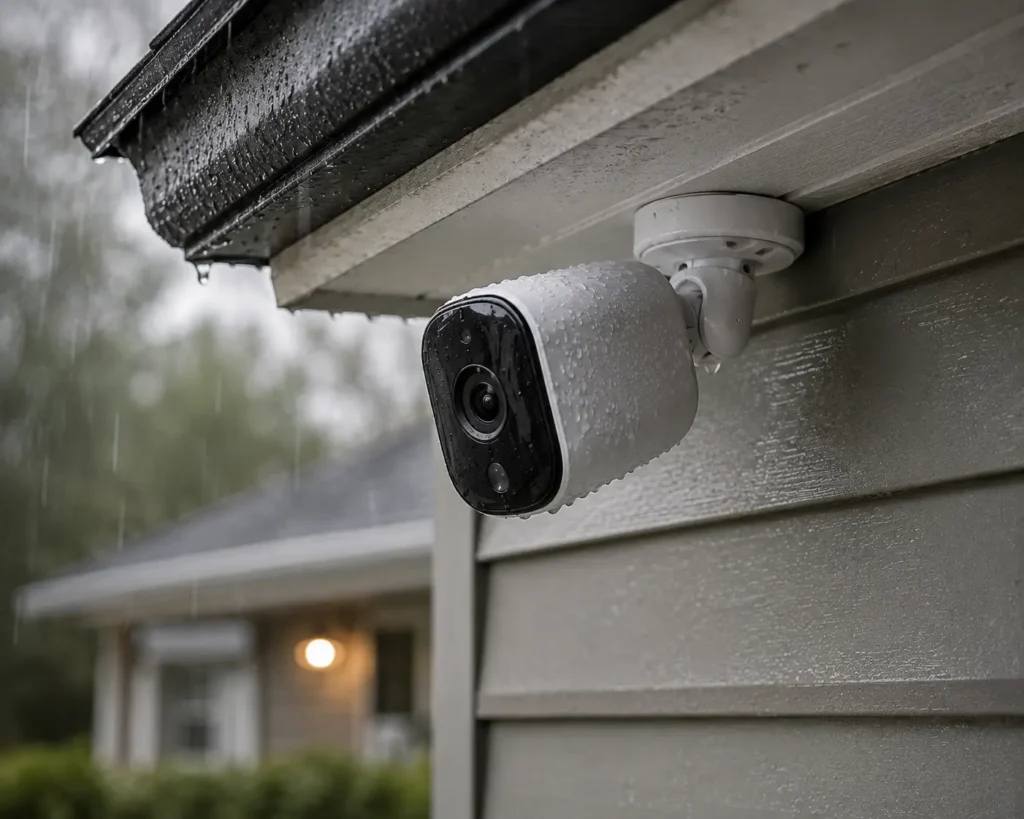
Every camera on this page is rated for outdoor use, but the ratings aren’t identical — IP65 and IP66 handle sustained rain and dust better than IP54. If you’re in a climate with real weather (heavy rain, snow, coastal salt air), don’t treat the IP rating as a footnote.
Field of View & Night Vision
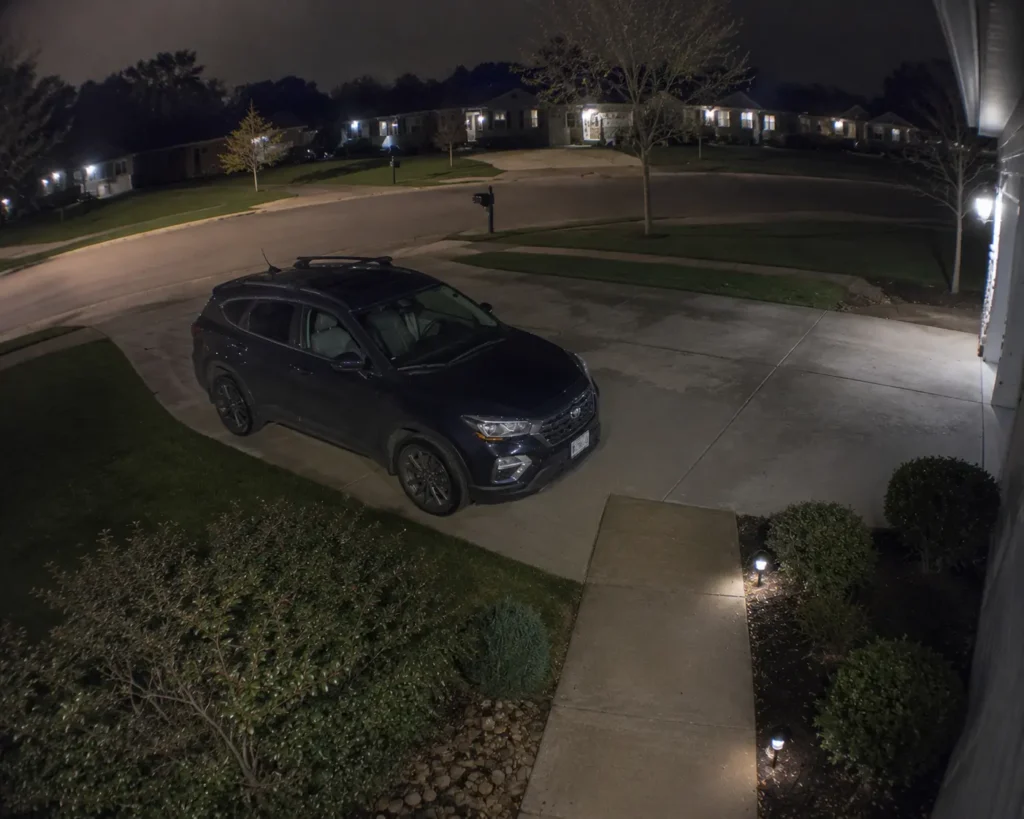
A fixed 130° lens covers a doorway fine but leaves gaps on a wide driveway. Pan-and-tilt or dual-lens systems close those gaps but cost more and, in PTZ cameras’ case, react a beat slower than a fixed sensor. Color night vision (standard on every camera reviewed here) is worth prioritizing over plain infrared — being able to describe someone’s actual clothing color to police is a meaningfully different outcome than a grainy black-and-white silhouette.
Common Outdoor Camera Mistakes
Mistake 1: Buying based on resolution alone. A 4K camera with a narrow field of view can still miss what a 2K camera with better placement and wider coverage catches. Resolution matters, but positioning matters more.
Mistake 2: Ignoring the subscription fine print. “No monthly fee” sometimes means no fee for basic recording, while the features you actually want — extended history, advanced AI, cloud backup — sit behind a paywall. Check what’s actually included before you buy, not after your free trial ends.
Mistake 3: Mounting battery cameras somewhere hard to reach. Every battery camera needs recharging eventually. If yours is bolted 20 feet up under a roofline, you’ll dread that chore enough to put it off — right when the battery finally dies.
Mistake 4: Skipping the WiFi signal check. Most outdoor cameras need a strong signal at the mounting point, not just somewhere in the house. Test your WiFi strength at the actual install location before you commit, or you’ll be dealing with dropped feeds and delayed alerts.
Mistake 5: Overlooking local laws on audio recording and neighbor-facing angles. Two-way audio and wide fields of view are great for your property — less great when they extend into a neighbor’s yard or capture audio you’re not legally allowed to record. Check your local regulations before your final camera placement.
FAQ
Do outdoor security cameras need WiFi?
Most do — including every camera reviewed on this page. There are WiFi-free options that use cellular data or local network storage instead, which we cover in the dedicated no-WiFi guide linked above if your property doesn’t have reliable coverage where you need it.
Are outdoor cameras waterproof in all weather?
They’re weather-resistant, not waterproof in an absolute sense. Look at the IP rating specifically — IP65 and IP66 (like the Reolink and AOSU) handle sustained rain and dust well, while lower ratings like IP54 (Google Nest Cam) are better suited to covered or moderate-exposure spots.
Do I need a subscription to use an outdoor camera?
Not necessarily. Several cameras here, including the Reolink Argus PT Ultra and eufy E340, support local recording with no required monthly fee. Others, like the Ring Spotlight Cam Plus, rely on a subscription for cloud recording and don’t offer local storage at all — so this genuinely varies by camera.
Can outdoor cameras work without electricity?
Battery-powered models (Reolink, Arlo, AOSU) run without a hardwired power source, and solar panels can keep them charged indefinitely in most climates. Hardwired models like the eufy E340 need an actual power connection and aren’t a fit if you’re avoiding wiring altogether.
The Bottom Line
There isn’t one “best” outdoor security camera in 2026 — there’s the best one for your specific driveway, your specific WiFi situation, and your specific tolerance for monthly bills. If you made it this far without landing on an answer, that’s completely normal; go back to the “Find the Right Camera for Your Situation” section and click into whichever guide actually matches your constraints. That’s genuinely the faster path than reading ten more reviews.
Already know what you’re leaning toward? Drop a comment below with your setup — WiFi or not, budget or splurge — and I’ll point you to the specific pick that fits.