Make Your Home Smarter, One Step at a Time

Table of Contents
I get asked this a lot: are security cameras without Wi-Fi actually worth buying, or just a workaround with too many trade-offs? Short answer — no, you don’t need Wi-Fi for a security camera to work. Longer answer — it depends on what you’re trying to solve, because “no Wi-Fi” can mean three very different things depending on the camera.
Some security cameras without Wi-Fi run on cellular data (LTE, same as your phone). Some just record locally to a memory card or hard drive and skip the internet entirely. Some are old-school wired CCTV setups that never needed Wi-Fi in the first place. Mixing these up is how people end up disappointed with a $40 camera that doesn’t do what they thought it would.
So let’s sort through it properly — what’s out there, how it connects to your phone (or doesn’t), what you give up by skipping the subscription, which specific models are worth your money, and whether going Wi-Fi-free is even the right move for your situation.
Settings saved.
Why Trust This Guide
We’re not a giant review mill cranking out “top 10” posts based on Amazon bestseller lists. This guide was built by cross-referencing manufacturer spec sheets, verified owner reviews, and published lab and durability data for every camera mentioned below, then filtering out anything with a pattern of complaints around storage failure, weak night vision, or false advertising on battery life. If a product’s real-world track record didn’t match its marketing, it didn’t make the list.
For an independent third-party breakdown of this category, Security.org’s research on no-Wi-Fi cameras lines up closely with what we found — connection type and storage reliability are the two factors that matter most.
How We Chose These Picks
- Connection type verified — we confirmed each camera works fully offline (local storage) or via cellular, not just “Wi-Fi optional.”
- Storage reliability — we checked for reports of SD card corruption or failure, a common complaint in this category.
- Battery/power honesty — advertised battery life vs. what owners actually report in reviews.
- Total cost of ownership — hardware price plus any recurring data or subscription cost, not just the sticker price.
- Weatherproofing rating — IP65 or better for anything marketed as outdoor-ready.
Quick Takeaways
- Yes, cameras without Wi-Fi exist — they connect via cellular, local storage, or a wired system instead.
- “No Wi-Fi” doesn’t always mean “no monthly fee” — cellular cameras often have their own data plan.
- Local-storage cameras (SD card or edge storage) are the closest thing to a true “buy it once, done” setup.
- You lose real-time phone alerts on most no-Wi-Fi setups — that’s the real trade-off.
- Wired PoE/NVR systems are still the most reliable option if your internet is patchy or nonexistent.
Security Cameras Without Wi-Fi: Types Compared
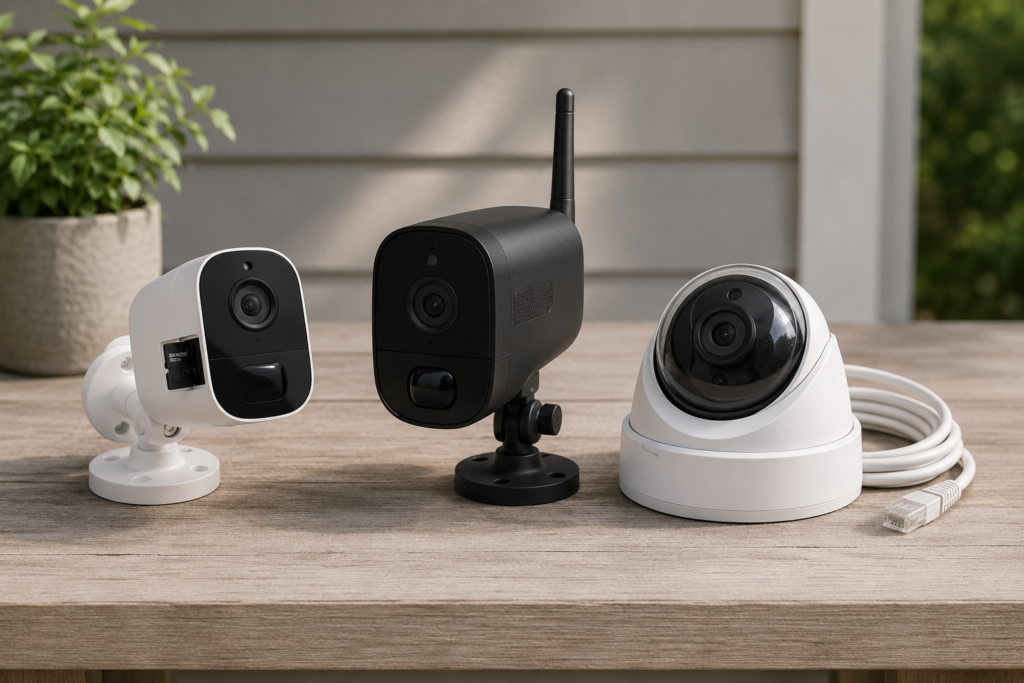
Before you shop, look at this side by side. It’ll save you from buying the wrong category entirely.
| Type | Works With Zero Internet | Live Phone View | Monthly Cost | Storage | Best For |
|---|---|---|---|---|---|
| Local-Storage (SD/Edge) | Yes | No (unless synced later) | $0 | SD card / built-in edge storage | Tightest budget, max privacy |
| Cellular (LTE) | Yes (uses cell signal) | Yes, anywhere with signal | $5–$20/mo data plan | SD card + cloud (optional) | |
| Wired / PoE NVR-DVR | Yes | Only on local network unless you add remote access | $0 (hardware only) | NVR/DVR hard drive | Multi-camera, permanent installs |
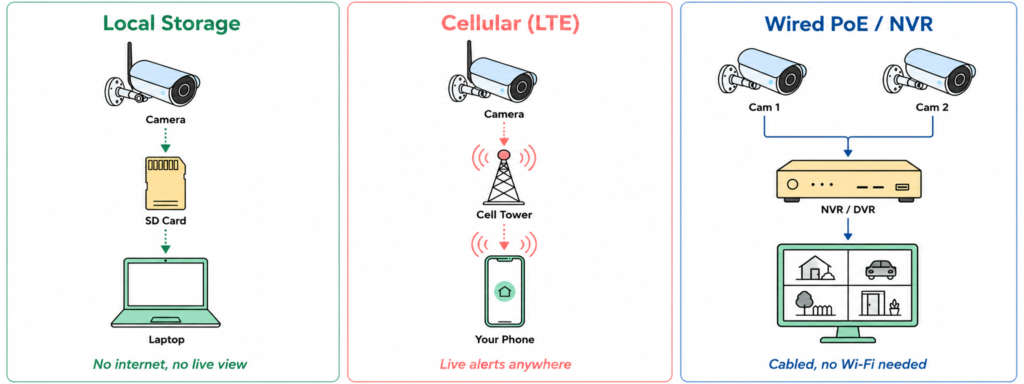
Here’s the same breakdown as a quick visual, if tables aren’t your thing:
Does a Security Camera Without Wi-Fi Actually Exist?
Yes — and this is the question I see people typing into Google the most. It’s a fair one, because most of the IP cameras you see advertised (Ring, Nest, most Blink models) are built around a Wi-Fi connection by default. But that’s a marketing default, not a technical requirement.
There are three real categories of Wi-Fi-free cameras:
- Cellular cameras — these use a SIM card and an LTE connection, similar to a phone, to send footage and alerts over a cell network instead of your router. Popular with rural properties or construction sites where there’s no internet to plug into.
- Local-storage cameras — these record straight to an SD card or built-in edge storage. No internet needed at all. You just don’t get live viewing on your phone unless you physically pull the footage. Even manufacturers confirm this directly — eufy addresses this exact question on their own blog.
- Wired/analog CCTV systems — the classic setup, where IP cameras connect by cable — often Power over Ethernet (PoE) — to a DVR or NVR box. This has never needed Wi-Fi and still doesn’t. Many of these are ONVIF-compliant, meaning you can pull an RTSP stream into third-party software if you want more control.
So “do all security cameras require a subscription?” — no. But it’s worth being precise: not needing Wi-Fi and not needing a subscription are two separate questions, and people conflate them constantly.
Watch: Security Cameras Without Wi-Fi Explained (2026)
Editor’s Picks: 7 Security Cameras That Actually Work Without Wi-Fi
These are the specific models worth your money in each category, based on the criteria above. Prices shift, so double-check current pricing before you buy.
🏆 Best Overall: REOLINK Argus 4K Solar Powered Outdoor Security Camera

The most genuinely dual-purpose pick on this list — runs fully offline on local microSD storage, or you can layer on optional cloud backup if you ever want it. The included solar panel means you’re not stuck swapping batteries, and 4K color night vision with person/vehicle/animal detection puts it well ahead of most cameras at this price.
Resolution: 4K (8MP) · Storage: Local microSD + optional cloud · Weatherproof: IP65/IP66 · Two-way audio: Yes · Alexa compatible: Yes
Pros
- Solar panel included — no manual battery swapping
- Works fully offline on local storage, cloud is optional
- True 4K resolution with color night vision
- Smart person/vehicle/animal detection built in
Cons
- Needs decent sun exposure for the solar panel to keep up
- 4K footage eats through SD card storage faster
~$150
🏠 Check Price on Amazon
💰 Best Budget: WYZE Battery Cam Pro + Solar Panel
 4,000+ ratings
Local microSD recording with no mandatory subscription, sitting well below the pricier picks on this list. A motion-activated spotlight and color night vision punch above the price point, though some of the fancier AI detection features do need a subscription to unlock.
Resolution: 2.5K QHD · Storage: Local microSD + optional cloud · Weatherproof: IP65 · Spotlight: Motion-activated · Two-way audio: Yes
Pros
- Lowest price on this list with solar included
- No subscription required for basic local recording
- Motion-activated spotlight is a nice bonus at this price
Cons
- Some AI detection features are locked behind a subscription
- App polish is a step below pricier brands like Reolink or eufy
~$90–$120
🏠 Check Price on Amazon
⭐ Editor’s Choice: eufy Security SoloCam S340 Wireless Outdoor Security Camera
 8,000+ ratings
Local edge storage with genuinely zero subscription required, plus strong owner-reported battery life. The 360° pan/tilt and 8x hybrid zoom set it apart from fixed-lens competitors, making it the pick if you want true “set it and forget it” coverage of a wider area without any recurring fuss.
Resolution: 3K Ultra HD · Storage: Local (no monthly fee) · Pan/Tilt: 360° · Zoom: 8x hybrid · Weatherproof: IP65 · Smart home: Alexa & Google Assistant
Pros
- No subscription needed at all, even for AI detection
- 360° pan/tilt covers far more ground than fixed cameras
- Strong, consistent battery life reported by owners
Cons
- Higher upfront price than the budget picks on this list
- Pan/tilt motor adds a bit more mechanical wear over years of use
~$180–$200
🏠 Check Price on Amazon
📡 Best Cellular / Rural: Arlo Go 2 LTE/Wi-Fi Security Camera
 2,000+ ratings
The only real option here if you have zero router or internet on-site. True 4G LTE means it works anywhere with cell signal — job sites, cabins, remote land — and it still falls back to Wi-Fi if you have it. Built-in GPS is a nice extra if the camera is ever mounted somewhere that could move (trailers, temporary sites).
Resolution: 2K HDR · Connectivity: 4G LTE + Wi-Fi · Storage: microSD + optional Arlo Secure cloud · Weatherproof: IP65 · GPS: Built-in
Pros
- Only camera on this list with true cellular independence
- Works anywhere with cell signal, no router needed
- Built-in GPS useful for mobile or temporary installs
Cons
- Requires an LTE data plan to use cellular mode
- Highest price point on this list
- Advanced detection features require an Arlo Secure subscription
~$230–$250
🏠 Check Price on Amazon
🔌 Budget Wired System: ANNKE 3K Lite Wired Security Camera System (8-Channel DVR Kit)
 10,000+ ratings
A full 8-camera wired DVR bundle for whole-property coverage, never touching Wi-Fi at any point. The app is less polished than Lorex’s, but the hardware and recording reliability hold up well, and it’s a genuinely affordable way to cover a larger property with multiple angles at once.
Cameras included: 8 · Resolution: 3K Lite DVR / 1080p cameras · Storage: Internal HDD (sold separately or bundled) · Weatherproof: IP66 · Two-way audio: No
Pros
- 8 cameras included — best coverage-per-dollar on this list
- Never depends on Wi-Fi or internet to keep recording
- Strong review volume with consistently solid reliability feedback
Cons
- No two-way audio on any camera in the kit
- Requires running physical cable to each camera location
- App is less refined than higher-end wired competitors
~$220–$300
🏠 Check Price on Amazon
🔋 Best Battery + Spotlight Pick: Lorex 2K Battery-Powered Wi-Fi Security Camera with Spotlight
 500+ ratings
A solid middle-ground pick if you want battery-powered flexibility plus a motion-activated spotlight without going full solar or cellular. Local microSD storage keeps it subscription-free by default, with Lorex’s own cloud sitting there as an optional add-on if you ever want it.
Resolution: 2K QHD · Storage: Local microSD + optional Lorex cloud · Weatherproof: IP65 · Spotlight: Motion-activated · Two-way audio: Yes
Pros
- Motion-activated spotlight adds real deterrent value
- Subscription-free local recording by default
- Color night vision performs well for the price
Cons
- No solar option — battery needs manual recharging
- Smaller review base than some competitors on this list
~$130–$160
🏠 Check Price on Amazon
🔭 Best Pan & Tilt Coverage: REOLINK Altas PT Ultra Wireless Outdoor Security Camera
 500+ ratings
If one fixed camera can’t cover your whole yard, this is the answer — 355° pan and 140° tilt in true 4K, with solar-panel compatibility if you want to go fully off-grid. Local microSD storage keeps it subscription-free, with Reolink’s own cloud available as an optional layer on top.
Resolution: 4K Ultra HD (8MP) · Pan/Tilt: 355°/140° · Storage: Local microSD + optional Reolink cloud · Weatherproof: IP65 · Solar compatible: Yes
Pros
- Widest coverage angle of any camera on this list
- True 4K resolution with color night vision
- Solar panel compatible for fully off-grid installs
Cons
- Solar panel sold separately, not included in base kit
- Pan/tilt mechanism adds a moving part that can wear over years
~$160–$190
🏠 Check Price on Amazon
How Do You Actually Connect One of These to Your Phone?
This is where most of the confusion lives. If a camera has zero internet connection of any kind, it physically cannot send anything to your phone in real time. There’s no way around that — it’s not a settings issue, it’s just how networking works.
What you can do instead:
- Bluetooth pairing — some budget cameras let you connect directly to your phone when you’re standing near them, to pull footage or change settings. No internet involved, but no remote access either.
- Cellular data (LTE) — if the camera has its own SIM, it can push alerts and clips to an app anywhere you have signal, completely independent of your home Wi-Fi.
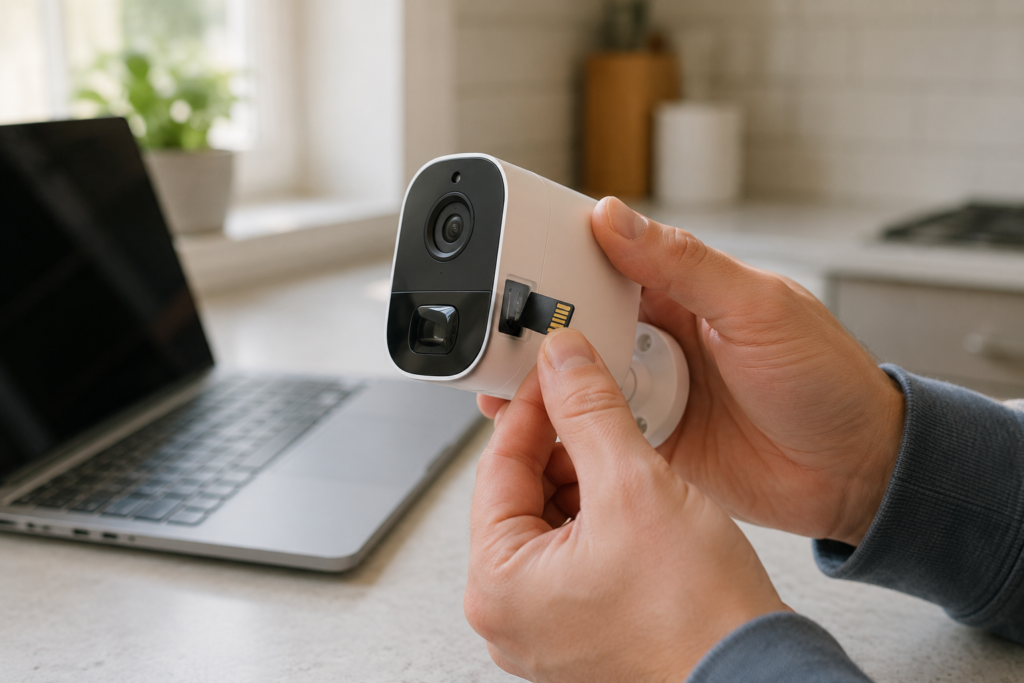
- Physical retrieval — with SD-card cameras, you pop the card out and view footage on a laptop or card reader. Old-fashioned, but it works, and it’s the most private option since nothing ever touches the internet.
If you’re installing a no-Wi-Fi camera, the setup itself is usually simpler than a smart camera — no app pairing, no network troubleshooting. You mount it, insert power (or batteries), insert storage if needed, and you’re done. The trade-off for that simplicity is exactly what you’d expect: no live view, no push notifications, unless you’ve paid for the cellular version.
Common Mistakes to Avoid
- Buying a “Wi-Fi optional” camera thinking it’s fully offline — some models advertise local storage as a backup feature, but still need Wi-Fi for setup or firmware updates. Read the fine print.
- Using a cheap, low-endurance SD card — constant motion-triggered recording wears through budget cards fast. Buy a high-endurance card rated for security cameras, not a generic one.
- Forgetting about storage overwrite settings — most local-storage cameras loop and overwrite old footage once the card fills up. If you need footage preserved, you have to pull it before it’s overwritten.
- Assuming battery life matches the box — advertised battery life is almost always under ideal conditions. Cold weather and high motion-detection sensitivity both drain batteries faster.
- Mounting a “wireless” camera and expecting zero wires — wireless usually just means no Wi-Fi data cable, not no power cable. Check whether it’s battery, solar, or still needs a power outlet.
- Skipping weatherproofing specs — for outdoor use, anything below an IP65 rating is a gamble in real rain and temperature swings.
Your Buying Checklist
- ☐ Do you need real-time phone alerts, or is after-the-fact footage enough?
- ☐ Is there reliable cell signal at the install location (required for cellular cameras)?
- ☐ How many cameras do you actually need — one, or whole-property coverage?
- ☐ What’s your total budget including storage cards, mounts, or an NVR/DVR?
- ☐ Is the camera rated for outdoor weather (IP65+) if it’s going outside?
- ☐ Do you want footage to ever touch a cloud server, or stay fully local?
- ☐ Will you actually remember to pull footage from an SD card periodically?
- ☐ Does the power source (battery, solar, plug-in) fit where you’re mounting it?
Are They Safe? Is There a Hacking Risk?
This question comes up specifically around Blink and Ring, and it’s a reasonable thing to worry about — any device connected to the internet is theoretically hackable. In practice, the real-world risk for most people comes down to weak passwords and reused credentials, not some sophisticated camera-specific exploit. Enable two-factor authentication, use a unique password, and you eliminate the overwhelming majority of actual risk.
That said, if the idea of any camera footage touching a company’s servers bothers you on principle — not just as a hacking risk but as a privacy stance — that’s a legitimate reason to go with a local-storage, offline camera instead. Nothing leaves the building, so there’s nothing to intercept.
Skipping the Subscription: What You Actually Give Up
This is the other half of the “without Wi-Fi” search intent — a lot of people typing this in aren’t dodging Wi-Fi specifically, they’re dodging the monthly fee that comes bundled with it. Ring and SimpliSafe, for instance, both push cloud storage plans, and without one you often lose access to recorded clip history even though the camera still detects motion live. As a rough guide, SimpliSafe’s monitoring plans tend to run cheaper month-to-month than Ring’s top-tier cloud plan, but Ring’s hardware is usually less expensive upfront — it evens out depending on how long you keep the system.
A subscription-free (or “no-Wi-Fi”) setup typically means:
- You store footage locally via edge storage, so there’s no ongoing storage cost
- You don’t get cloud backup — if the camera or card is stolen/destroyed, that footage is gone
- You skip features like AI-based person-detection, which usually run on the manufacturer’s cloud, not on the camera itself
- Cellular cameras are the exception — they usually still carry a monthly LTE data fee, just not a Wi-Fi-router-based one
If your main goal is “cheapest possible outdoor security,” a basic battery-powered, SD-card camera is genuinely hard to beat on cost — you pay once, and that’s it. Just budget for a bigger SD card than you think you need, because local storage fills up faster than people expect. For a deeper dive into ditching monthly fees entirely, we’ve got a full breakdown in our wireless security camera outdoor no-subscription guide.
Why Would Anyone Choose This Over a Smart Camera?
A few genuinely good reasons keep coming up:
- No internet where you live — rural properties, cabins, sheds, and job sites often don’t have reliable Wi-Fi at all.
- Privacy — some people simply don’t want footage of their home sitting on a third-party server.
- Reliability during outages — this is a big one. A Wi-Fi camera is only as good as your internet connection; when the power or router goes down, most Wi-Fi cameras stop recording entirely. A wired NVR system or SD-card camera with battery backup keeps working regardless. We ran into exactly this scenario ourselves — it’s a big part of why we put together our guide on solar-powered security cameras with local storage.
- No recurring costs — for budget-conscious buyers, “buy once” beats “pay forever” every time.
The honest downside, and I’ll say it plainly: you lose convenience. No live view from your phone while you’re at work, no instant push notification when someone’s at the door, no remote pan/tilt control on most models. If real-time monitoring matters to you more than privacy or cost, a Wi-Fi camera — or one with AI detection, like the ones covered in our AI detection camera guide — is going to serve you better.
So Which One Should You Actually Buy?
Quick verdict: If you’re not sure where to start, the Reolink Argus 4 Pro is the safest first purchase — it covers the widest range of use cases without locking you into one connection type.
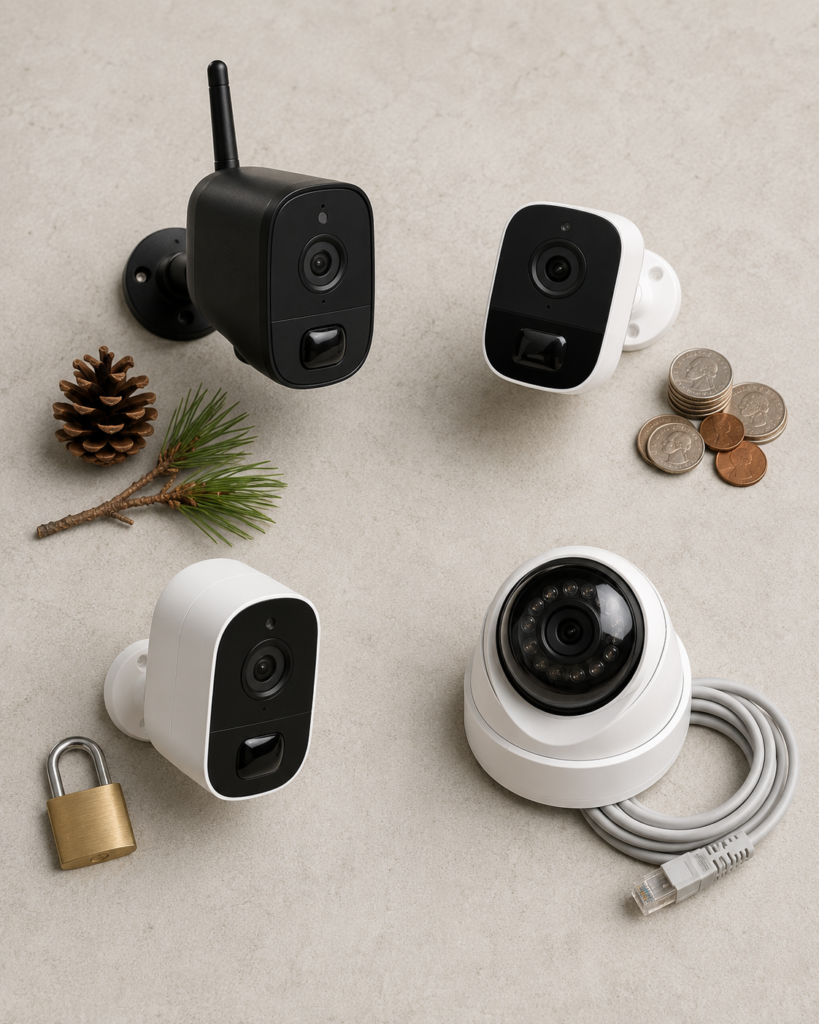
Based on everything above, here’s how I’d break it down by situation:
- No internet access at all (rural/remote): go cellular — the Arlo Go 2 is the pick here. Yes, there’s a data fee, but it’s the only option that gives you remote alerts without a router.
- Tightest possible budget, don’t care about live view: the Wyze Cam Outdoor v2. Cheapest long-term option, zero recurring cost.
- Privacy is the priority: the Reolink Keen Ranger PT in local-only mode, or a fully wired analog system — nothing ever leaves your property.
- Reliability during power/internet outages matters most: a wired NVR system like the Lorex 4K kit is still the gold standard here.
There’s no single “best” no-Wi-Fi camera — it genuinely depends on which trade-off you’re willing to make. What I’d steer you away from is buying a Wi-Fi-dependent camera and expecting it to somehow work like an offline one during an outage. It won’t. Match the camera type to the actual problem you’re solving, and you’ll be a lot happier with it six months from now. And if security cameras are just one piece of a bigger plan, it’s worth reading through our top-rated home security systems guide and our house alarm system guide too — cameras and alarms usually work best paired together.
Frequently Asked Questions
Can I connect my security camera to my phone without Wi-Fi?
Only if the camera has its own connection method independent of your router — either a cellular (LTE) plan or Bluetooth for close-range access. A camera with no connection of any kind can’t reach your phone remotely; you’d need to retrieve the SD card manually.
Is there a security camera that runs without Wi-Fi?
Yes. Local-storage cameras, cellular cameras, and wired PoE/NVR systems all operate with zero Wi-Fi involvement.
Are Blink cameras safe from hackers?
Blink cameras are reasonably secure when set up correctly — the real risk almost always comes from weak or reused passwords, not a flaw in the camera itself. Two-factor authentication closes most of the gap.
Do all security cameras require a subscription?
No. Many local-storage cameras never require a subscription at all. Subscriptions are typically tied to cloud storage and AI features, not to the camera’s basic recording function.
Can wired cameras work without internet?
Yes — a wired PoE camera connected to an NVR or DVR records and stores footage entirely on your local hard drive, with no internet connection required.
What is the difference between a wireless camera and a Wi-Fi camera?
“Wireless” usually refers to no data cable — the camera might still run on Wi-Fi, cellular, or purely local storage. “Wi-Fi camera” specifically means it connects to your home router to communicate with an app.
Do cameras keep recording if the internet is off?
Local-storage and wired NVR/DVR systems keep recording through an outage since they don’t depend on internet. Most standard Wi-Fi cameras stop working the moment your router or internet service drops.
What are the disadvantages of wireless cameras?
Battery maintenance, potential signal interference, and — for Wi-Fi-dependent models — total reliance on your internet staying up. Storage-based wireless cameras also require you to manually manage and retrieve footage.
Is SimpliSafe or Ring cheaper?
SimpliSafe’s monitoring plans tend to be cheaper month-to-month, while Ring’s hardware is usually less expensive upfront. Which one costs less overall depends on how long you plan to keep the system running.
What is the best and cheapest outdoor security camera?
For pure budget, a battery-powered, local-storage camera like the Wyze Cam Outdoor v2 is hard to beat, since there’s no recurring fee involved.
How do I install a no-Wi-Fi security camera?
Mount the camera, insert power (battery, solar, or plug-in) and storage (SD card) if applicable, and you’re done — there’s no app pairing or network setup required, since there’s no network to join.
What happens to security cameras when Wi-Fi goes out?
Standard Wi-Fi cameras stop transmitting and often stop recording entirely. Cameras with local storage or battery-backed wired systems continue recording uninterrupted, since they were never depending on the connection in the first place.
Bottom Line
Cameras without Wi-Fi are real, they work, and for a lot of situations — spotty internet, privacy concerns, wanting to avoid subscriptions — they’re the smarter buy. Just go in knowing what you’re trading away: live phone alerts and remote viewing, in exchange for reliability, lower long-term cost, and full control over your own footage.
If you’re shopping right now, figure out which of the four situations above matches you before you look at a single product listing. It’ll save you from buying the wrong type of camera twice.
Already own a no-Wi-Fi camera, or thinking about switching? Drop your setup or your questions in the comments — I read them all, and I’m happy to help you figure out what fits your property.
Leave a Reply