Make Your Home Smarter, One Step at a Time

Table of Contents
I remember standing in the thermostat aisle at Home Depot with my phone out, thumb cramping from scrolling through reviews that all seemed to contradict each other. One site swore Nest was “the best-designed thermostat money can buy.” Another insisted Ecobee had quietly become the smarter buy.
My old dial thermostat was still ticking away at home, blissfully unaware that I was about to spend forty-five minutes comparing sensor technology like it was a job interview.
If you’re a first-time smart thermostat buyer doing the exact same thing right now, take a breath. You don’t need an engineering degree to get this right. You need to understand what actually changes in your day-to-day life once one of these is on your wall — and that’s what this guide is for.
Settings saved.
Key Takeaways (the short version)
- Nest Learning Thermostat figures out your schedule automatically within about a week of watching you adjust the temperature. Almost zero setup after that.
- Ecobee Smart Thermostat Premium ships with a room sensor that fixes the “why is my bedroom freezing while the hallway thermostat says it’s warm” problem — something Nest can’t do out of the box.
- Prices sit close together: Nest’s flagship runs around $250–$280, and Ecobee’s Premium tier lands in a similar $230–$250 range depending on retailer and sales.
- Neither company charges a subscription fee for core features.
- If you’re deep in the Google ecosystem, Nest fits more naturally. If you use Apple HomeKit or have rooms that run hot or cold, Ecobee tends to solve more real problems.
Ecobee vs Nest Thermostat: Quick Comparison Table
Before we get into the “why,” here’s the “what” side by side. Bookmark this if you just want the numbers.
| Feature | Ecobee Smart Thermostat Premium | Nest Learning Thermostat (4th Gen) |
|---|---|---|
| Price (approx.) | $230–$250 | $250–$280 |
| Display | Flat touchscreen, low glare | Curved glass, glare in bright rooms |
| Color options | Brushed nickel only | Gold, silver, obsidian |
| Room sensor included | Yes (1 SmartSensor in box) | No (sold separately) |
| Self-learning schedule | Limited (Follow Me, sensor-based) | Yes, learns in 7–10 days |
| Air quality monitoring | Yes | No |
| Built-in voice assistant | Alexa & Siri (Premium tier) | No |
| C-wire required | Usually yes (Power Extender Kit included) | Usually no (Power Sharing tech) |
| Best smart home fit | Apple HomeKit, Alexa | Google Home / Assistant |
| Monthly subscription | None required | None required |
Top Picks, Ranked by TechNest Decor Team
Here’s the quick version, ranked based on the TechNest Decor team’s evaluation and independent testing results to provide objective recommendations you can trust.

- Save up to 26% per year on heating and cooling costs. ENERGY STAR certified. Included SmartSensor (50 dollar value) prom…
- Seamlessly connects to ecobee Smart Doorbell Camera (wired) for a live stream of your door and enables two-way talk from…
- Compatible with 95% of systems. Check your system’s compatibility with our Compatibility Checker on the ecobee support p…
$249.00
★★★★★ 9.2/10 — Rated by the TechNest Decor Team
Selected as a Top Pick Based on Editorial Testing & Real-World Research
Typical Price: $230–$250
Best for: Homes with uneven temperatures, Apple HomeKit households, and anyone looking for a premium thermostat with an included SmartSensor.

- Professional installation Recommended! Advanced Compatibility & Performance: Works with most 24V systems, including gas,…
- Optimized for Professional Installation: Designed for seamless integration by certified installers, ensuring proper conf…
- Enhanced Energy-Saving Features: Includes the Nest Temperature Sensor for precise room-based temperature control, with p…
$239.95
★★★★☆ 8.8/10 — TechNest Decor Team Rating
Editor’s Choice · Based on the TechNest Decor Team’s Editorial Evaluation
Typical Price: $240–$280
Best for: Google Home households, buyers who prefer a hands-off setup, and anyone looking for a smart thermostat that requires minimal manual configuration.
Product ratings and typical prices are based on the TechNest Decor team’s editorial evaluation, independent research, and publicly available information. Prices, ratings, and review counts on Amazon are updated frequently, so please check the product page for the latest details before purchasing. As an Amazon Associate, TechNest Decor may earn a commission from qualifying purchases at no additional cost to you
The One-Sentence Version of This Whole Debate
Nest tries to think for you. Ecobee gives you more tools to think for yourself, room by room. Everything else in this comparison is really just a variation on that theme, so keep it in mind as we go through the details.
Meet the Two Thermostats
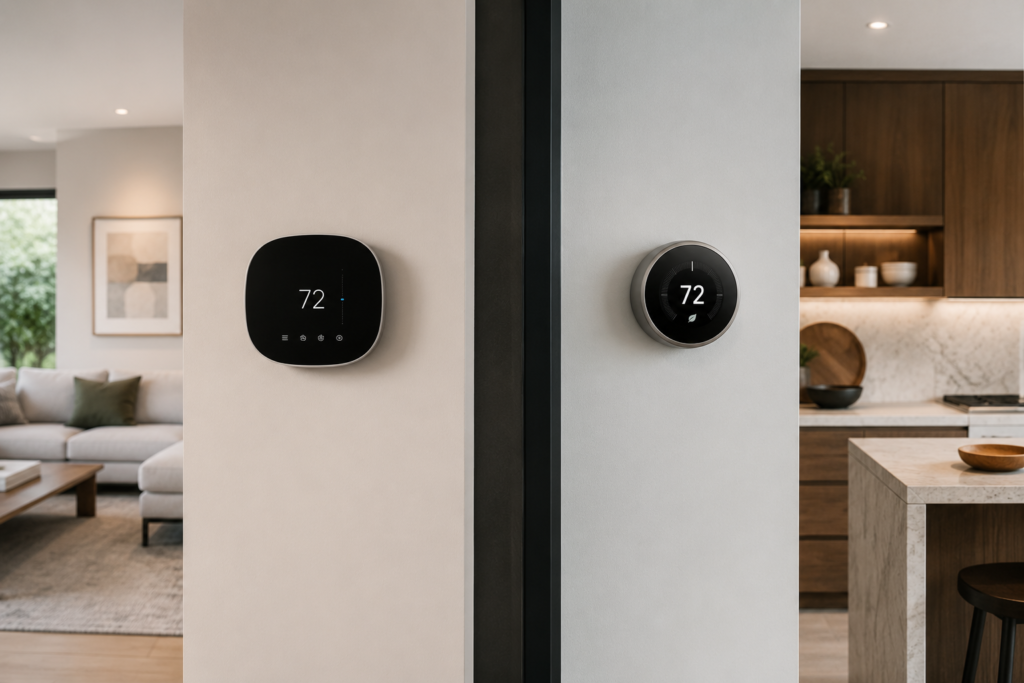
Before the deep dive, here’s the short version of each device on its own — pros, cons, and who it’s actually built for.
Ecobee Smart Thermostat Premium
Best for: Homes with hot/cold spots, Apple HomeKit households, anyone who wants sensor-based comfort out of the box.
Pros:
- Includes a room sensor at no extra cost
- Flat touchscreen is easier to read in bright light
- Deep, local HomeKit integration — works without the cloud
- Built-in air quality and humidity monitoring
- No subscription required for full functionality
Cons:
- Usually needs a C-wire (though the kit is included)
- Self-learning is less automatic than Nest’s — you’ll do a bit more setup
- Only one color/finish option
Our take: If your house has rooms that never seem to match the thermostat’s reading, Ecobee solves that problem better than anything else in this price range.
Nest Learning Thermostat (4th Gen)
Best for: Google Home households, people who don’t want to touch an app after setup, anyone prioritizing design.
Pros:
- Learns your schedule automatically within 7–10 days
- Rarely needs a C-wire thanks to Power Sharing
- Striking, jewelry-like design with multiple finishes
- Deep Google Home automation once connected
Cons:
- Curved glass can glare in sunlit rooms
- No included room sensor — averages temperature at one spot
- Matter/Apple Home integration is limited to basic controls
- No built-in air quality monitoring
Our take: If you want to set it once and genuinely forget about it, and you’re already living in Google’s ecosystem, Nest is the more hands-off choice.
What You’ll Actually Pay
Here’s where the pricing landscape stands right now. Google currently sells two thermostats.
The standard Nest Thermostat is priced around $130 with a simpler mirror finish and manual scheduling only, while the Nest Learning Thermostat (4th Gen) is the flagship model priced around $280 that learns your routine and adjusts automatically.
Ecobee splits its lineup into three tiers. The Essential model sits around $130 with a smaller screen and fewer features, the Enhanced model runs about $190 with occupancy sensing but no built-in voice assistant, and the Smart Thermostat Premium tops the range at roughly $250 with built-in Alexa and Siri, an air quality monitor, and radar-based occupancy detection.
Real-world Amazon pricing fluctuates more than either company’s official site suggests. Reviewers testing both flagships side by side in 2026 found the Nest 4th Gen going for around $240–$280 and the Ecobee Premium for around $229–$250. At the top tier, the price gap is usually small enough that it shouldn’t be your deciding factor.
One thing worth knowing before you check out: if budget is genuinely tight, both brands’ entry-level models sit around $130. They get you into the smart thermostat game without the premium sensor tech. Just know you’re trading away the features that make the higher tiers worth the extra money.
Design and Everyday Usability
This is the part nobody warns you about until you’re staring at the thing on your wall every single day.
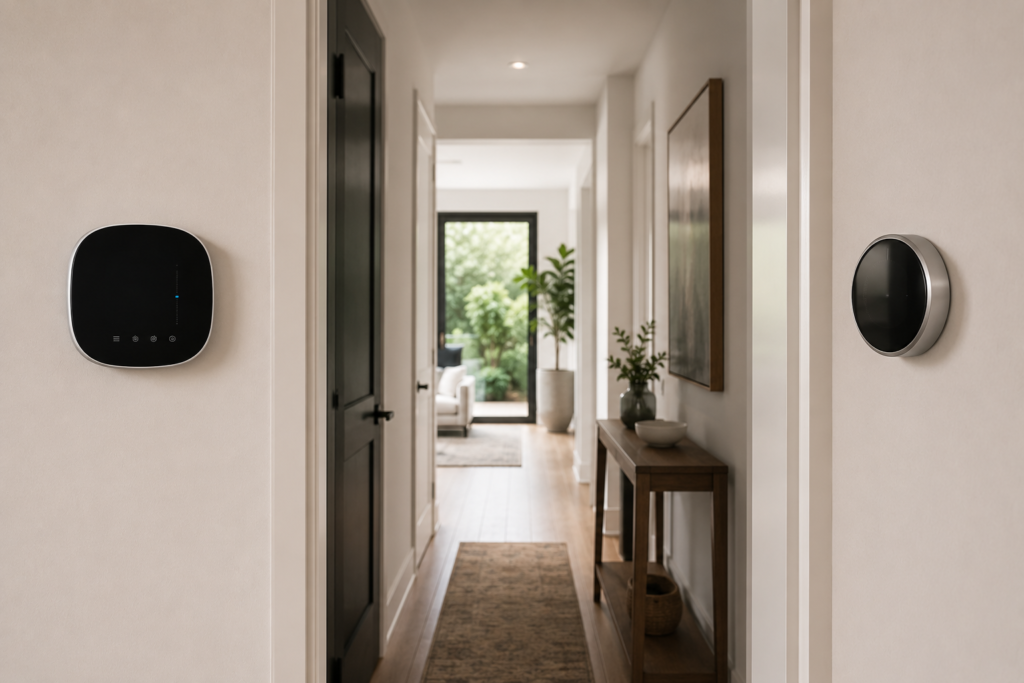
The Nest 4th gen comes in three finishes — gold, silver, and a dark obsidian — with a curved glass display that gives it a sleek, watch-like look, though that curved glass tends to catch glare and reflections in bright rooms or when viewed from certain angles. It’s genuinely one of the best-looking pieces of tech you can bolt to a wall. Whether that glare bothers you probably depends on where your hallway light hits it.
Ecobee’s Premium, by contrast, ships in a single brushed nickel color with a flat touchscreen that cuts down on reflections and stays readable from more angles. Less “designer object,” more “tool that works.” Ecobee leans into a fairly standard black-front, light-back look that blends into most homes, while Nest offers up to seven color options across its lineup for people who want the thermostat to have a bit of personality.
Practically speaking: if you want something that looks like a piece of jewelry on the wall, Nest wins that argument outright. If you want a screen you can actually read while standing in a sunlit kitchen, Ecobee has the edge.
How They Actually Behave Once They’re Installed
This is the part that matters most, and it’s where the two philosophies really diverge.

Nest’s whole pitch is “you’ll forget it’s even smart.” During the first seven to ten days after installation, Nest logs every manual adjustment you make and quietly builds a schedule around it, so if you always cool the house down to 68°F before bed, it learns that pattern without you ever opening the app. CNET’s 2026 testing backed this up, finding the schedule reaches over 90% accuracy by around day ten. If you hate fiddling with apps and just want the thing to get out of your way, this is genuinely satisfying to experience.
Ecobee takes a more hands-on, more precise route. Instead of guessing your habits, it uses a physical remote sensor (included in the box with the Premium and Enhanced models) to measure temperature and motion in whatever room you place it. Rather than simply averaging the temperature across the house, Ecobee identifies which room you’re actually in and prioritizes comfort there — so if you’re working in the home office, it ignores the empty living room entirely.
One longtime user who switched brands described setting a bedroom sensor to “Sleep” mode so the thermostat defaults to only that sensor overnight, without worrying about the temperature anywhere else in the house.
If your home has a notorious hot upstairs and cold downstairs (or vice versa — every older house seems to have one), this sensor-based approach solves a problem Nest simply can’t touch without buying add-on sensors of its own.
Installation: The C-Wire Question
Before you get attached to either thermostat, check your wiring. This trips up more first-time buyers than anything else on this list.
Nest’s Learning Thermostat uses a technology it calls Power Sharing to draw power from your existing wires, which means most homes don’t need a dedicated C-wire (the extra wire that supplies continuous power) at all. That’s a real advantage if you live in an older home and don’t want to pay an electrician.
Ecobee generally needs a C-wire, but it ships a Power Extender Kit in the box with both the Premium and Enhanced models to work around that requirement in most setups. Install time for both runs about 40 minutes and is guided step-by-step through each brand’s app.
One caveat from someone who’s actually lived through both installs: if your house was built before 1980 or you’re running a multi-stage heat pump system, don’t assume either thermostat’s “easy install” marketing applies to you. It’s worth a five-minute call to a local HVAC tech before you commit, especially if your system has two or more heating/cooling stages.
If you’d rather not risk it yourself, this is genuinely one of those cases where a $75–$100 professional install fee can save you an afternoon of frustration — something worth weighing against the DIY savings.
Smart Home Compatibility: Where You Live Matters
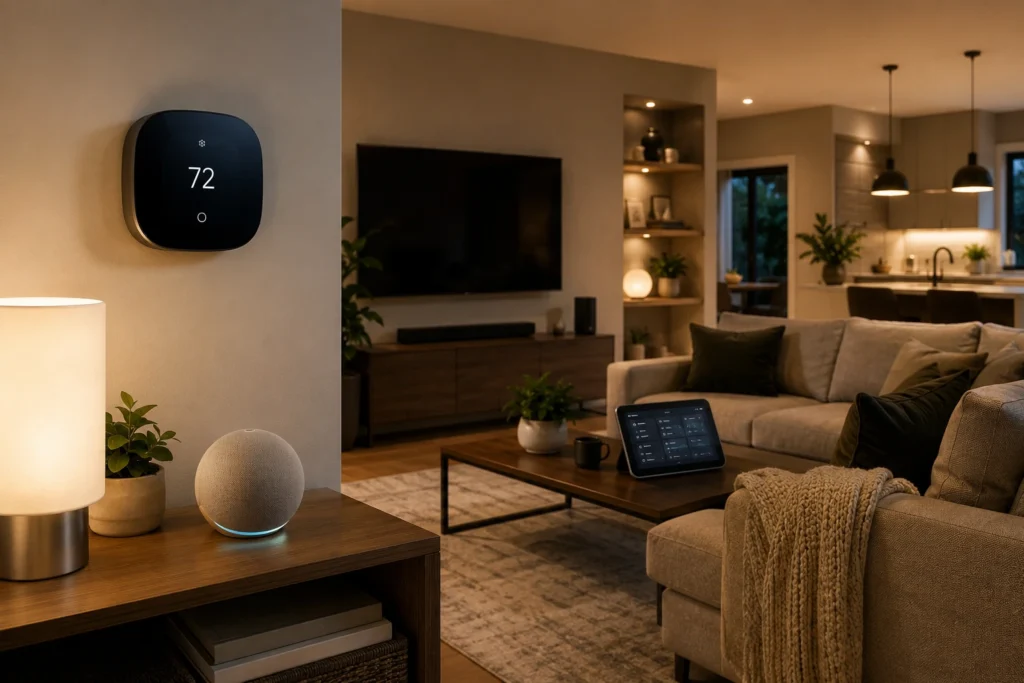
This is genuinely the deciding factor for a lot of buyers, and it’s the one question you should answer before anything else: what smart home ecosystem are you already using?
Once connected, Nest can join platforms like Apple Home and Home Assistant through Matter, but the controls available are pretty limited — you get basic temperature adjustments and mode changes, without access to fan control, preset temperatures, or remote sensor data. If you’re a Google Home household with a Nest doorbell or a Nest Hub already, though, the story flips completely: Google Home Automations can adjust your thermostat based on who’s detected at the door, which room has activity, or even events on your Google Calendar.
If you’re comparing entry devices for a Google Home setup more broadly, our Ring vs Nest Doorbell comparison covers the same ecosystem question from the front-door side of things.
Ecobee’s integration with Apple HomeKit and Home Assistant goes noticeably deeper, giving you access to motion and occupancy sensors, temperature presets, fan settings, and remote sensor readings — and its HomeKit connection works locally without relying on the cloud, so you can even set it up directly from the thermostat’s touchscreen without the app. For Apple households, this isn’t a small edge; it’s often the whole ballgame.
Both brands now support Matter over Thread, so baseline cross-platform compatibility keeps improving. But native, deep integration still clearly favors Google users on the Nest side and Apple/Alexa users on the Ecobee side.
Air Quality, Extra Sensors, and the Little Things

Ecobee’s Premium tier includes something Nest doesn’t offer at all: indoor air quality and humidity monitoring, with alerts surfaced right in the app. It’s not a dealbreaker for most buyers, but if anyone in your household deals with allergies or asthma, it’s a genuinely useful bonus most people don’t think to ask about until after they’ve already bought a thermostat.
Ecobee also builds in Alexa and Siri support directly into the Premium hardware, effectively turning your thermostat into a small smart speaker. Whether that’s a selling point or an unnecessary gimmick is honestly a personal call — one longtime Ecobee switcher noted flatly that the hands-free calling and Spotify integration on the Premium tier just weren’t things he needed, and he was happier with the simpler Enhanced model instead.
Real Energy Savings (Not Just Marketing Numbers)
Both brands love to tout big percentage savings, and you should treat those numbers with healthy skepticism. While Ecobee has claimed savings up to 26%, independent ENERGY STAR data points to average annual heating and cooling cost reductions closer to 8%, which typically works out to $50–$100 a year for a typical U.S. home.

The honest truth, confirmed across multiple 2026 reviews, is that your actual savings depend far more on your previous habits than on which brand you choose — if you used to leave the AC running at 70°F all day while at work, either thermostat will save you real money, but if you were already disciplined about manual scheduling, the gains will be more modest. Neither thermostat is magic. They’re both just very good at not letting you forget to turn things down.
Where the newer models genuinely shine is Time-of-Use optimization, where both thermostats can coordinate with your utility company to pre-cool your house when electricity is cheap and pull back when prices spike in the afternoon — a feature that’s becoming increasingly valuable as more utilities roll out variable pricing.
Before you buy either one, it’s worth a quick call to your utility provider — many offer instant rebates of $50–$100 on qualifying smart thermostats that most first-time buyers never think to ask about.
Who Should Buy Which? Quick Decision Table
If tables are more your speed than paragraphs, here’s the shortcut.
| If you… | Buy this |
|---|---|
| Already use Google Home, Nest Hub, or a Nest doorbell | Nest Learning Thermostat |
| Use Apple HomeKit or want local, cloud-free control | Ecobee Premium |
| Have a room that’s always too hot or too cold | Ecobee Premium (included sensor) |
| Want the least setup effort possible | Nest Learning Thermostat |
| Care about indoor air quality tracking | Ecobee Premium |
| Have an older home without a C-wire | Nest Learning Thermostat |
| Are on a tight budget and just want basic smart scheduling | Either brand’s entry-level model (~$130) |
Ecobee and Nest aren’t your only options. This best smart thermostats for US homes roundup compares 8 models, including budget picks and a solid Honeywell alternative.
Common Questions First-Time Buyers Ask
Do I need a C-wire for either one?
Not necessarily for Nest, thanks to its power-sharing technology. Ecobee often needs one but includes a Power Extender Kit with its higher-tier models to work around it. When in doubt, check your existing wiring before you buy, not after.
Does Ecobee work if I use Google Home instead of Apple?
Yes. Ecobee isn’t exclusive to Apple — it works with Google Assistant and Amazon Alexa too. It just happens to have the deepest, most local integration on HomeKit specifically.
Is Nest bad if I don’t use any Google products?
Not bad, just less impressive. You’ll still get the learning schedule and solid app control. You just won’t unlock the automations that come from owning other Nest or Google Home devices.
Which one is easier for someone who’s never owned a smart thermostat?
Nest has the gentler learning curve simply because it asks less of you upfront — you adjust the temperature manually for a week or two, and it takes over. Ecobee rewards a bit more initial setup time with more precise, room-by-room control down the line.
Do either of these require a monthly subscription?
No. Core scheduling, remote control, and reporting are free on both. That’s worth confirming for yourself on each brand’s current site before you buy, since feature sets do shift over time.
So, Which One Should You Actually Buy?
If you’re still on the fence, here’s the decision framework I wish someone had handed me in that Home Depot aisle:
- Choose Nest if: you already live in the Google ecosystem, you want the least amount of manual setup possible, your home doesn’t have a C-wire and you’d rather avoid an electrician, or you simply want the thermostat that looks the best on your wall.
- Choose Ecobee if: you use Apple HomeKit, your home has rooms that run noticeably hotter or colder than others, you want an included sensor rather than an add-on purchase, or you care about air quality monitoring alongside temperature.
- Choose neither’s flagship if: your budget is tight and your needs are simple. Both companies’ entry-level models around $130 will get basic smart scheduling without the premium sensor technology, and that might genuinely be enough for a small apartment or a starter home.
There’s no universally “better” thermostat here — just a better fit for how your specific house and your specific habits actually work. That’s not a cop-out answer; it’s the conclusion every credible 2026 review keeps landing on once you get past the marketing pages.
Building a Smarter Home Beyond the Thermostat
A thermostat is usually just the first piece of a bigger smart home setup, not the whole thing. Once temperature is handled, most people move on to security next — a doorbell, a camera, or a full alarm system.
If you’re mapping out what comes after the thermostat, our Complete Beginner’s Guide to Smart Home Technology is a good next stop — no jargon, just a clear starting point. And if security is next on your list, our honest alarm system guide and our roundup of top-rated home security systems both break down real costs the same way this guide just did for thermostats.
Before You Check Out

Do three things before you commit to either brand: confirm your HVAC system’s compatibility using each manufacturer’s online checker, check whether your home has a C-wire (or budget for the Power Extender Kit), and look up your local utility’s rebate program.
Get those three things sorted first, and honestly, you can’t go far wrong with either one. The real upgrade isn’t Ecobee versus Nest — it’s moving off a dumb dial thermostat in the first place. Everything after that is just fine-tuning.
Have a specific setup you’re not sure about — an unusual HVAC system, an older home, or a mixed Apple/Google household? Drop it in the comments and we’ll help you figure out which one actually fits.
Leave a Reply