Make Your Home Smarter, One Step at a Time
Table of Contents
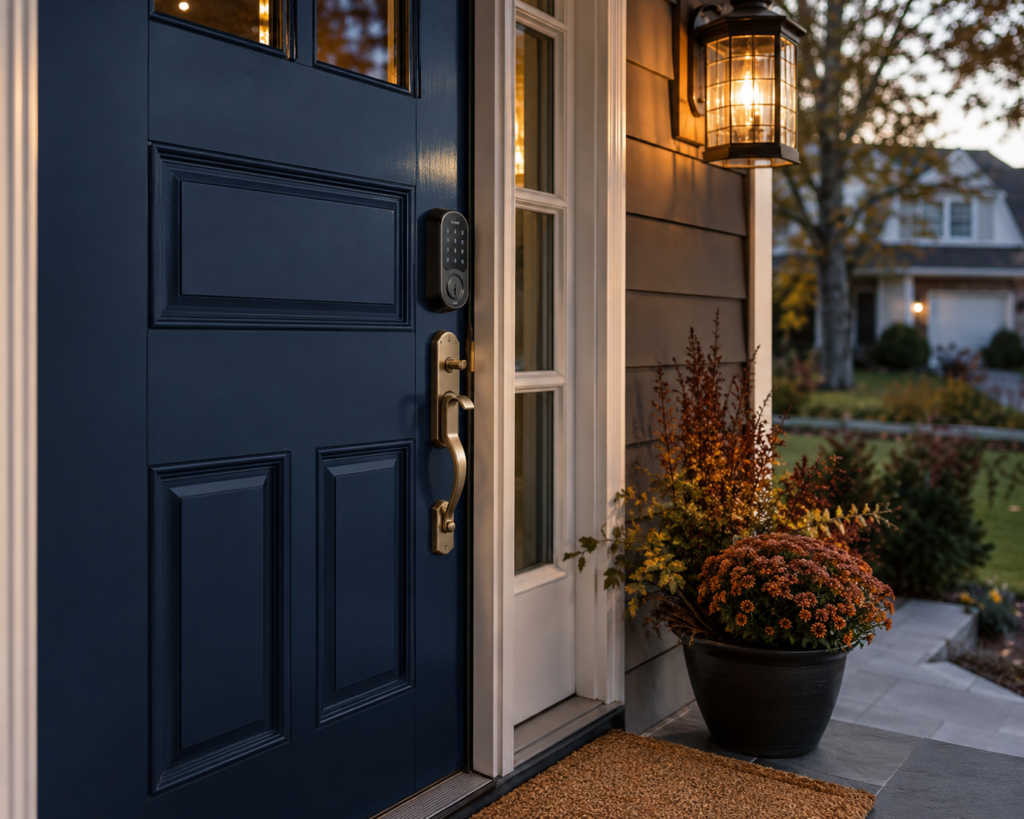
It was 28 degrees outside, I was in my pajamas, and I’d just stepped out to grab the trash can before the truck came. The door clicked shut behind me. No phone, no key, no idea where my spouse was. I stood on my own porch for eleven minutes doing the math on whether it was faster to walk to a neighbor’s or just wait for someone to notice a grown adult shivering by the mailbox.
That was the week I finally bought a smart lock. And it turns out I wasn’t overreacting to a one-off embarrassment — I was reacting to something a lot of homeowners eventually run into. Locked out, fumbling for a hidden key that got moved, or realizing halfway to work that you can’t actually remember locking up. A smart lock doesn’t just solve the “I forgot my key” problem. Done right, it solves the “is my house actually secure” problem too.
If you searched “best smart lock for front door,” you’re probably standing exactly where I was — ready to buy, but tired of vague “top 10” lists that never explain why one lock beats another. So let’s actually get into it: the real contenders, real prices, the tradeoffs nobody puts in the headline, and how to pick the right one for your specific door, not someone else’s.
Settings saved.
Why Trust This Guide
We spend our time comparing the ANSI/BHMA test data, warranty fine print, and real owner feedback across dozens of smart locks so you don’t have to dig through 40 open browser tabs to do it yourself. Here’s how we approach it:
- Honest reviews: we share what actually works and what doesn’t, not just the highlight reel.
- No fake claims: every recommendation is backed by manufacturer certification data, published lab testing, or aggregated owner reviews — not vibes.
- Careful research: pricing and specs are checked against current retailer listings, not outdated press releases.
- No paid bias: which lock ranks where is never influenced by which brand pays the biggest affiliate commission.
Key Takeaways
- For most homeowners, a Grade 1 or Grade 2 ANSI/BHMA-certified deadbolt from Schlage or Yale is the safest bet for a front door — that certification is the single most reliable indicator of physical break-in resistance.
- Schlage generally beats Kwikset on raw security (heavier housings, more Grade 1 models, tighter pick resistance), while Kwikset wins on price and painless rekeying.
- Smart locks rarely void home insurance, but they also rarely earn you a discount on their own — check with your specific carrier rather than assuming either way.
- Every smart lock worth buying has a physical key or mechanical backup for power outages and dead batteries; if a model doesn’t, walk away.
- Hacking headlines exist, but the realistic risk comes from weak app passwords and outdated firmware, not some hoodie-wearing figure cracking your encryption from a van.
- Most burglars still favor forcing the door over defeating the lock electronically — so the strength of your deadbolt and strike plate matters as much as which app it pairs with.
How We Chose These Products
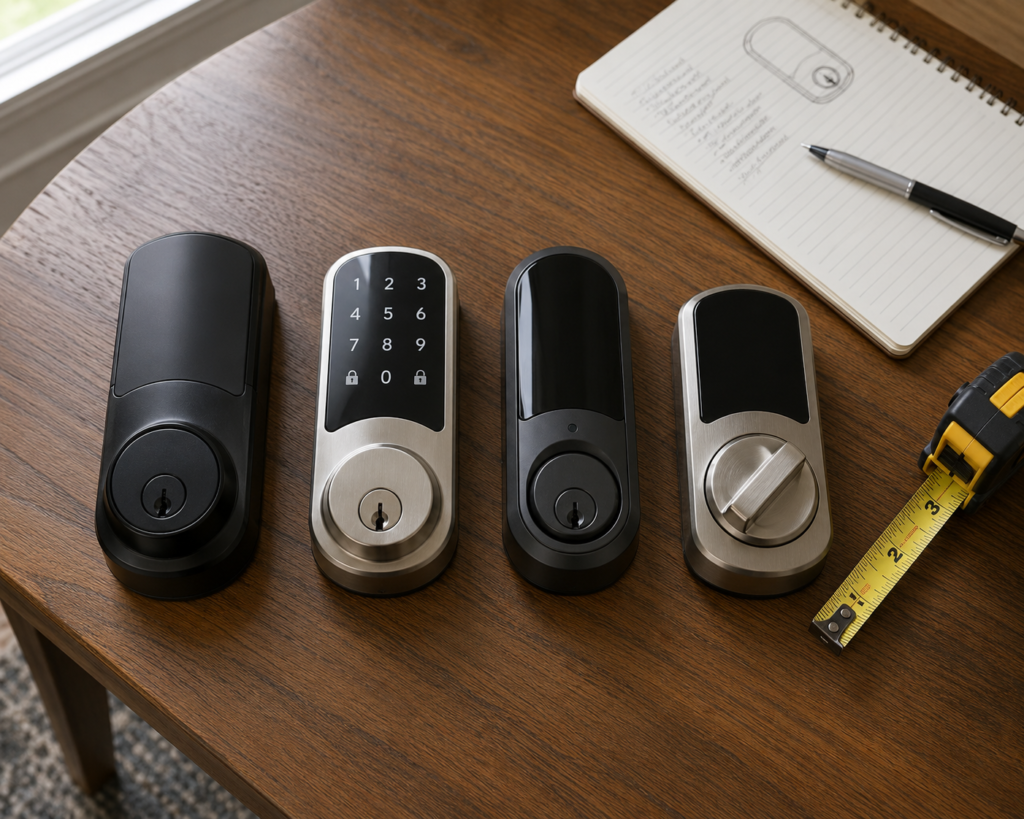
We didn’t just rank locks by star rating. Each pick on this list had to clear four bars:
- Security rating: ANSI/BHMA Grade 1 or Grade 2 certification, or an equivalent independently verified security claim.
- Real-world reliability: consistent owner feedback across major retailers, not just a good launch-week press cycle.
- Backup access: a physical key, emergency power port, or both — no lock makes this list if a dead battery can permanently strand you outside.
- Value for the price tier: whether it’s a $60 budget pick or a $280 premium option, it has to earn its price point relative to competitors in the same range.
Quick Comparison: Best Smart Locks for Front Doors (2026)
| Product | Rating | Typical Price | |
|---|---|---|---|
 Schlage Encode Plus Smart WiFi Deadbolt (Century Trim, Aged Bronze)
 | $200–$300 | 🏠 Check Price on Amazon | |
 Kwikset Halo Wi-Fi Smart Lock Touchscreen Deadbolt (Satin Nickel)
 | See price on Amazon | 🏠 Check Price on Amazon | |
 ULTRALOQ U-Bolt Pro WiFi Smart Lock with Door Sensor (Fingerprint + Keypad)
 | $140–$180 | 🏠 Check Price on Amazon | |
 Yale | August Wi-Fi Smart Lock with Keypad (Silver)
 | $200–$250 | 🏠 Check Price on Amazon | |
 Wyze Lock Bolt v2 Fingerprint Wi-Fi Smart Lock
 | $79–$99 | 🏠 Check Price on Amazon | |
 NICE DIGI Smart Keypad Door Lock with Handle – X1
 | ~$64.99 | 🏠 Check Price on Amazon |
Prices and ratings as of July 2026. Prices may vary by finish and retailer.
Best Smart Lock for Front Door: Our Top 5 Picks
🏆 Best Overall: Schlage Encode Plus Smart WiFi Deadbolt (Century Trim, Aged Bronze)
This is the lock built-in Wi-Fi (no separate hub) with native Apple Home Key support, letting you tap an iPhone or Apple Watch to unlock, even hours after the phone’s battery has died. It supports up to 100 access codes, keeps a real-time activity log, and continues to work offline through physical codes and Home Key if the network ever drops. Owners consistently point to easy setup and reliable day-to-day performance as its biggest strengths.
Pros
- Native Apple Home Key + built-in Wi-Fi, no bridge needed
- Setup takes well under 30 minutes for most owners
- Supports up to 100 personalized access codes
- Works offline via physical codes/Home Key if Wi-Fi drops
Cons
- Premium price point vs. most competitors
- Occasional Wi-Fi range/connectivity hiccups reported
- Installation can be fiddly on non-standard door prep
$200–$300
🏠 Check Price on Amazon
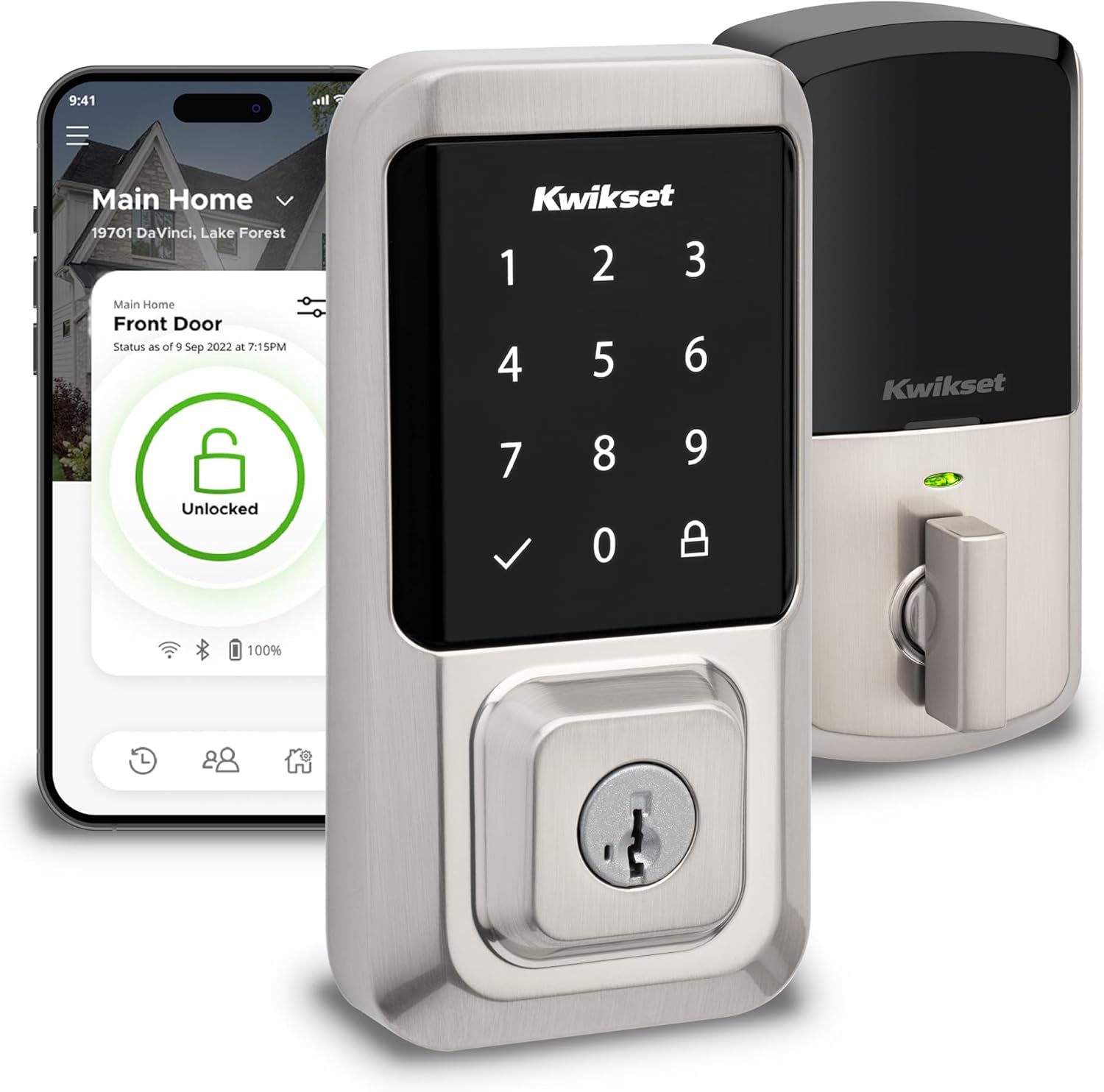
🖐️ Best for Touchscreen + Rekeying: Kwikset Halo Wi-Fi Smart Lock Touchscreen Deadbolt (Satin Nickel)
The Halo brings built-in Wi-Fi to Kwikset’s lineup with a touchscreen keypad and SmartKey rekeying, so you can rekey the lock yourself in seconds if you move or want it to match existing house keys. Owners consistently call it simple to install and program, with a straightforward app for managing schedules and PINs.
Pros
- Simple, quick install — most owners report an easy setup
- SmartKey lets you rekey the lock yourself, no locksmith
- Straightforward app for managing PINs and schedules
Cons
- Touchscreen doesn’t always register the first tap
- Battery life drains faster than some competitors, per owners
- Occasional Wi-Fi connectivity dropouts reported
See price on Amazon
🏠 Check Price on Amazon
💰 Best Value: ULTRALOQ U-Bolt Pro WiFi Smart Lock with Door Sensor
Six ways to get in — fingerprint, keypad, app, Bluetooth auto-unlock, key, and voice assistant — plus a bundled door sensor most rivals charge extra for. The fingerprint reader is consistently praised as one of the best in its price class, and the housing feels genuinely solid rather than plasticky.
Pros
- Six unlock methods, more than any comparable lock
- Fast, accurate fingerprint scanner
- Includes a door sensor standard, not sold separately
- Solid, weatherproof (IP65) build quality
Cons
- No Apple HomeKit support
- Wi-Fi setup can be finicky with 5GHz/mesh routers
- App lacks two-factor authentication
$140–$180
🏠 Check Price on Amazon
🔗 Best Smart Home Compatibility: Yale | August Wi-Fi Smart Lock with Keypad (Silver)
Built-in Wi-Fi with no separate bridge required, plus DoorSense to tell you whether the door itself is open, not just locked. Owners frequently call out the solid, well-made feel and easy setup, and it plays cleanly with Alexa, Google Home, and Apple Home.
Pros
- Broad ecosystem support: Alexa, Google Home, Apple Home
- DoorSense confirms the door is actually shut, not just locked
- Physical key backup means virtually zero lockout risk
- Feels solid and well-built per owner feedback
Cons
- The Wi-Fi module noticeably shortens battery life
- Keypad can be hard to read in direct sunlight
- Occasional Wi-Fi/Bluetooth reconnection issues reported
$200–$250
🏠 Check Price on Amazon
🪙 Best Budget Pick: Wyze Lock Bolt v2 Fingerprint Wi-Fi Smart Lock
Under $100 and it still packs built-in Wi-Fi, an AI-learning fingerprint scanner that gets more accurate over time, and roughly 8 months of battery life. If the batteries do die, a USB-C port on the bottom lets you power it just long enough to get inside — no locksmith required.
Pros
- Lowest price on this list by a wide margin
- AI fingerprint scanner improves accuracy over time
- USB-C emergency power port if batteries die
- Roughly 8 months of battery life per charge set
Cons
- No Apple HomeKit or Matter support yet
- Fingerprint reader can be less reliable in cold or wet conditions
- Basic app compared to premium competitors
$79–$99
🏠 Check Price on Amazon
Budget-to-Mid-Range, Feature-Packed Pick

NICE DIGI Smart Keypad Door Lock with Handle – X1
Seven unlocking methods packed into one lock: fingerprint, Bluetooth app, keypad code, key fob, physical key, remote unlocking, and Alexa voice control. Add auto-lock, anti-drill protection, one-touch locking, and real-time entry logs, and it’s a lot of premium-style functionality positioned at a budget-to-mid-range price.
Aluminum construction with anti-drill protection, designed for most American wooden doors with a DIY-friendly install.
Best for: Front and interior doors for families, rental properties, or anyone wanting keyless access with multiple backup entry methods
Pros
- Multiple unlocking methods
- Fingerprint access is convenient
- App and passcode management
- Physical-key backup
- Aluminum construction with anti-drill feature
- Alexa and Google Home integration
Cons
- Fingerprint reader can become inconsistent after several days of use for some users
- Wi-Fi/remote functionality requires an additional gateway
- Some users reported installation/strike-plate fitting issues
- Uses batteries, which require periodic replacement
- May require a longer passcode than some users expect
~$64.99
View on Amazon
If you want another set of eyes on this before you buy, CNET does their own independent lock testing and it’s a solid gut-check against what I’ve laid out here
What Actually Makes a Smart Lock “The Best” for a Front Door?
Here’s the thing most review sites skip: your front door isn’t your back door, your garage entry, or your Airbnb rental unit. It’s the one door burglars try first. Industry security data consistently puts the front door as the most common point of forced entry, ahead of windows or side doors, which means the lock protecting it needs to earn its keep on physical security, not just app convenience.
That’s why the first thing worth checking isn’t the smart features — it’s the ANSI/BHMA grade stamped (sometimes literally) on the box.
Understanding the Grade System (This Matters More Than the App)
The American National Standards Institute and the Builders Hardware Manufacturers Association jointly rate residential locks on a scale most shoppers never hear about until they’re standing in the aisle confused:
- Grade 1 — the highest residential rating, tested to withstand roughly 800,000 open-close cycles and the strongest forced-entry resistance available.
- Grade 2 — solid mid-tier protection, around 400,000 cycles, common on many popular smart locks.
- Grade 3 — the baseline, around 200,000 cycles, and honestly not what you want guarding your main entrance.
For a front door specifically, aim for Grade 1 where your budget allows, and don’t settle for less than Grade 2.
Schlage vs. Kwikset: The Rivalry Everyone Actually Asks About
If you’ve done even five minutes of research, you’ve hit this comparison, and for good reason — these two brands dominate the vast majority of the residential lock market in the U.S.
The short version: Schlage tends to win on security, Kwikset tends to win on price and rekeying convenience. Schlage’s housings are noticeably heavier and less hollow, which matters a lot when a burglar tries to drill straight through the cylinder. Their locks more frequently carry Grade 1 certification, and models like the Encode Plus add bank-grade encryption and Apple Home Key support that let you unlock with a tap of your phone or watch, even hours after your battery dies.
Kwikset’s advantage is different but genuinely useful: its SmartKey system lets you rekey the entire lock yourself in seconds, no locksmith required, which is a real advantage if you move often or manage a rental. You’ll also typically pay less for comparable features. If you’re after the strongest possible lock and don’t mind paying a premium, Schlage is the safer pick. If you want dependable security on a tighter budget, Kwikset is a legitimate choice — just expect to compromise slightly on drill and pick resistance.
Yale vs. Kwikset
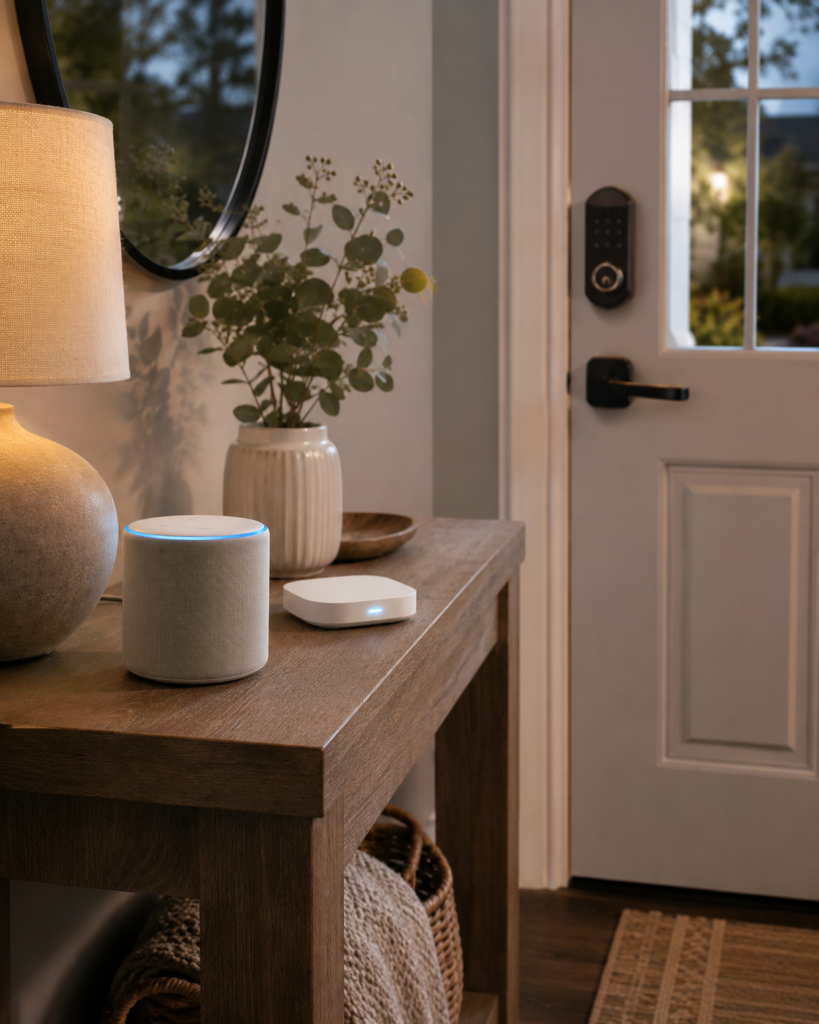
Yale sits in an interesting middle ground. The Yale Assure Lock 2, in particular, has become a favorite among smart-home enthusiasts because it plays nicely with nearly every ecosystem — Alexa, Google Home, Apple HomeKit, SmartThings, and Matter — without forcing you into one company’s app. Compared to Kwikset, Yale generally offers stronger smart-home compatibility and a more premium feel, while Kwikset again wins on affordability and rekeying ease. If you already have a smart home built around a specific voice assistant or hub — and if you’ve weighed something like our Amazon Echo vs. Google Home comparison to decide which ecosystem you’re committing to — checking Yale’s compatibility list before you buy will save you a headache later.
What Do Police and Locksmiths Actually Recommend?
This one surprises people: when locksmiths and security professionals are asked what they’d put on their own front door, the answer usually isn’t the flashiest smart lock on the market — it’s a Grade 1 deadbolt with a reinforced strike plate, smart features optional. The electronics are a convenience layer; the deadbolt itself, its throw length, and how well the strike plate is anchored into the door frame (ideally with 3-inch screws reaching the stud, not just the jamb) do the actual work of stopping someone from kicking the door in.
Locksmiths who install both brands day-to-day tend to lean Schlage for pure durability, especially on high-traffic entries, while acknowledging Kwikset holds up fine for most residential situations that aren’t seeing heavy daily abuse.
The Real Downsides Nobody Puts in the Headline
Every “best smart lock” list loves to talk about fingerprint speed and app ratings. Fewer of them are honest about the tradeoffs. Since you’re making a purchase decision, you deserve the full picture.
Does a Smart Lock Affect Your Home Insurance?
This is one of the most-asked questions on the topic, and the honest answer is: it depends on your specific policy, but outright voiding coverage is rare. Most insurers focus on whether your lock meets baseline security requirements (often tied to the lock cylinder’s rating) rather than whether it happens to be “smart.” A handful of carriers offer modest discounts for security-enhancing devices, but as of now, smart locks alone typically don’t move the needle much on premiums the way a full monitored alarm system might — if you’re weighing that bigger step, our alarm system for house guide breaks down what actually qualifies for those discounts.
The safest move is a five-minute call to your provider before you buy, especially if you’re switching from a traditional deadbolt to a fully keyless model.
Can Smart Locks Be Hacked?
Yes — and it’s worth being honest about that rather than dismissing it. There have been real, documented vulnerabilities in smart lock software, including flaws that let attackers remotely control locks without authorization. That’s not fearmongering; it’s a reason to be deliberate about which brand and which app you trust with your front door.
That said, context matters. The overwhelming majority of real-world smart lock compromises trace back to weak or reused app passwords, skipped firmware updates, or unsecured home Wi-Fi — not sophisticated attacks on the encryption itself.
Reputable brands with strong track records (Schlage’s AES-256 encryption, for instance) invest heavily in closing these gaps. Your job is simple but non-negotiable: use a unique, strong password, turn on two-factor authentication if it’s offered, and keep the firmware updated. Skip those three things and you’ve undermined even the best hardware on the market.
What Happens When the Power Goes Out or the Battery Dies?
Every smart lock worth your money has a fallback. Most run on standard AA batteries that last several months to a year, with a low-battery warning well before they die, and nearly all include either a physical key override or a 9-volt battery terminal on the exterior for emergency power.
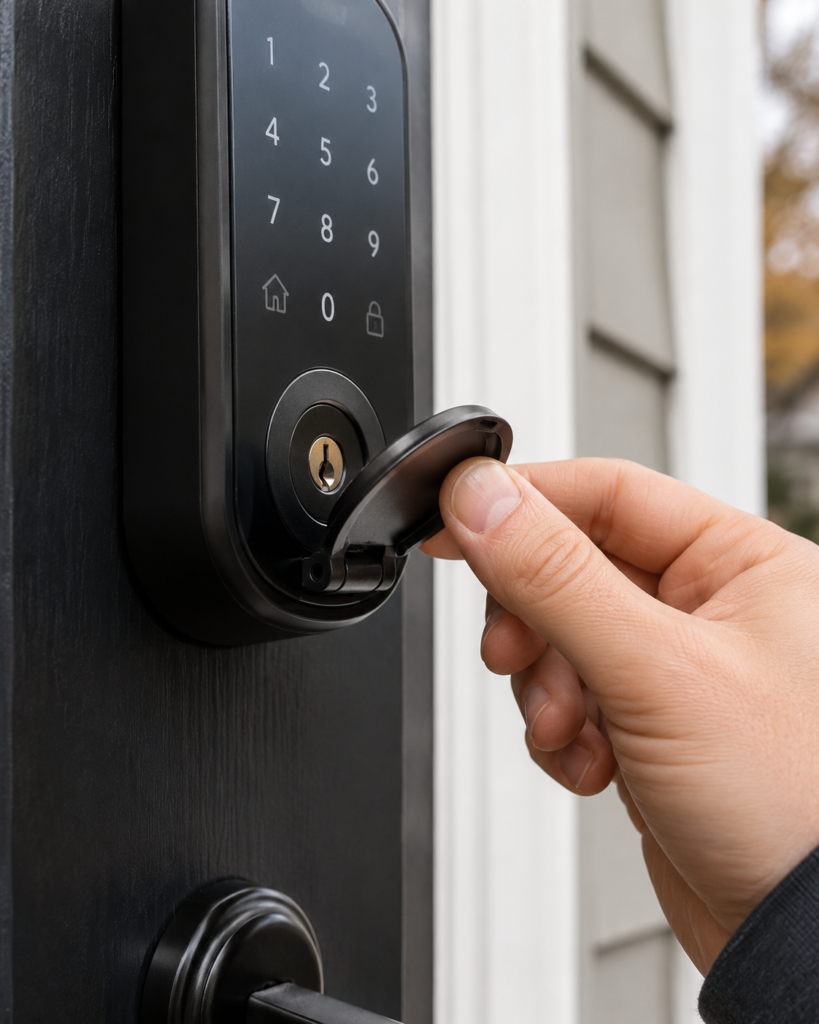
Models with Apple Home Key, like the Schlage Encode Plus, go a step further — they can unlock via phone for hours even after the phone itself has powered down. If a lock you’re considering doesn’t have some form of backup access, that’s a dealbreaker, not a quirk.
Do Smart Locks Actually Deter Burglars?
Indirectly, yes. The convenience features — activity logs, remote locking, instant alerts if the door opens unexpectedly — won’t scare off an intruder the way a barking dog or visible camera does. But the underlying hardware, when you choose a genuinely high-grade lock, absolutely raises the physical difficulty of forced entry.
The smart layer is a bonus for awareness and convenience; the deadbolt underneath is still doing the security work. Pairing your lock with a video doorbell adds another layer of deterrence — our Ring vs. Nest Doorbell comparison is a good next stop if that’s on your list too.
Are Smart Locks Safe for a Front Door? Addressing the Real Concerns
Beyond hacking, a few practical safety questions come up constantly, and they deserve straight answers.
What are the disadvantages of keyless entry? The biggest one is dependency — on batteries, on an app, occasionally on Wi-Fi for remote features. If you’re someone who forgets to charge things or lets apps sit un-updated for months, a keyless system adds a small maintenance habit you’ll need to actually keep up with. The upside is you’ll never again get locked out because you forgot a physical key.
How hackable are smart locks, realistically? Less than headlines suggest, provided you buy from an established brand and follow basic digital hygiene.
Budget or off-brand locks with no security track record are where the real risk concentrates — this is one category where paying for a recognized name buys real protection, not just marketing.
What if the battery dies at the worst possible moment? As covered above, virtually every reputable model gives you a warning window and a backup entry method. The scenario people fear — standing locked out because of a dead battery — is almost entirely preventable with a lock that has proper fallbacks, which is exactly why checking for that feature before purchase matters so much.
Smart Lock vs. Traditional Deadbolt: What’s Really the Best Locking System?
Some searchers land on this topic wondering if a smart lock is even the right move, versus just installing the toughest traditional deadbolt available. Here’s the honest framing: a high-grade smart lock, from a reputable brand, with a Grade 1 or Grade 2 rating, gives you the same physical security as an equivalent traditional deadbolt plus the convenience and monitoring layer on top.
You’re not trading security for convenience with a quality smart lock — you’re getting both, as long as you don’t cut corners on the hardware grade to save money.
Where a traditional deadbolt still wins: pure simplicity, zero dependency on batteries or software, and typically a lower price point for equivalent physical hardware.
If you want the absolute hardest lock to break and don’t care about app features at all, a commercial-grade Grade 1 traditional deadbolt with a reinforced strike plate remains the gold standard security professionals point to. And if the lock is only one piece of your plan, our roundup of top-rated home security systems covers how it fits alongside cameras and monitored alarms.
How to Burglar-Proof Your Front Door Beyond Just the Lock
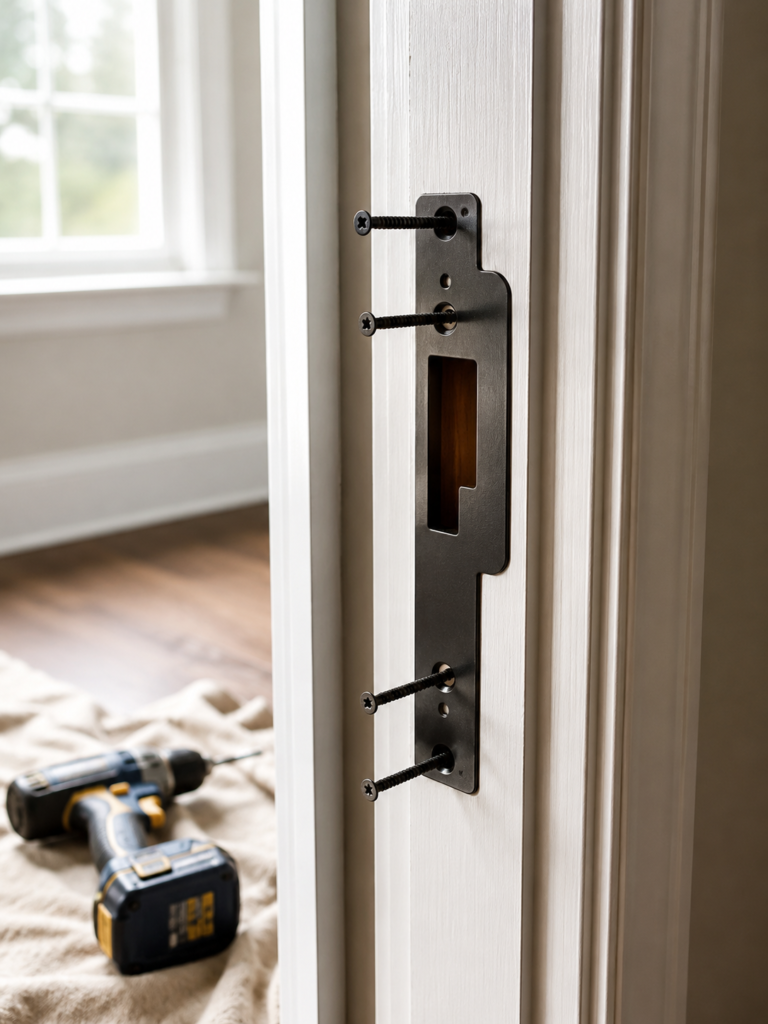
A great lock on a weak door frame is still a weak point. A few upgrades that matter as much as the lock itself:
- Use a strike plate with 3-inch screws that reach into the door frame’s stud, not just the thin jamb material.
- Make sure the door itself is solid wood or metal, not hollow-core — even the best lock can’t compensate for a door that kicks in easily.
- Add a door reinforcement kit or security plate around the lock area for extra resistance against kick-ins.
- Keep the deadbolt throw at least one inch into the frame for maximum resistance to prying.
- Add visible deterrents like a video doorbell or an AI-enabled security camera aimed at the entry — deterrence and detection work best layered together.
Decision Framework: How to Actually Choose Yours
With all that in mind, here’s a simple decision framework rather than a generic list:
- Want maximum security and don’t mind the price? Go with the Schlage Encode Plus — Grade 1 hardware, Apple Home Key, AES-256 encryption.
- Budget-conscious but still want reliable protection? The ULTRALOQ U-Bolt Pro WiFi delivers Grade 1 certification at a mid-range price, or the Wyze Lock Bolt if you’re outfitting multiple doors on a strict budget.
- Renting or don’t want to swap exterior hardware? The August Wi-Fi Smart Lock installs over your existing deadbolt in minutes without drilling.
- Deep into one smart home ecosystem already? The Yale Assure Lock 2 covers the widest range of platforms — check Matter, HomeKit, or your specific voice-assistant compatibility before anything else, since the “best” lock on paper is a headache if it doesn’t talk to the rest of your setup.
- Want hands-free, code-free entry? The Kwikset Halo Touch’s fingerprint reader is the fastest way in without touching a keypad.
Best Smart Lock for Front Door FAQs :
What is the most secure lock for a front door?
A Grade 1 ANSI/BHMA-certified deadbolt from an established brand like Schlage, paired with a reinforced strike plate anchored into the door frame’s stud, offers the highest realistic security for a residential front door.
Is Schlage or Kwikset better?
Schlage generally offers stronger physical security and more Grade 1 options; Kwikset offers better affordability and effortless rekeying. Neither is objectively “better” — it depends on whether you’re prioritizing maximum security or value.
Do smart locks void insurance?
Rarely. Most insurers care about the lock’s security rating, not whether it’s electronic, though it’s worth confirming with your specific provider before installing one.
What happens to smart locks when the power goes out?
Reputable smart locks run on batteries with months of life, provide low-battery warnings, and include a physical key or emergency power port as backup, so a power outage alone won’t lock you out.
Can a smart lock be hacked?
It’s technically possible, and there have been real vulnerabilities disclosed in some products, but the practical risk is low if you choose a reputable brand and use strong, unique passwords with two-factor authentication enabled.
What is the hardest door lock to break?
Commercial-grade Grade 1 deadbolts with hardened steel bolts, reinforced housings, and deep strike-plate engagement are the toughest to defeat through both forced and non-forced entry methods.
The Bottom Line
I never got locked out on my porch again after installing my smart lock, but more importantly, I stopped worrying every time I left the house whether I’d actually turned the deadbolt. That peace of mind, backed by real Grade 1 or Grade 2 hardware rather than gimmicks, is what a good smart lock front door setup should give you.
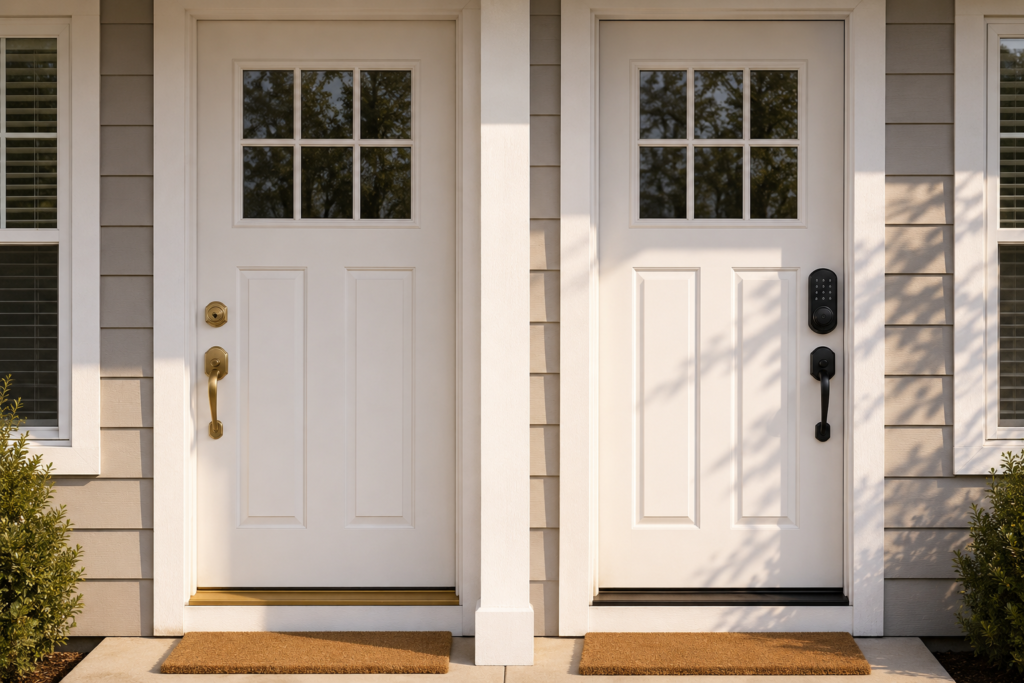
Don’t get talked into the flashiest features at the expense of the boring stuff that actually stops a break-in: the grade rating, the strike plate, the backup access method.
Get those right, and the app, the fingerprint reader, the voice control — all of that becomes a genuine bonus instead of a distraction from what your front door is actually there to do.
Already narrowed it down to a couple of options? Drop a comment with your top two and I’ll happily weigh in on which fits your setup better — or if you’ve already made the switch, I’d love to hear whether it lived up to the hype.
And if you’re building out the rest of your home security setup, our Home Security section covers cameras, doorbells, and full alarm systems next.
Leave a Reply